Preencher um formulário PDF com IA
pdftek finds every field and fills it de your profile. You check and finish the rest.
- 1
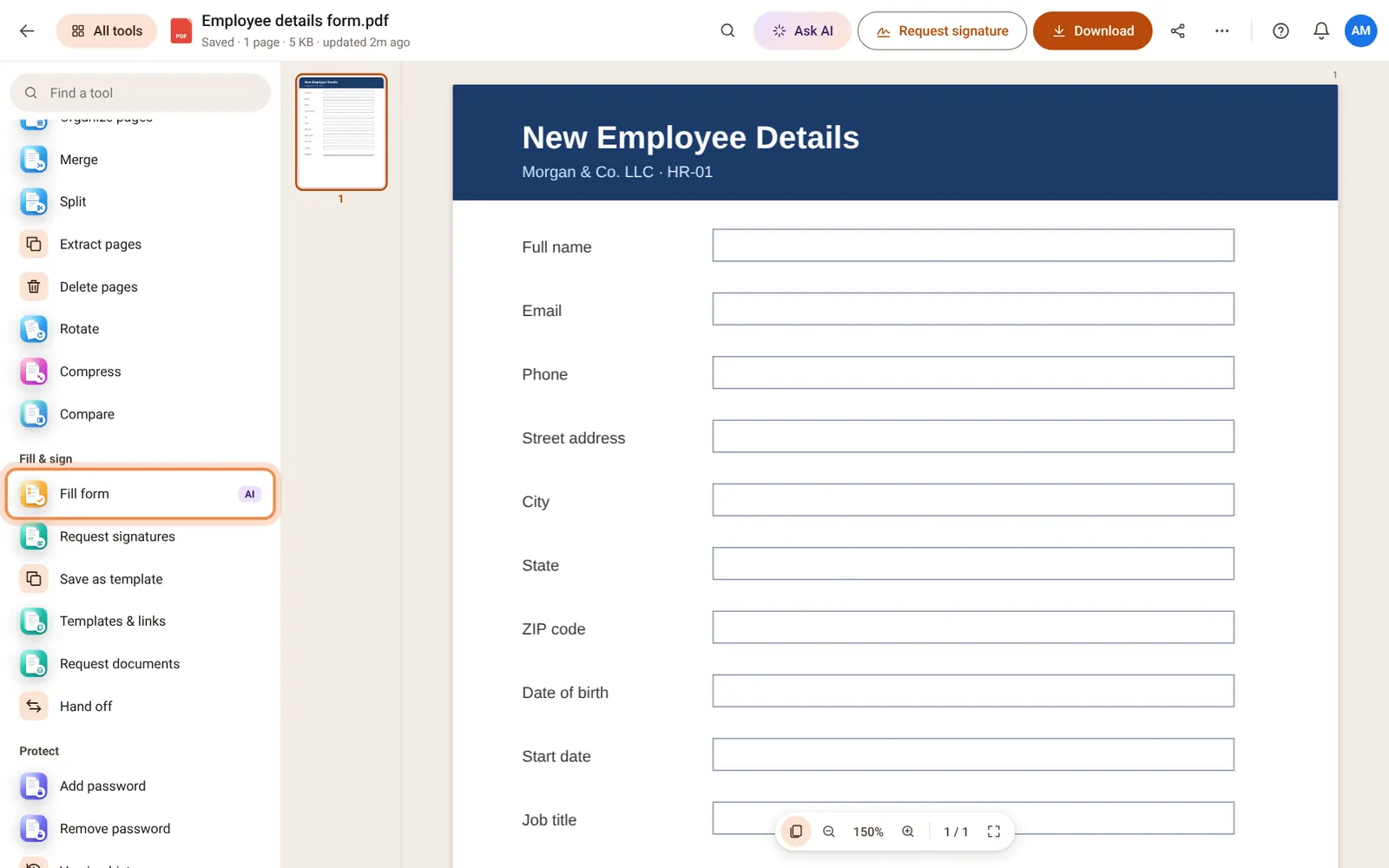
Abrir Preencher formulário
Abra o formulário e clique em Preencher um formulário, no Início, ou em Preencher formulário, em Todas as ferramentas.
- 2
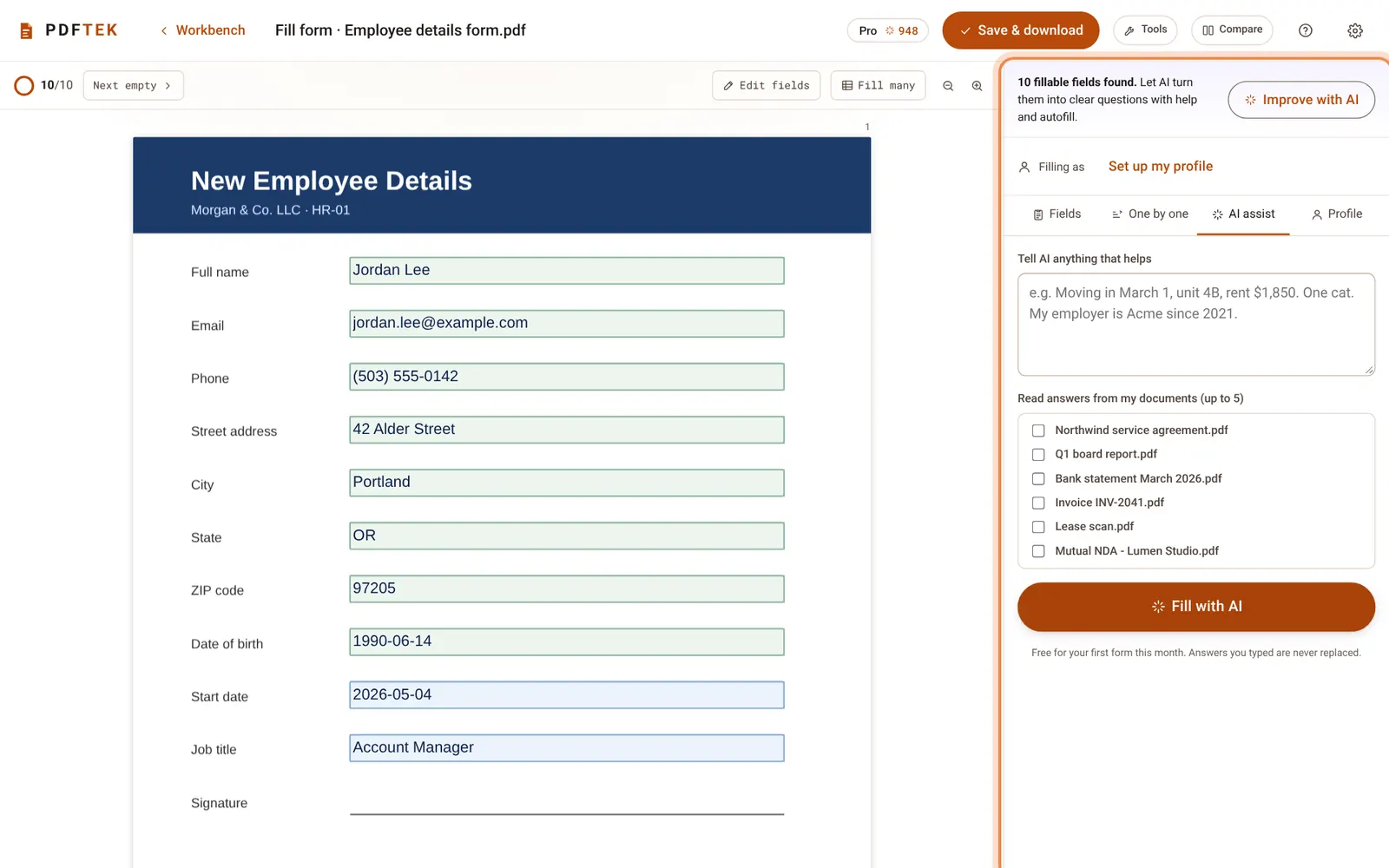
Revise os campos
Every field is found, including on scanned forms, and filled de your saved profile. Click any field to change it.
- 3
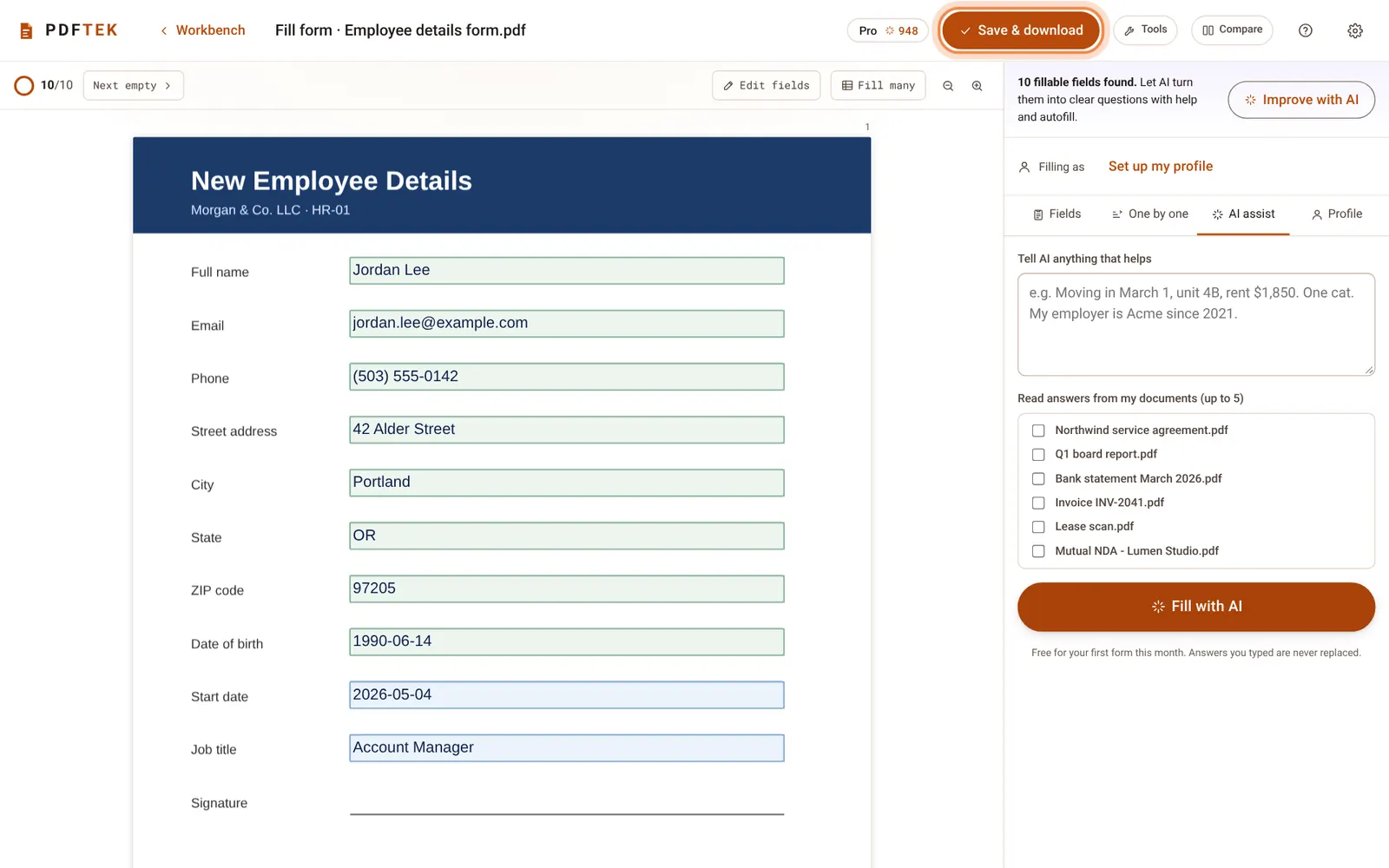
Assinar e salvar
Adicione a sua assinatura e depois guarde o formulário preenchido como nova versão ou transfira-o.
Pronto para experimentar?Abra a sua área de trabalho e acompanhe.
Começar grátis