向客户索取文档
发送清单,按阶段跟踪进度,并由 AI 检查每次上传。
- 1
请求文件
Open a client and click Request documents. Start,来自 New client onboarding, ID verification, Employee onboarding, a tax checklist or your own list.
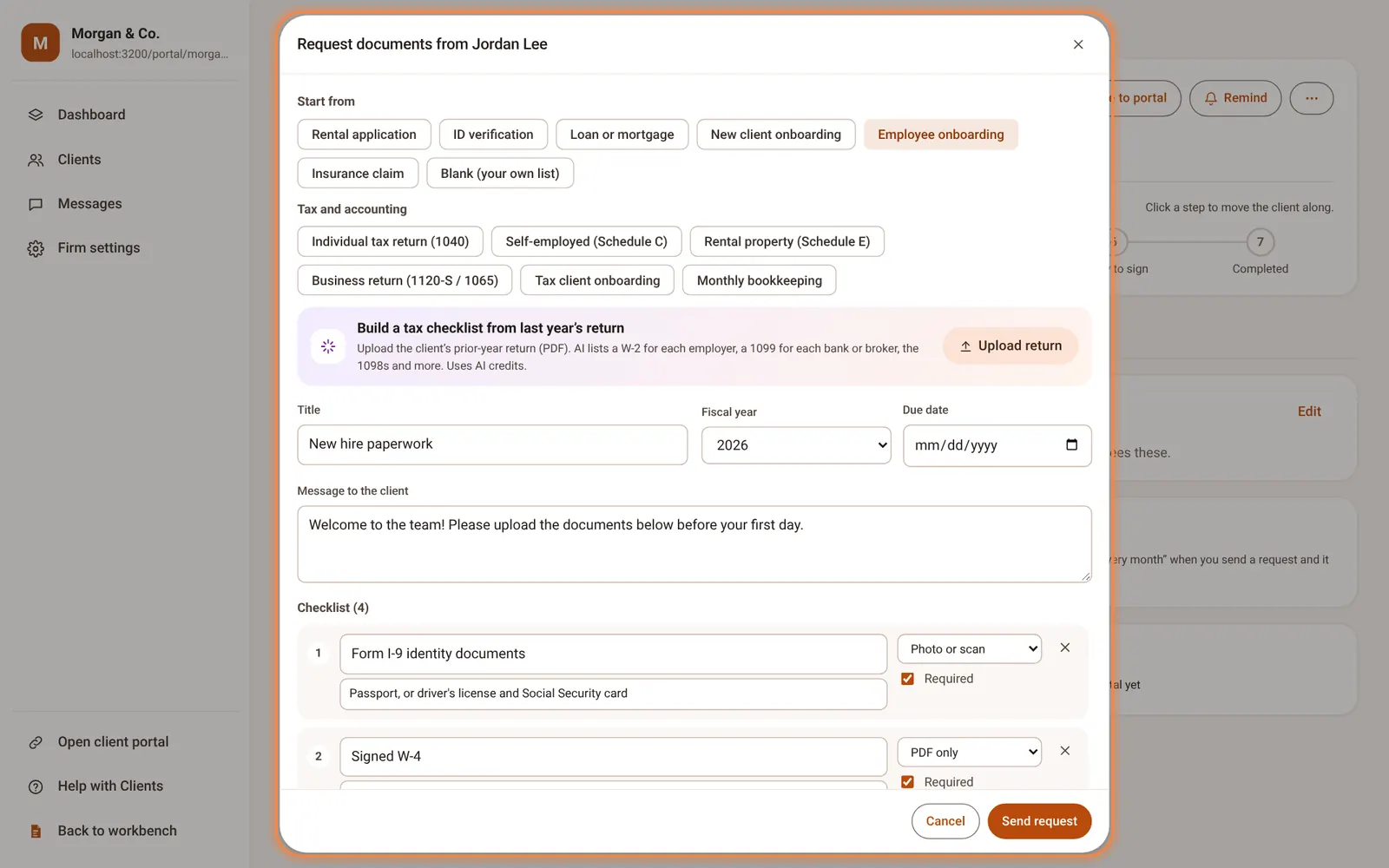
- 2
自动重复
可设置每月、每季度或每年重复发送请求,例如用于每月记账。
- 3
上传文件会经过安全检查
Each upload is checked against the item it was 发送了 for, renamed and filed under the client and year. Problems are flagged for you and for the client.
- 4
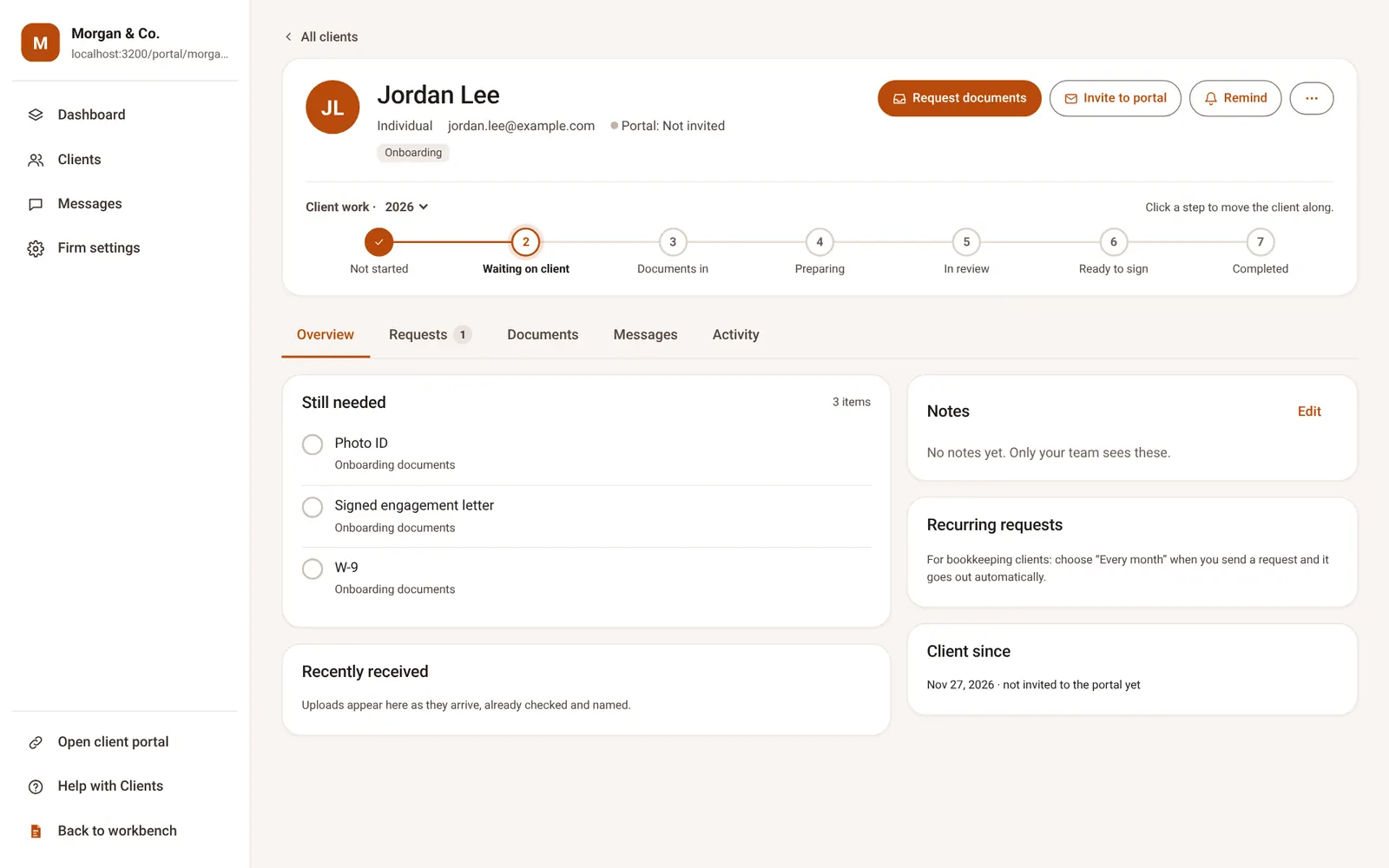
推进客户流程
Click a stage to move the client,来自 Waiting on client through to Completed. The dashboard shows who needs attention.
想试试吗?打开工作台,跟着一起操作。
免费开始