用 AI 填写 PDF 表单
pdftek finds every field and fills it,来自 your profile. You check and finish the rest.
- 1
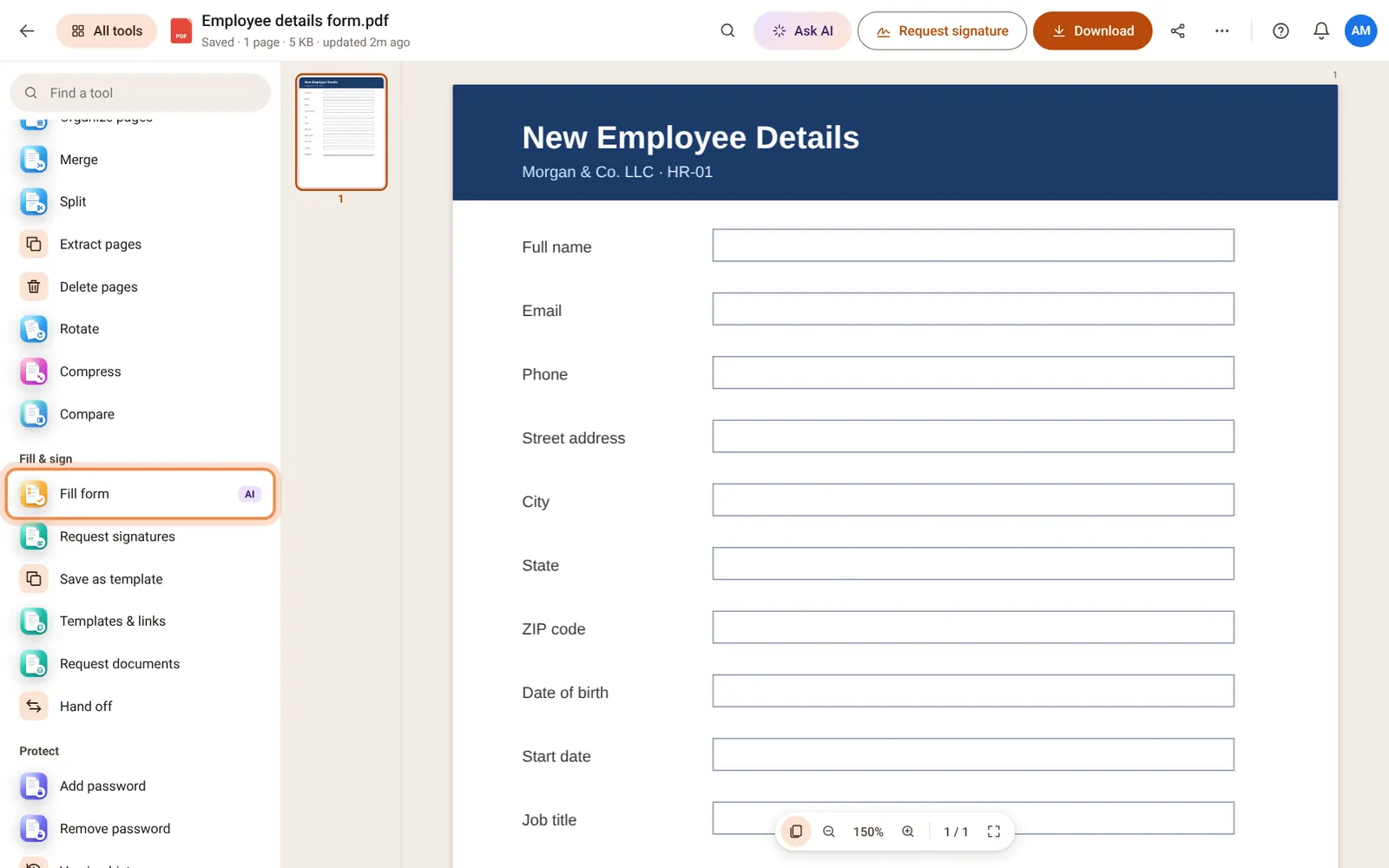
打开表单填写
打开表单,点击首页的“填写表单”或“所有工具”中的“填写表单”。
- 2
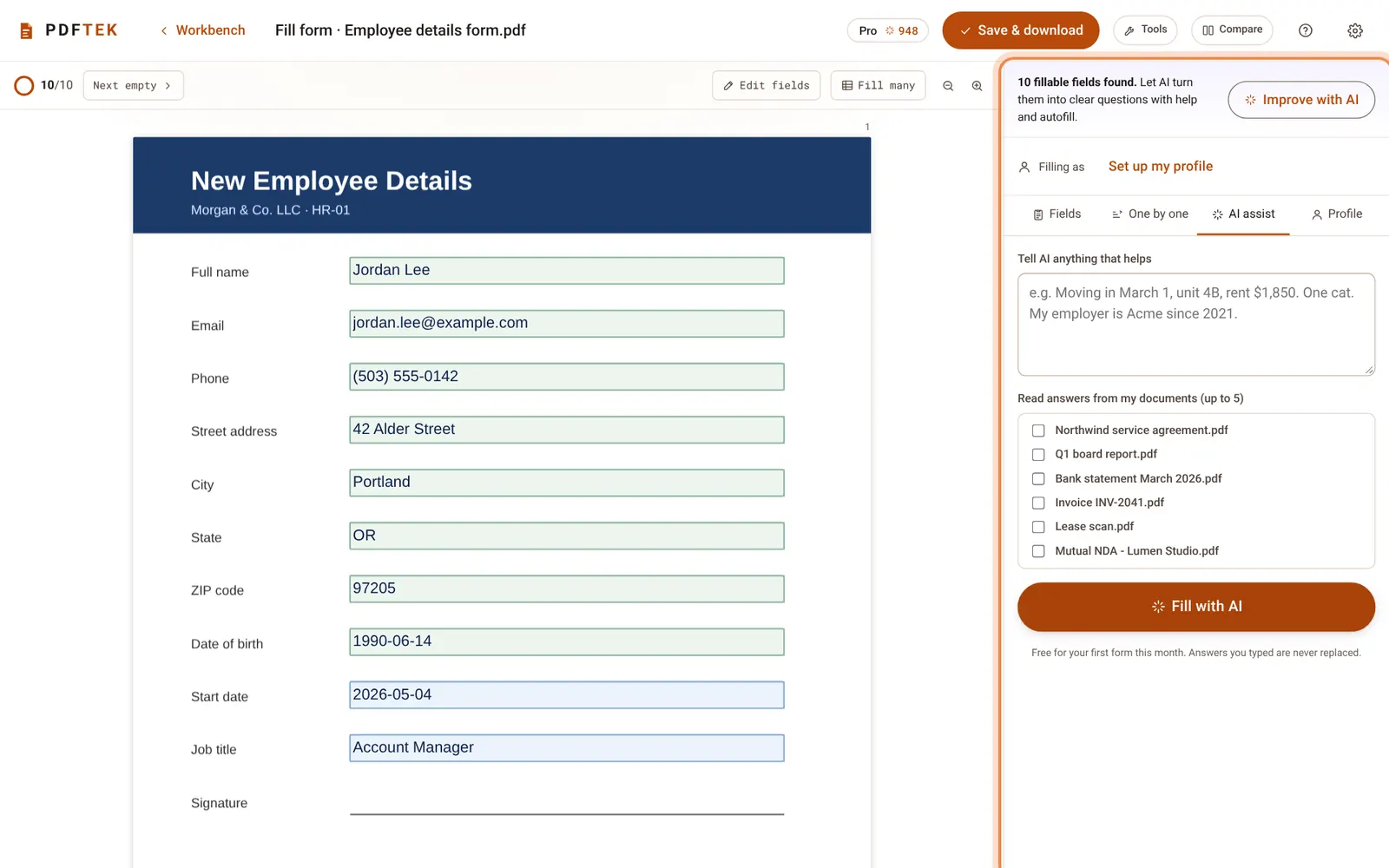
检查字段
Every field is found, including on scanned forms, and filled,来自 your saved profile. Click any field to change it.
- 3
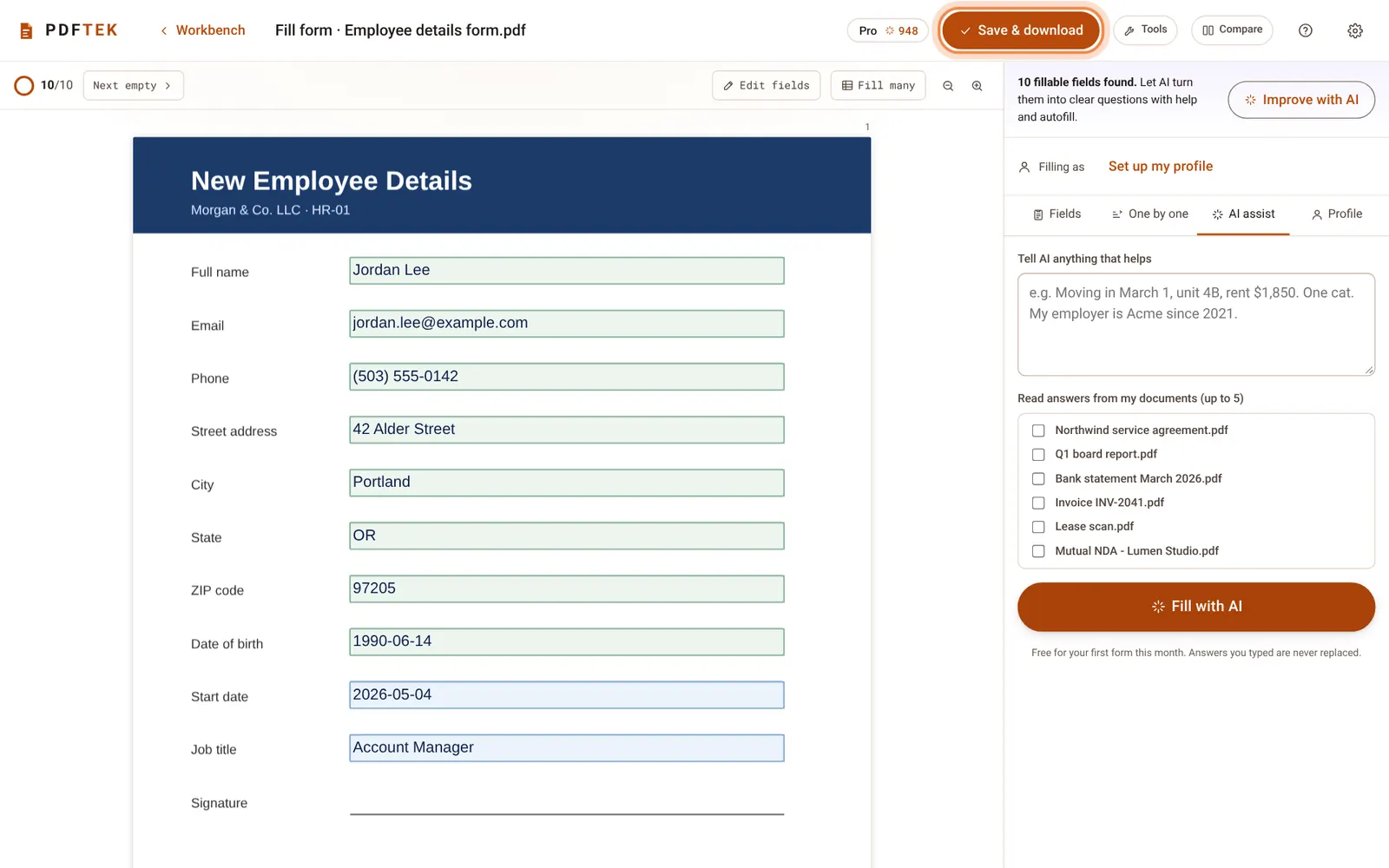
签名并保存
添加签名后,将填好的表单另存为新版本或直接下载。
想试试吗?打开工作台,跟着一起操作。
免费开始