Subir y organizar documentos
Add files de your computer, your phone or the cloud, then rename, tag, filter and tidy them up.
- 1
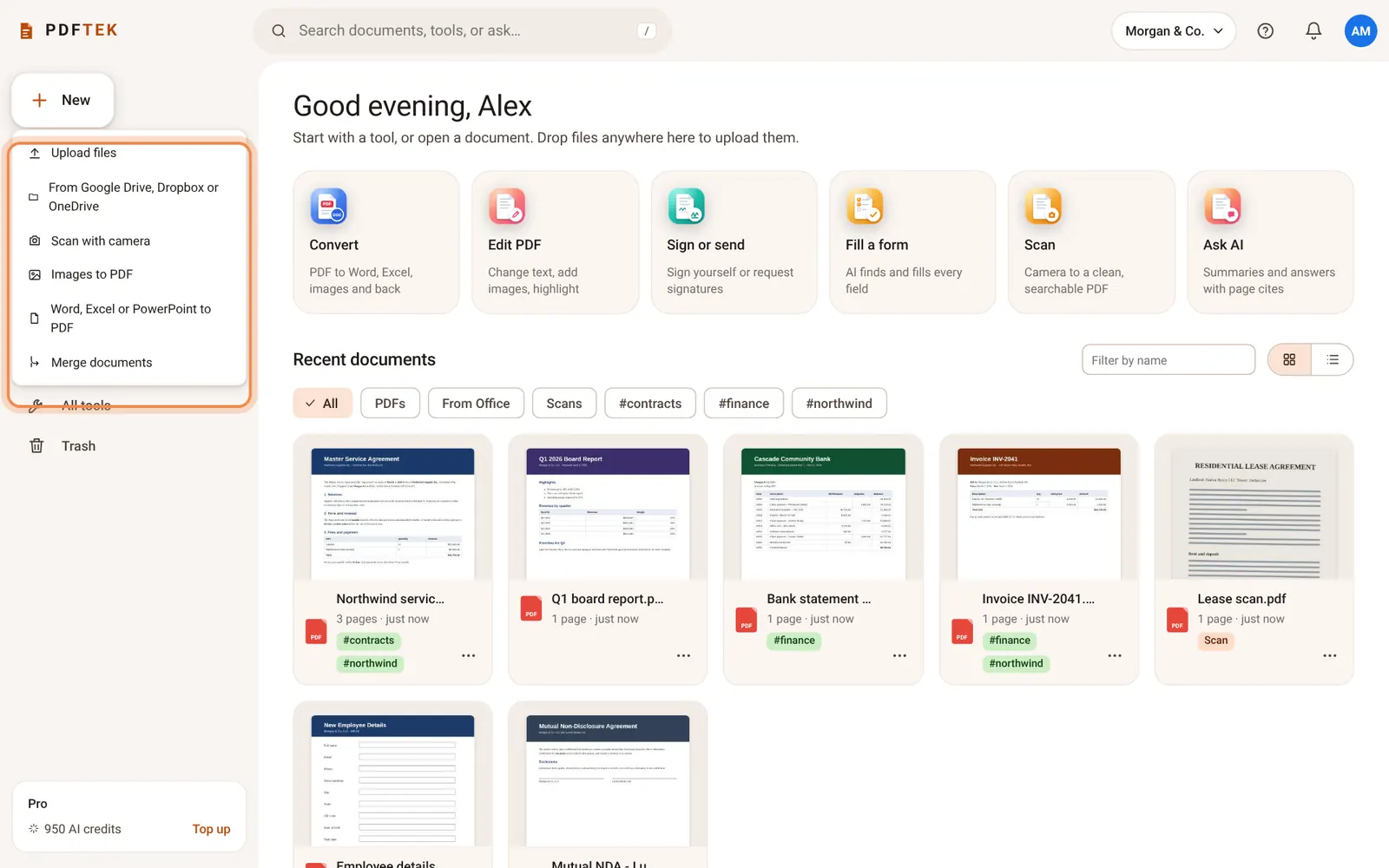
Añadir archivos
Haz clic en Nuevo y luego en Subir archivos, o arrastra los archivos a cualquier parte de la pantalla de inicio. Admite PDF, Word, Excel, PowerPoint, imágenes y TIFF; los demás formatos se convierten a PDF al subirlos.
- 2
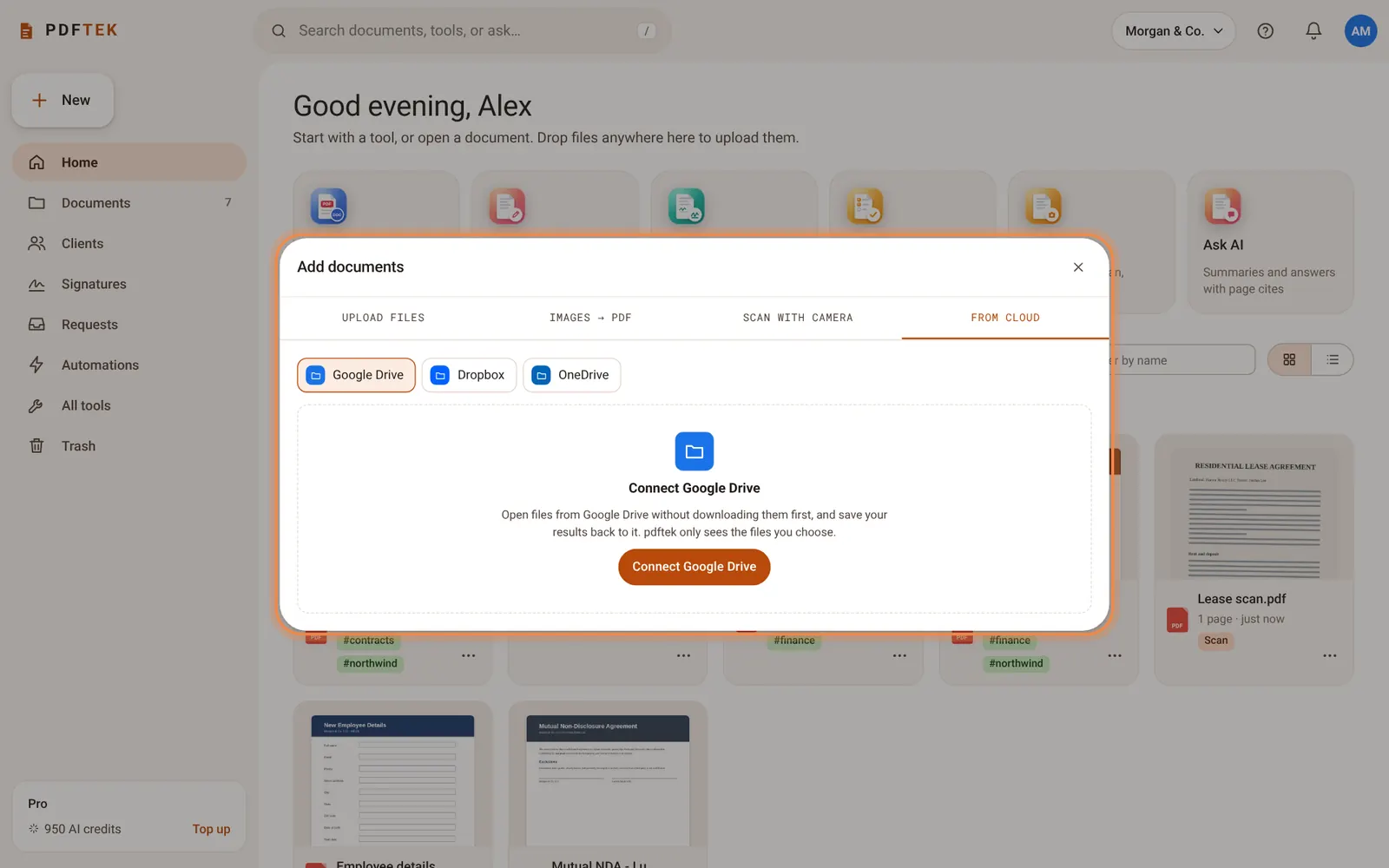
Desde la nube
Choose From Google Drive, Dropbox or OneDrive in the New menu to open files straight de your cloud storage.
- 3
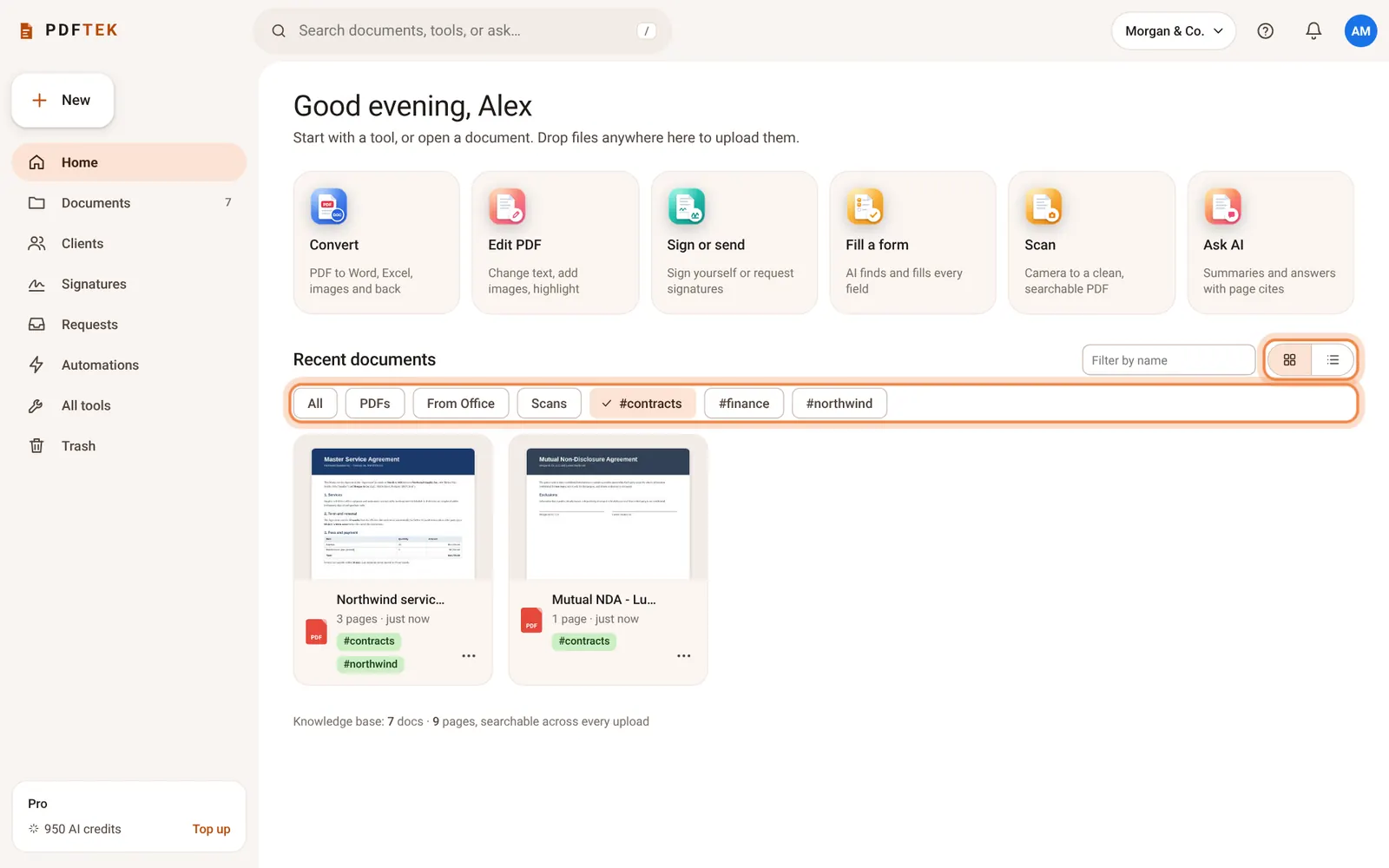
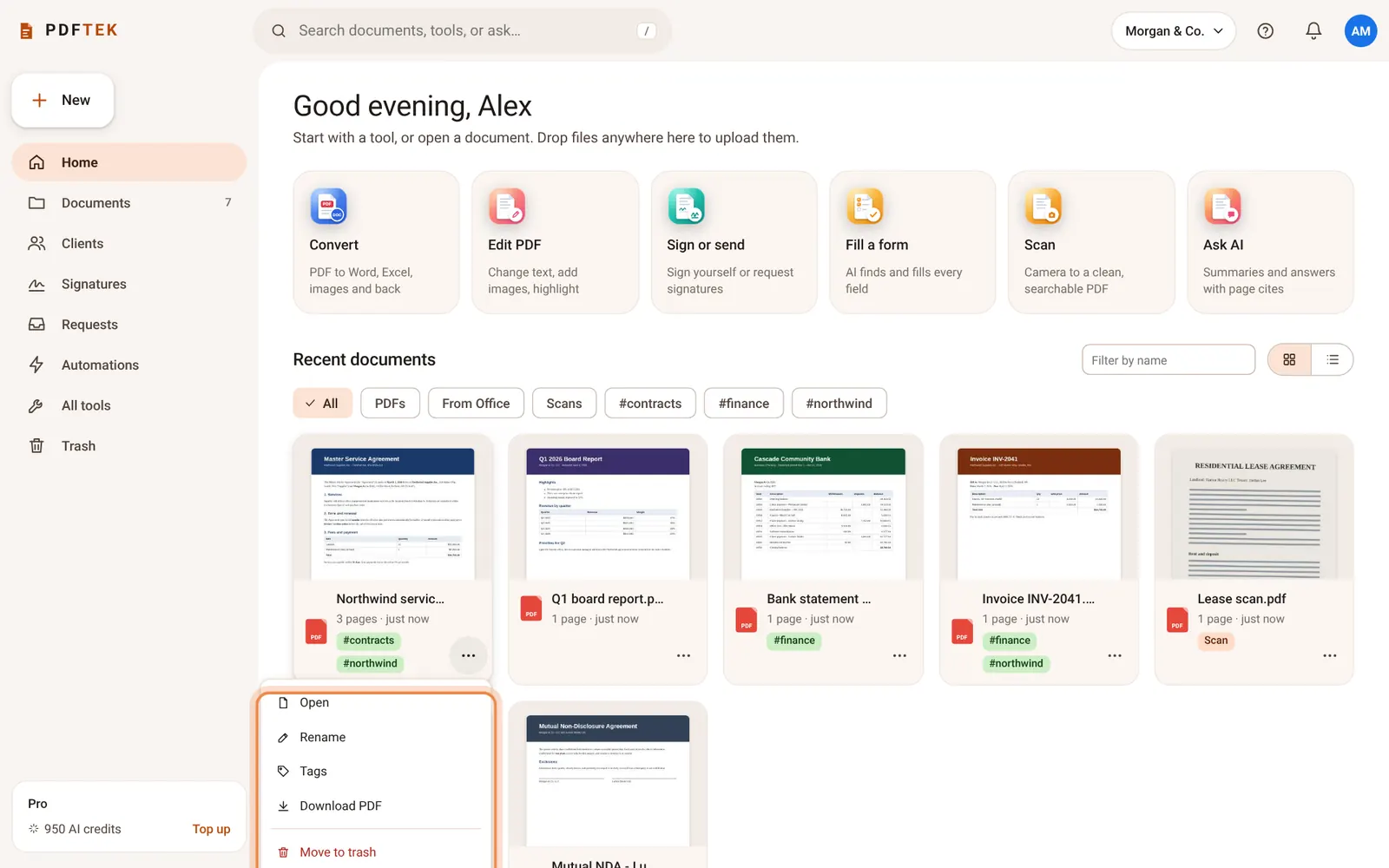
Filtra y cambia de vista
Use the chips to show only PDFs, files de Office, scans or a tag. Switch between the grid and the list with the buttons on the right.
- 4
Cambia el nombre, etiqueta o descarga
Haz clic en los tres puntos de un documento para Cambiar nombre, Etiquetas, Descargar PDF o Mover a la papelera. Las etiquetas aparecen como filtros para agrupar documentos.
- 5
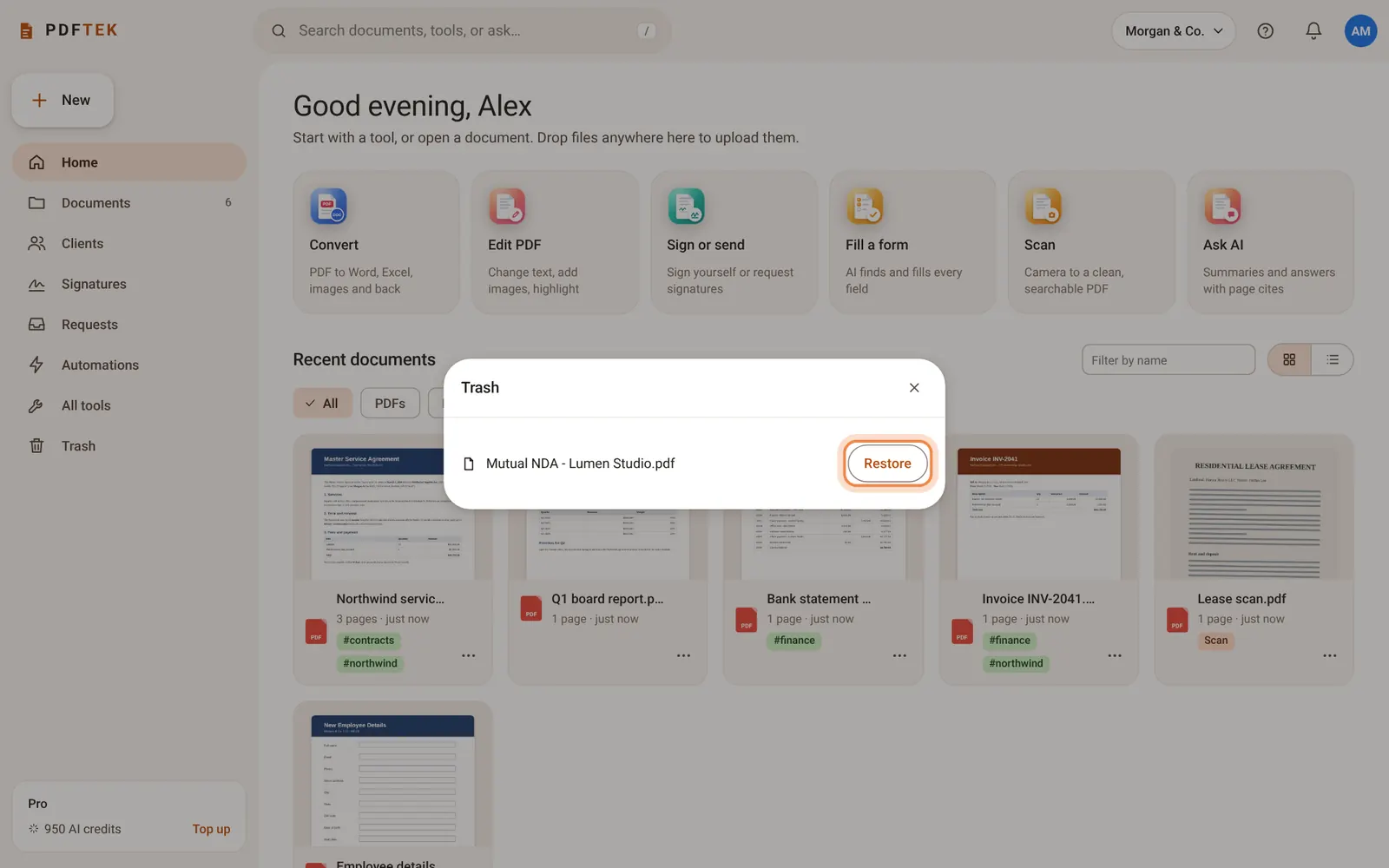
Restaurar desde la papelera
¿Borraste algo sin querer? Haz clic en Papelera en el menú de la izquierda y elige Restaurar.