Carica e organizza i documenti
Add files da your computer, your phone or the cloud, then rename, tag, filter and tidy them up.
- 1
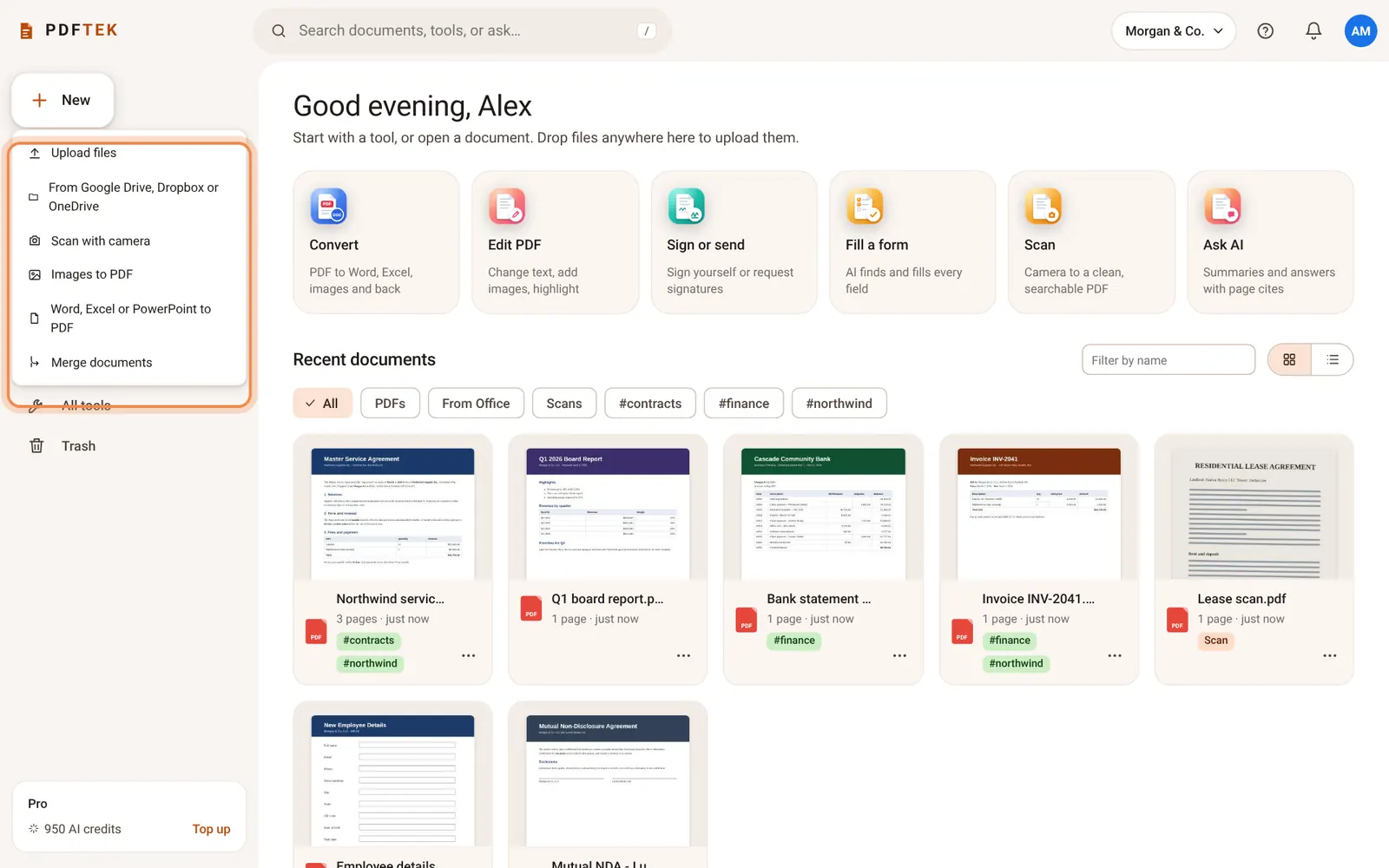
Aggiungi file
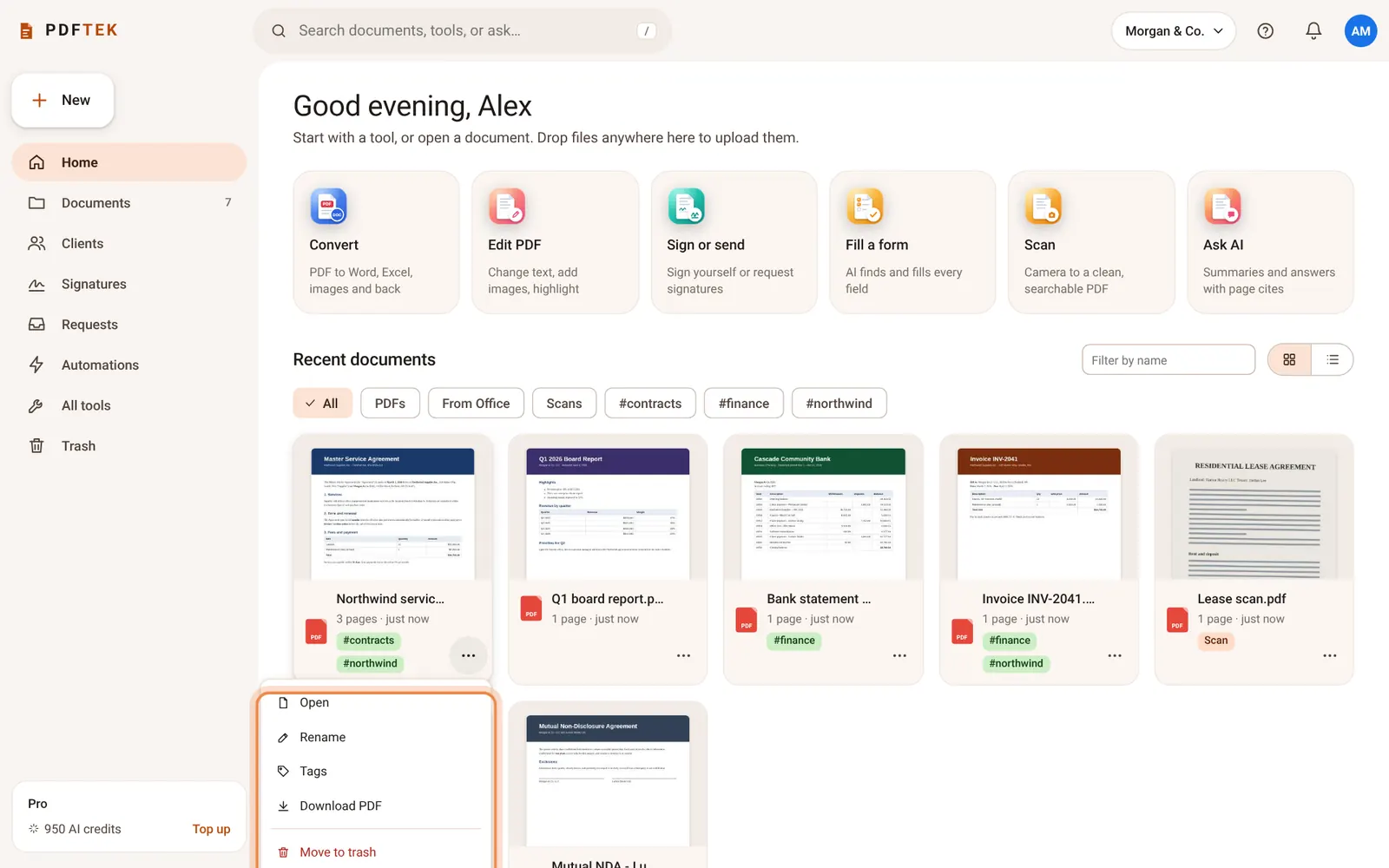
Fai clic su Nuovo, poi su Carica file, oppure trascina i file in un punto qualsiasi della Home. Sono supportati PDF, Word, Excel, PowerPoint, immagini e TIFF; gli altri formati vengono convertiti in PDF durante il caricamento.
- 2
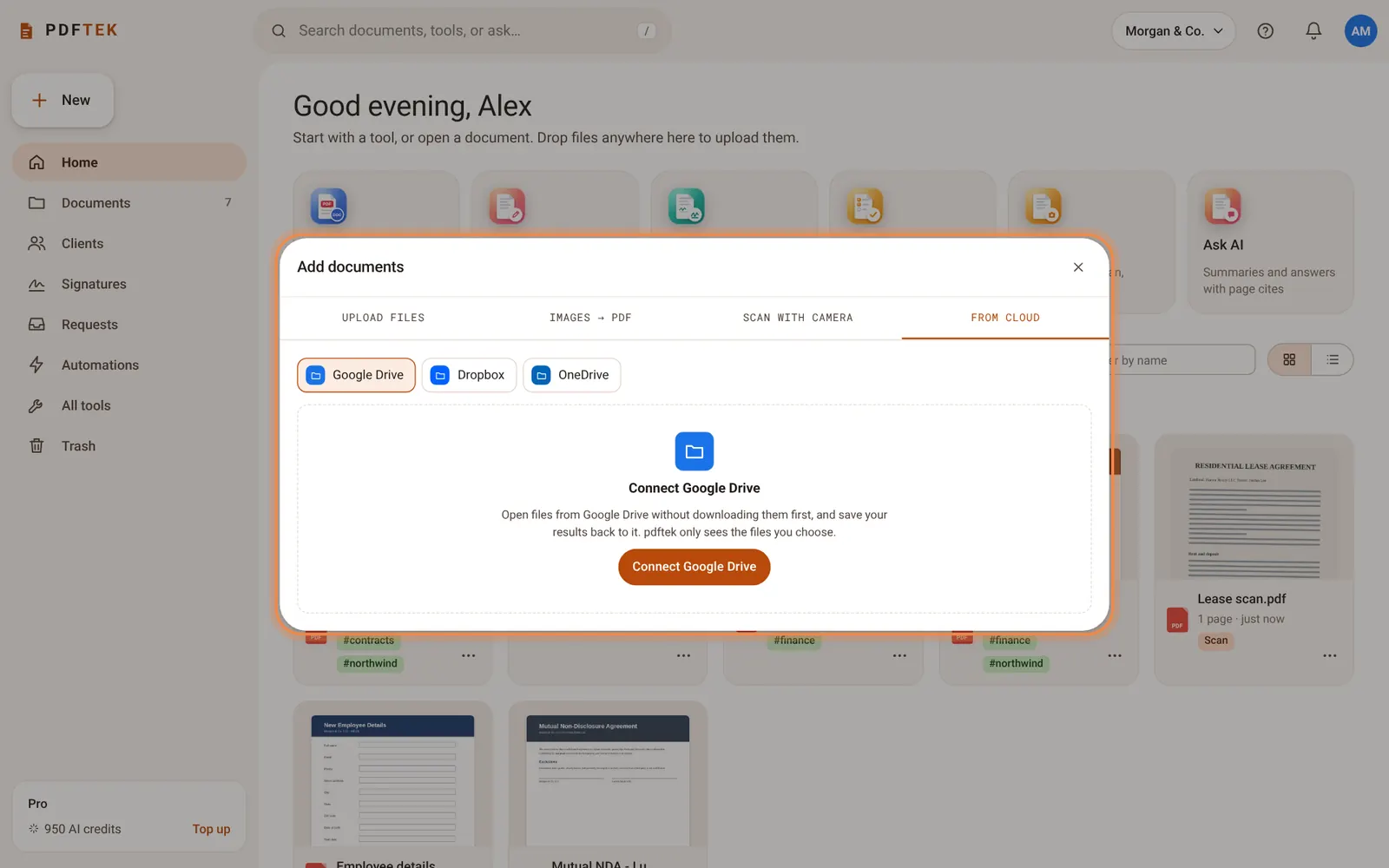
Dal cloud
Choose From Google Drive, Dropbox or OneDrive in the New menu to open files straight da your cloud storage.
- 3
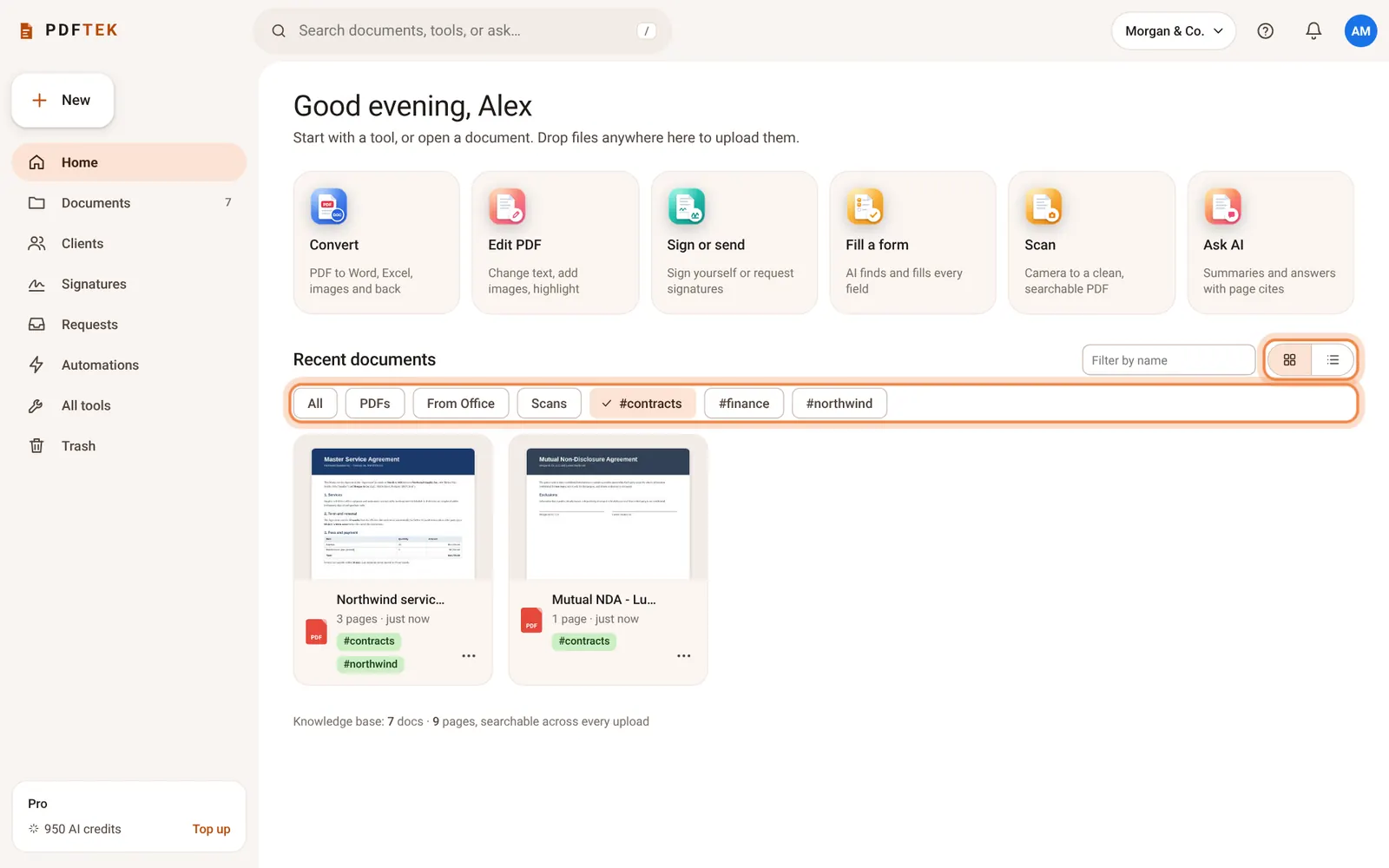
Filtra e cambia visualizzazione
Use the chips to show only PDFs, files da Office, scans or a tag. Switch between the grid and the list with the buttons on the right.
- 4
Rinomina, aggiungi tag o scarica
Fai clic sui tre puntini di un documento per Rinomina, Tag, Scarica PDF o Sposta nel cestino. I tag compaiono come filtri, così puoi raggruppare i documenti.
- 5
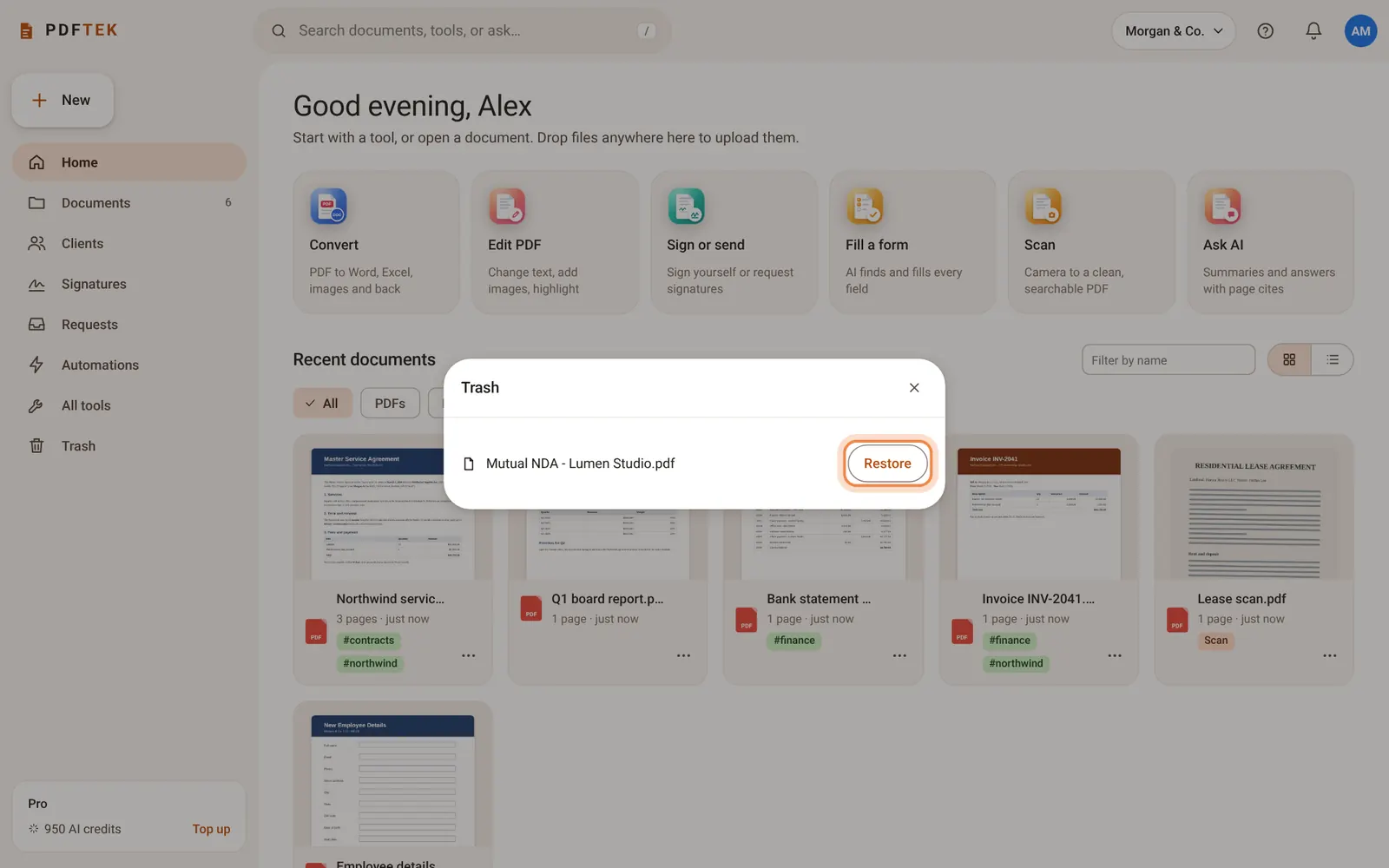
Ripristina dal Cestino
Hai eliminato qualcosa per errore? Fai clic su Cestino nel menu a sinistra e scegli Ripristina.