朗读文档
让 pdftek 为你朗读文档,支持 11 种语言。
- 1
开始阅读
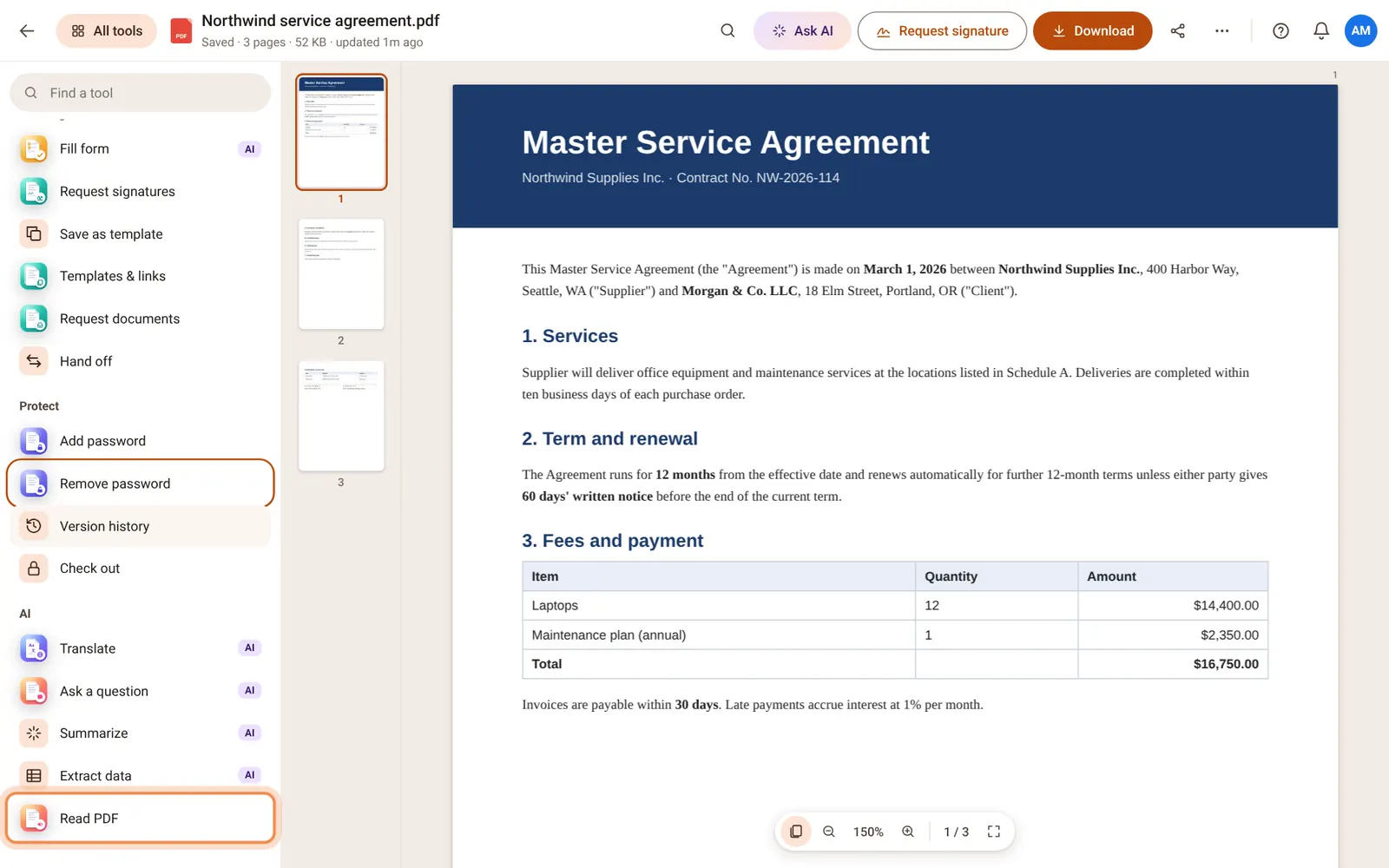
打开文档,在“所有工具”的“AI”下点击“朗读 PDF”。
- 2
播放控制
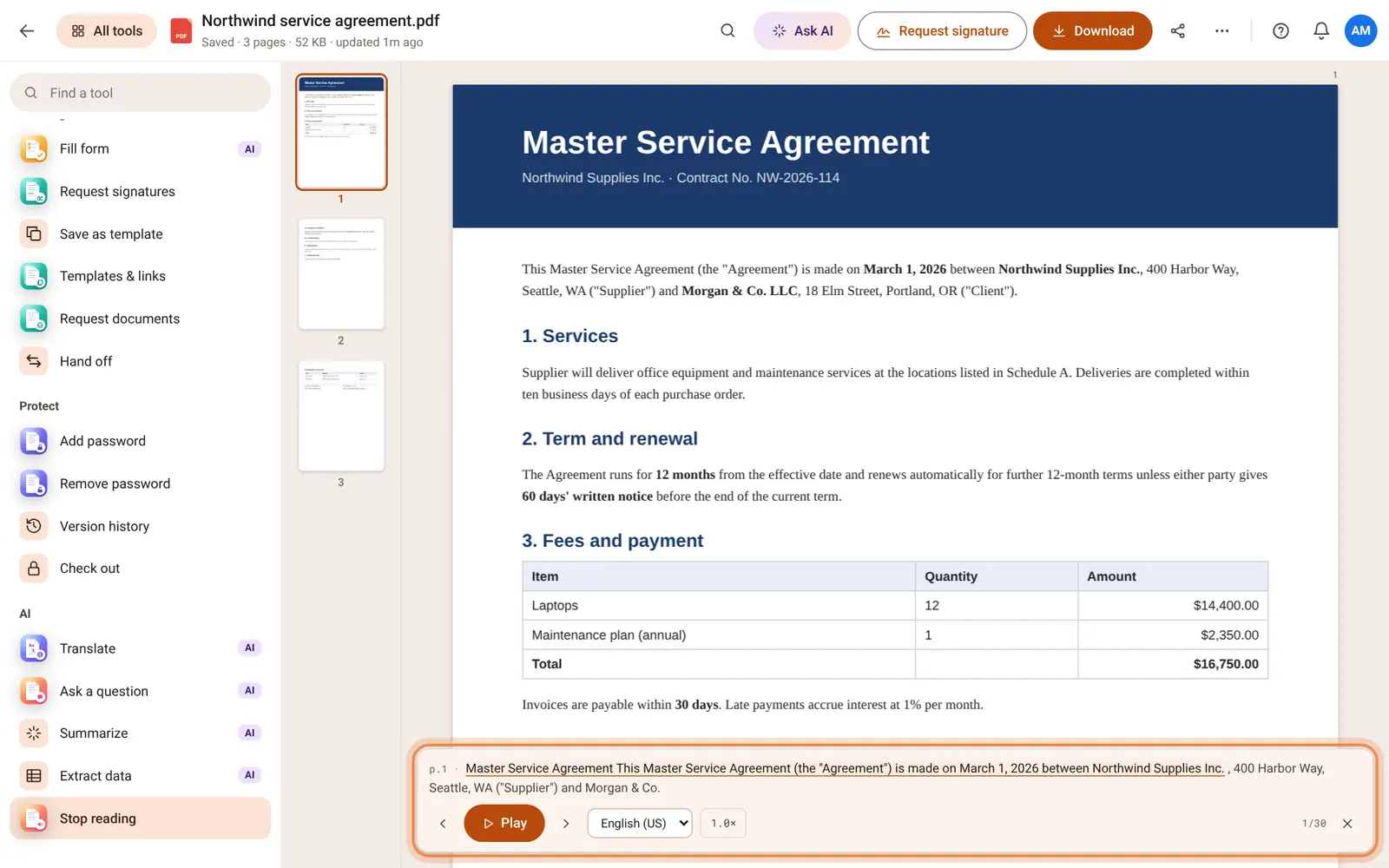
Pause, skip, change the speed or the voice. Reading starts,来自 the page you are on.
想试试吗?打开工作台,跟着一起操作。
免费开始让 pdftek 为你朗读文档,支持 11 种语言。
打开文档,在“所有工具”的“AI”下点击“朗读 PDF”。
Pause, skip, change the speed or the voice. Reading starts,来自 the page you are on.