上传和整理文档
Add files,来自 your computer, your phone or the cloud, then rename, tag, filter and tidy them up.
- 1
添加文件
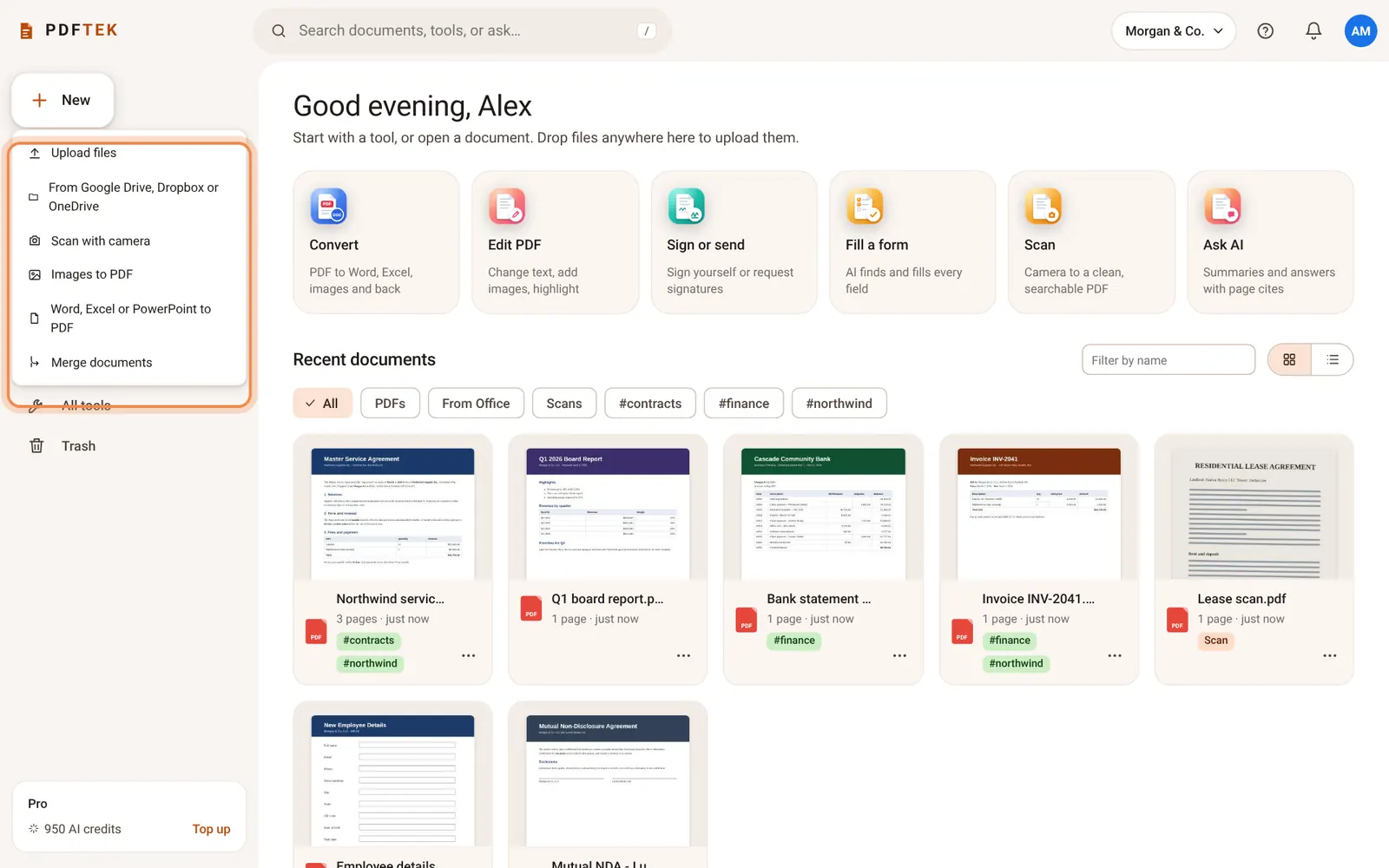
点击“新建”,再点击“上传文件”,或直接将文件拖到主页任意位置。支持 PDF、Word、Excel、PowerPoint、图片和 TIFF;其他格式会在上传时自动转换为 PDF。
- 2
从云端添加
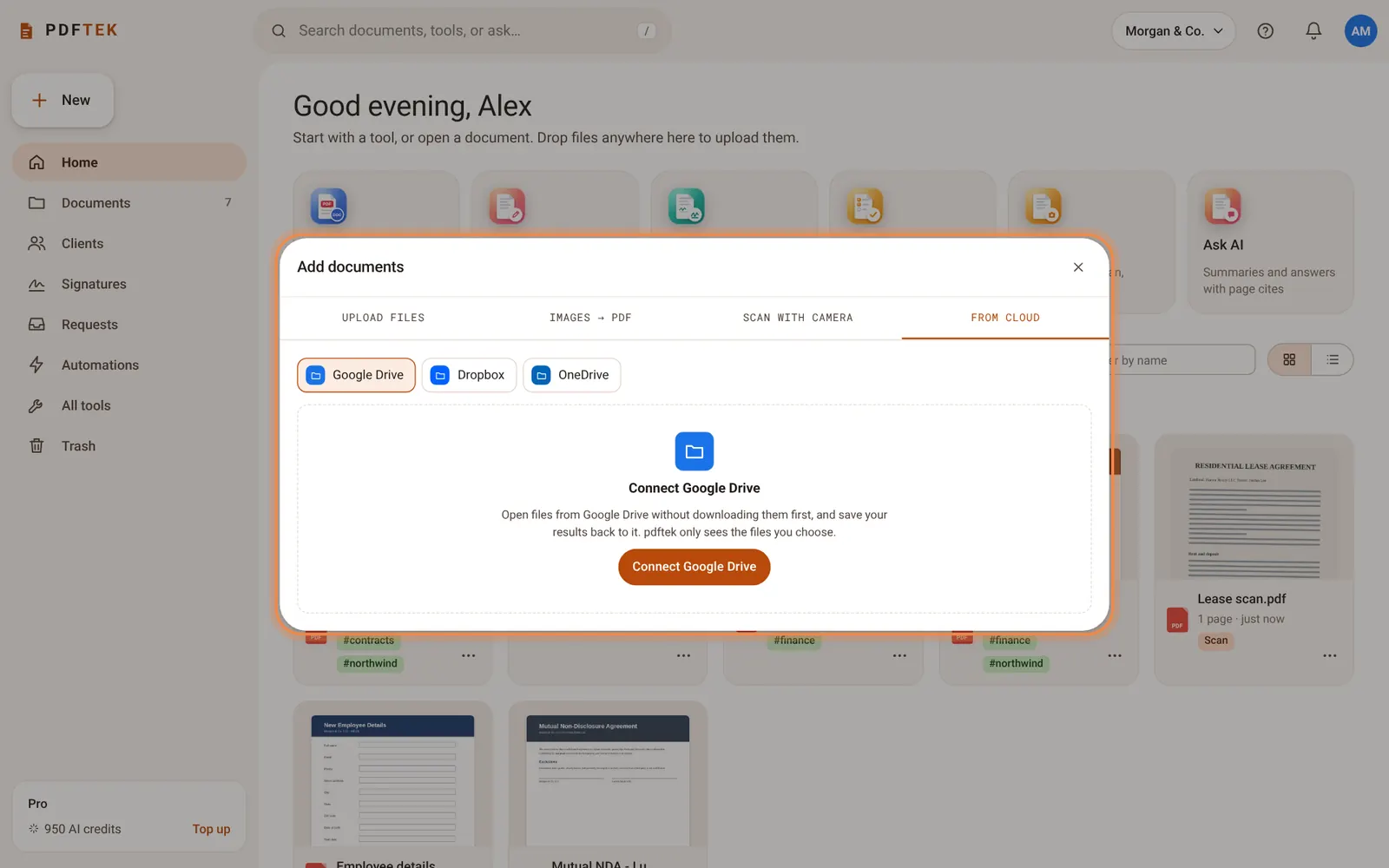
Choose From Google Drive, Dropbox or OneDrive in the New menu to open files straight,来自 your cloud storage.
- 3
筛选和切换视图
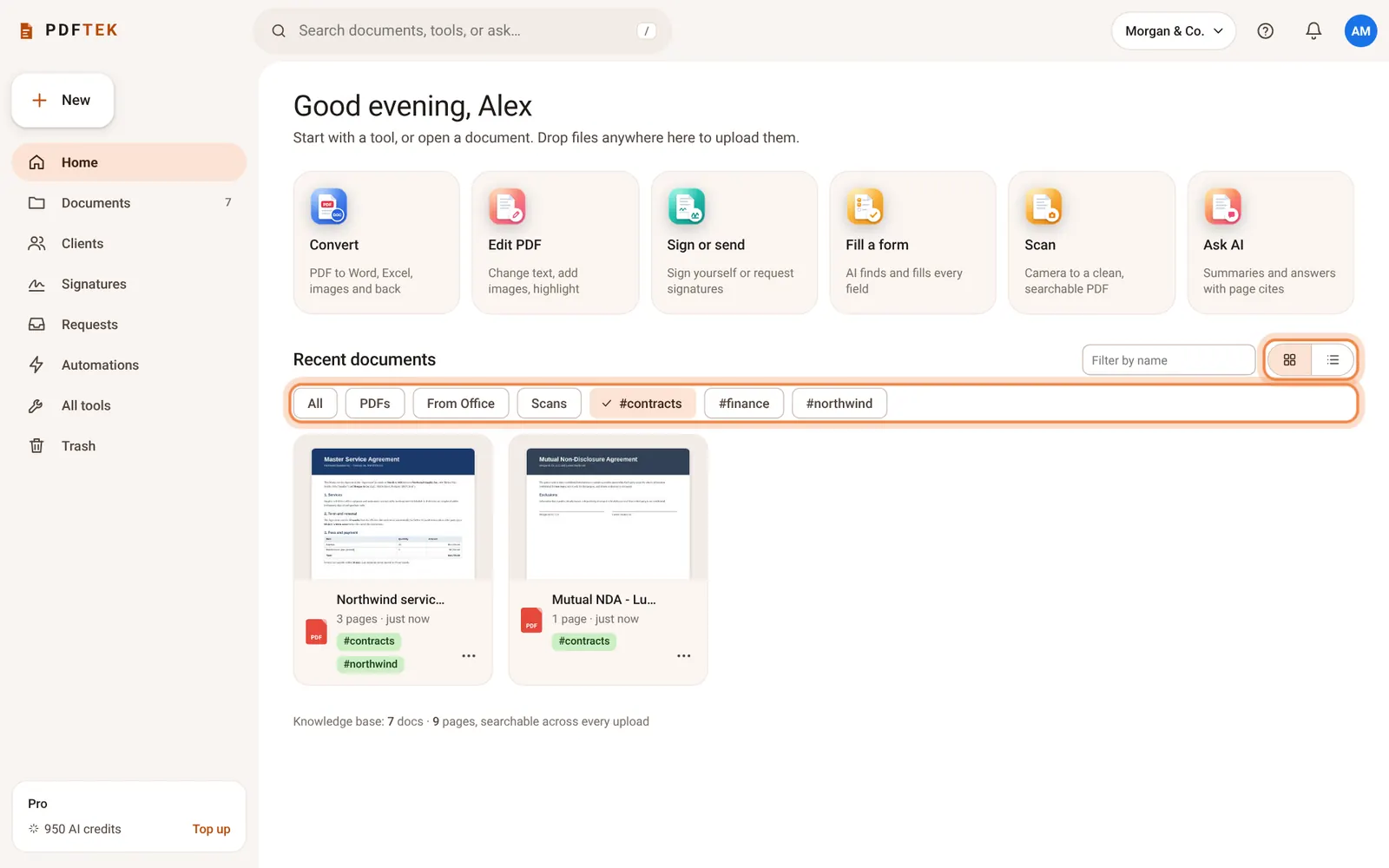
Use the chips to show only PDFs, files,来自 Office, scans or a tag. Switch between the grid and the list with the buttons on the right.
- 4
重命名、添加标签或下载
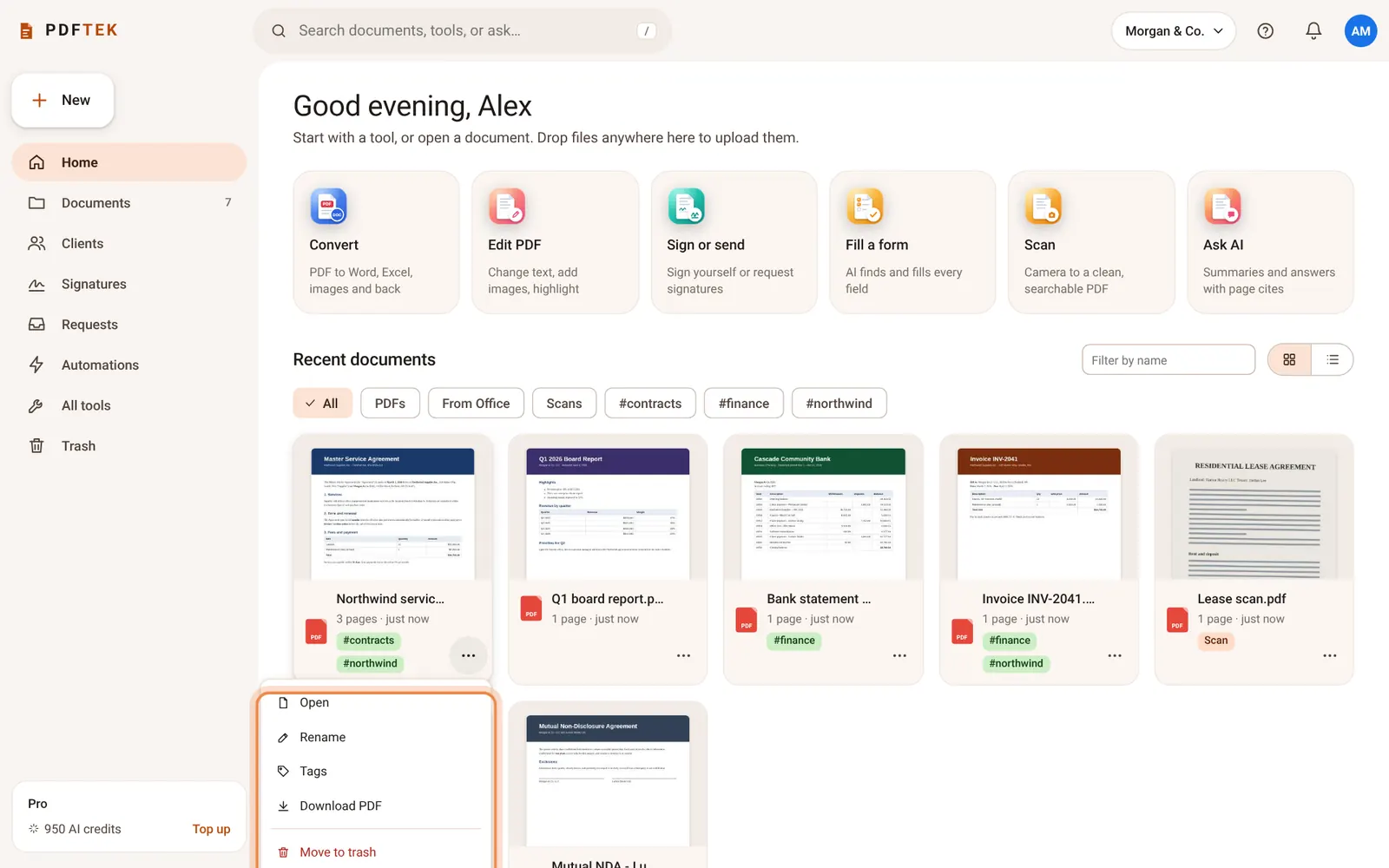
点击文档上的三个点,可重命名、添加标签、下载 PDF 或移至回收站。标签会显示为筛选标签,方便你对文档分组。
- 5
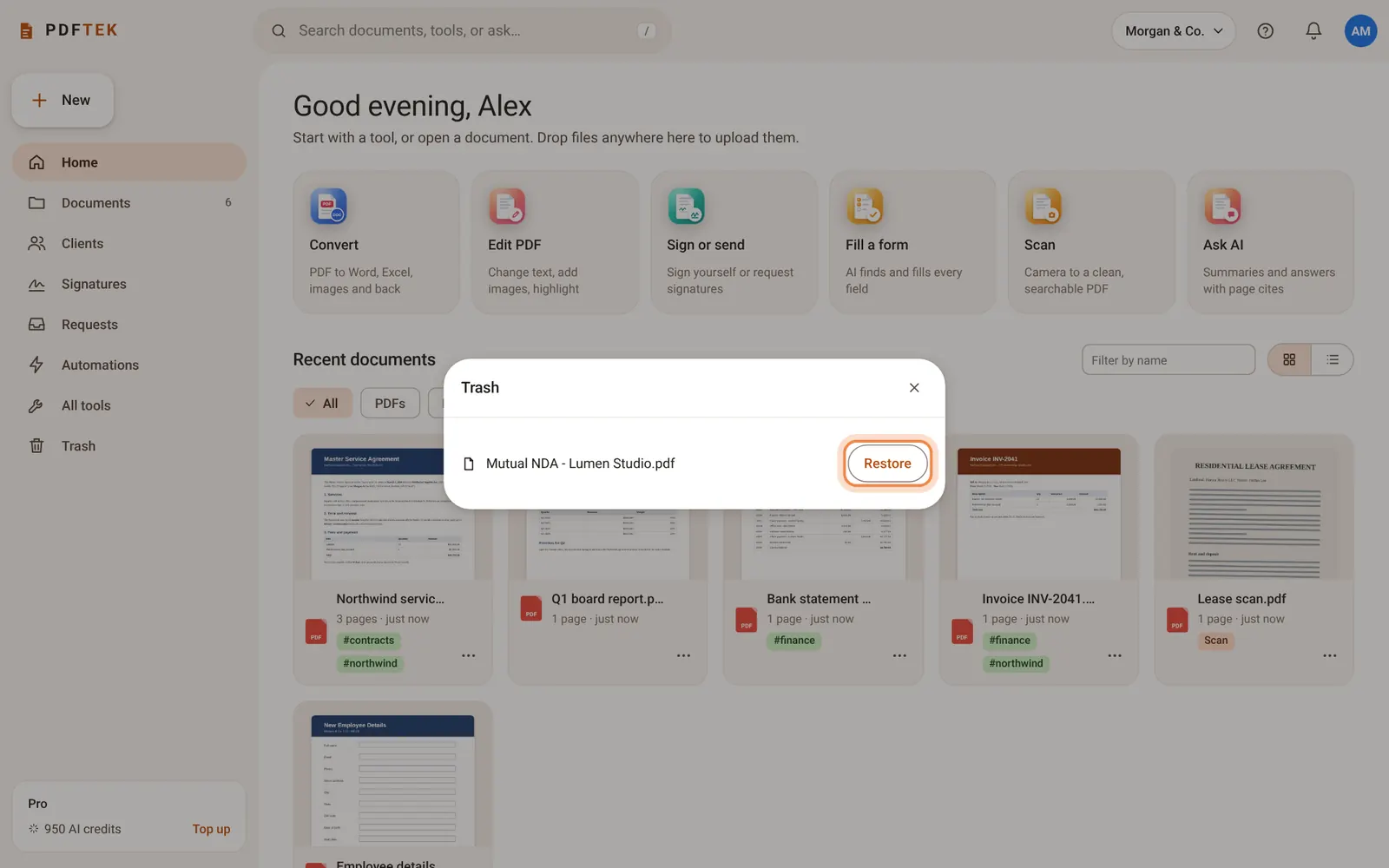
从回收站恢复
误删了内容?点击左侧菜单中的“回收站”,然后选择“恢复”。
想试试吗?打开工作台,跟着一起操作。
免费开始