在手機上使用 pdftek
Everything works on a phone: scan with the camera, open tools,來自 a sheet and ask the AI full screen.
- 1
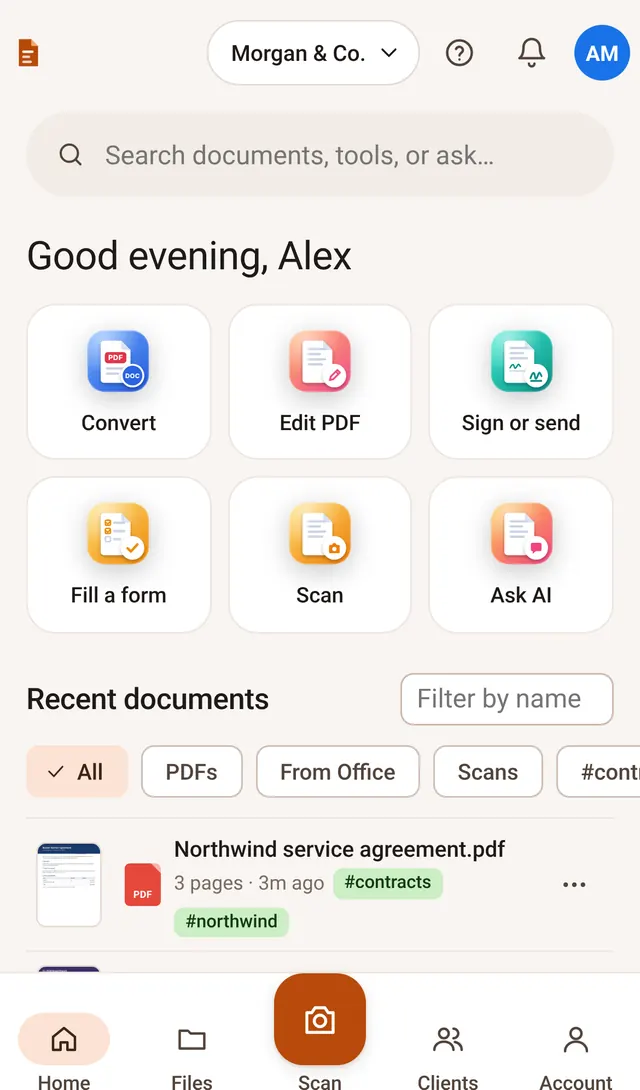
手機上的首頁
搜尋sits at the top, with six quick starts and your recent documents below. The bar at the bottom has Home, Files, Scan, Clients and Account.
- 2
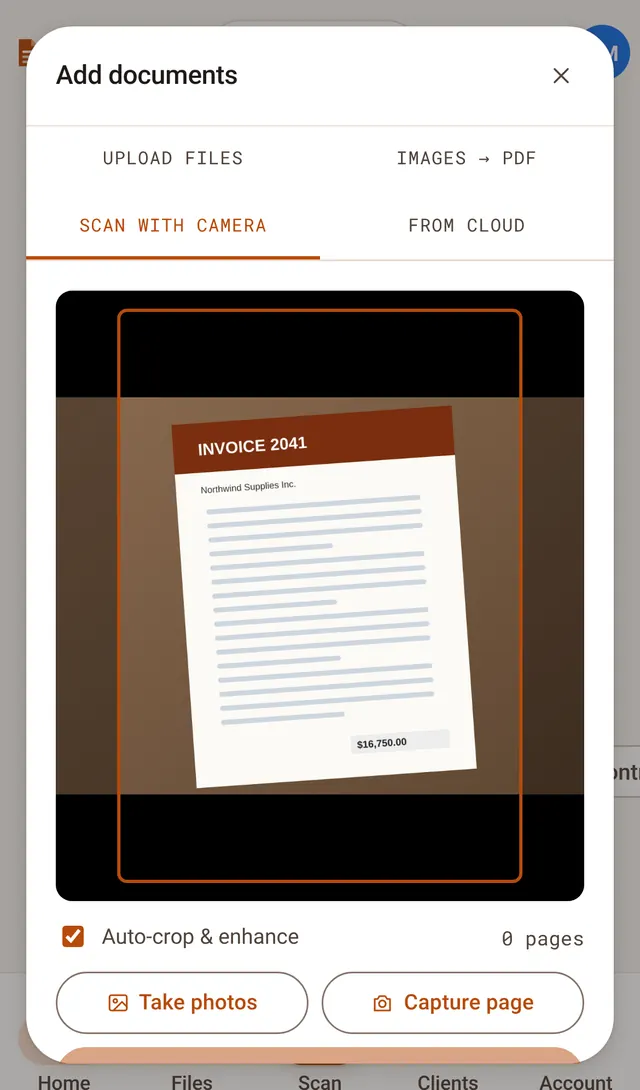
掃描
點選大大的「掃描」按鈕拍下紙本文件。pdftek 會找出邊緣、拉正頁面,並儲存成清晰的 PDF。
- 3
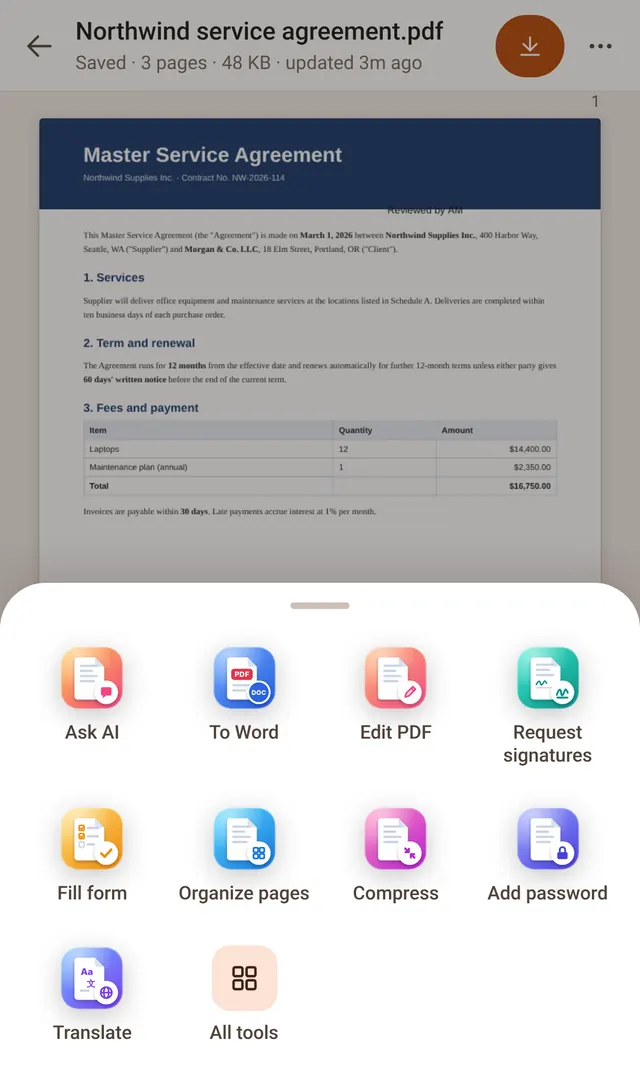
目前文件的工具
開啟文件後點一下「工具」,面板會顯示最常用的工具;點一下「所有工具」即可查看全部。
- 4
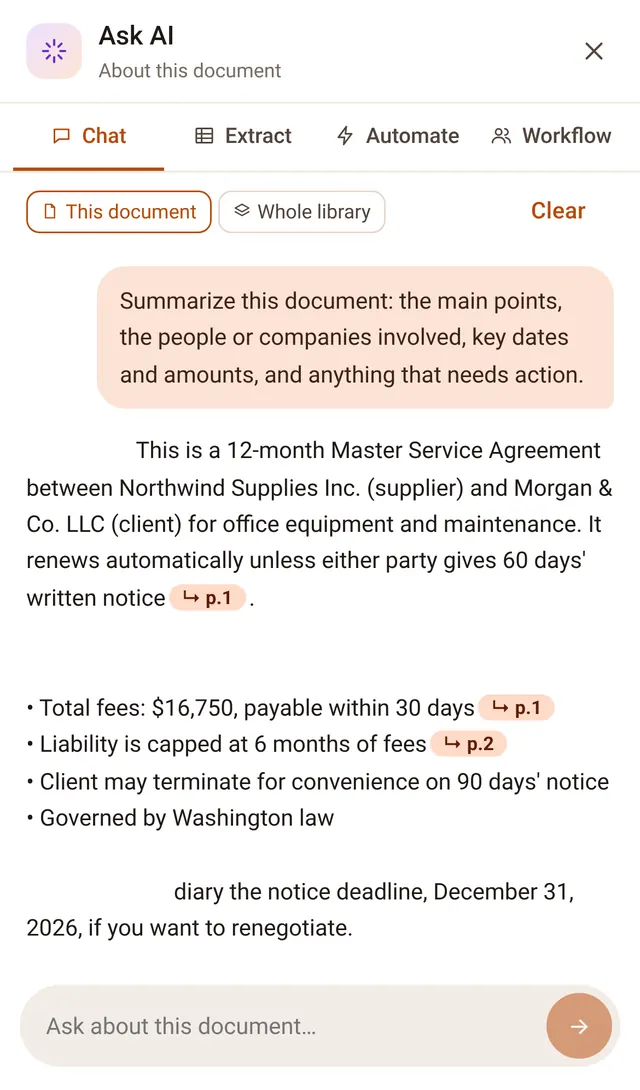
詢問 AI
點選「詢問 AI」取得文件相關解答。點選答案中的頁碼即可直接跳到該頁。
準備好試試看了嗎?開啟工作台,跟著一起操作。
免費開始