上傳與整理文件
Add files,來自 your computer, your phone or the cloud, then rename, tag, filter and tidy them up.
- 1
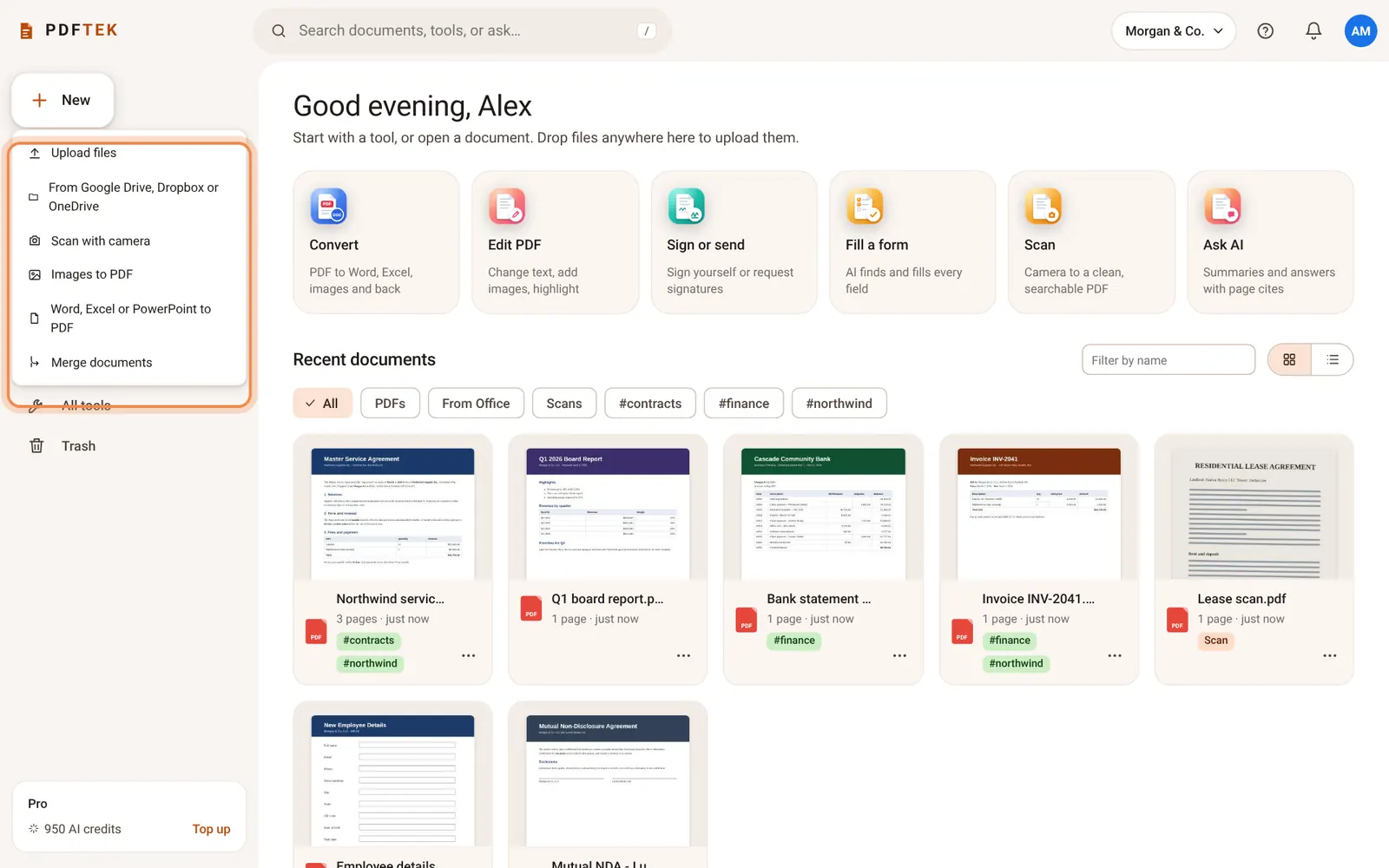
新增檔案
點選「新增」>「上傳檔案」,或將檔案拖曳到首頁任意位置。支援 PDF、Word、Excel、PowerPoint、圖片和 TIFF;其他格式會在上傳時轉換為 PDF。
- 2
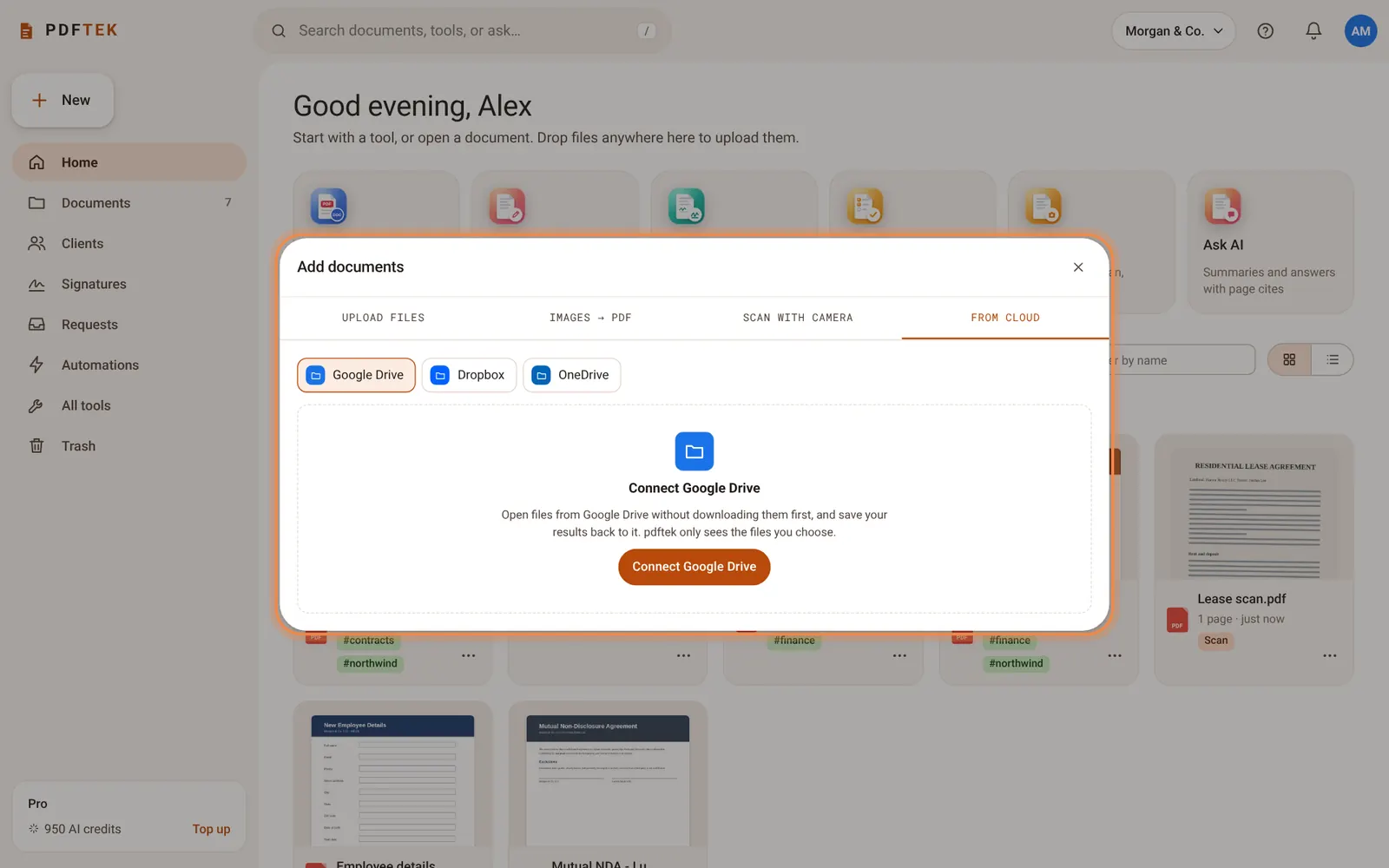
從雲端匯入
Choose From Google Drive, Dropbox or OneDrive in the New menu to open files straight,來自 your cloud storage.
- 3
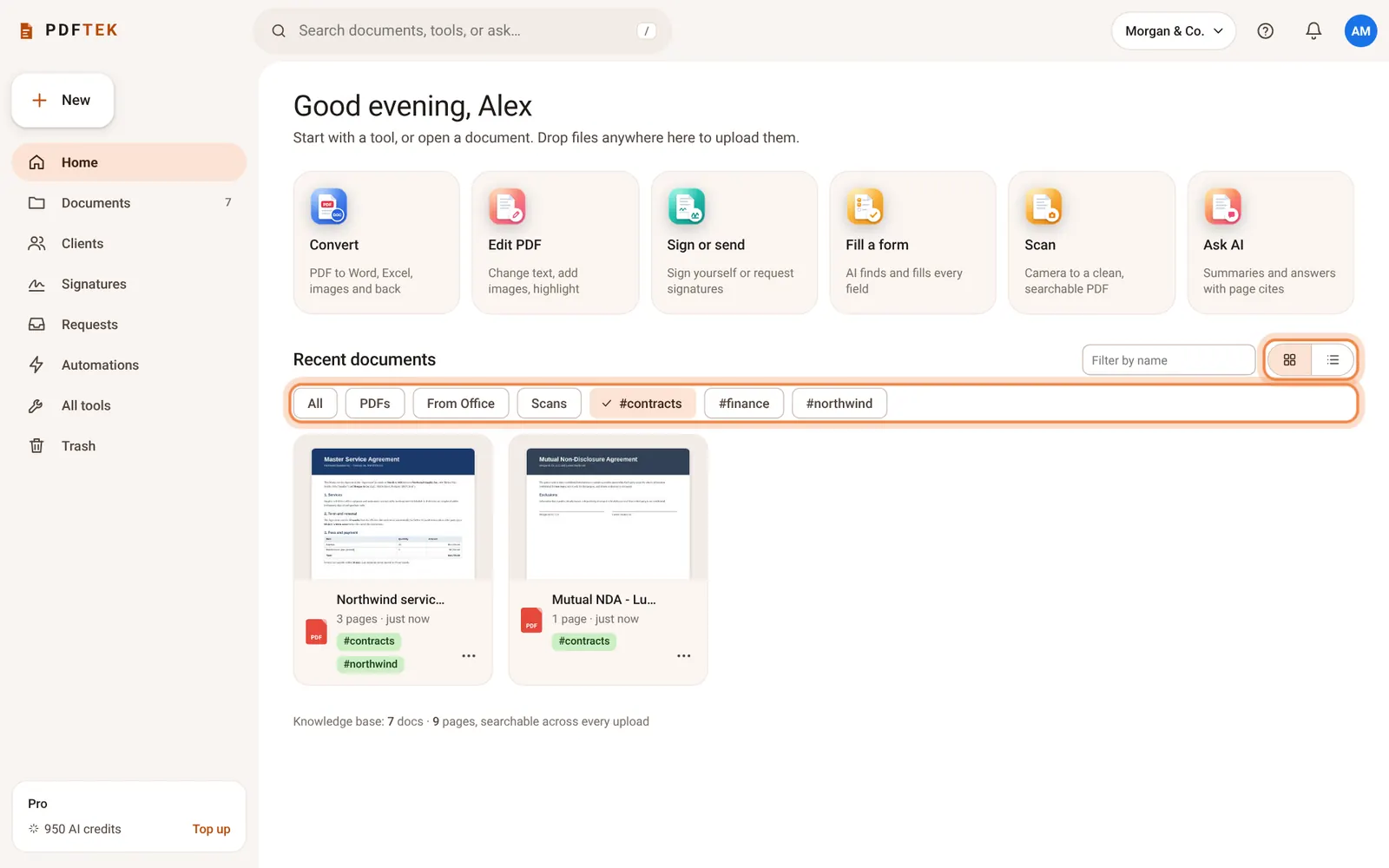
篩選與切換檢視
Use the chips to show only PDFs, files,來自 Office, scans or a tag. Switch between the grid and the list with the buttons on the right.
- 4
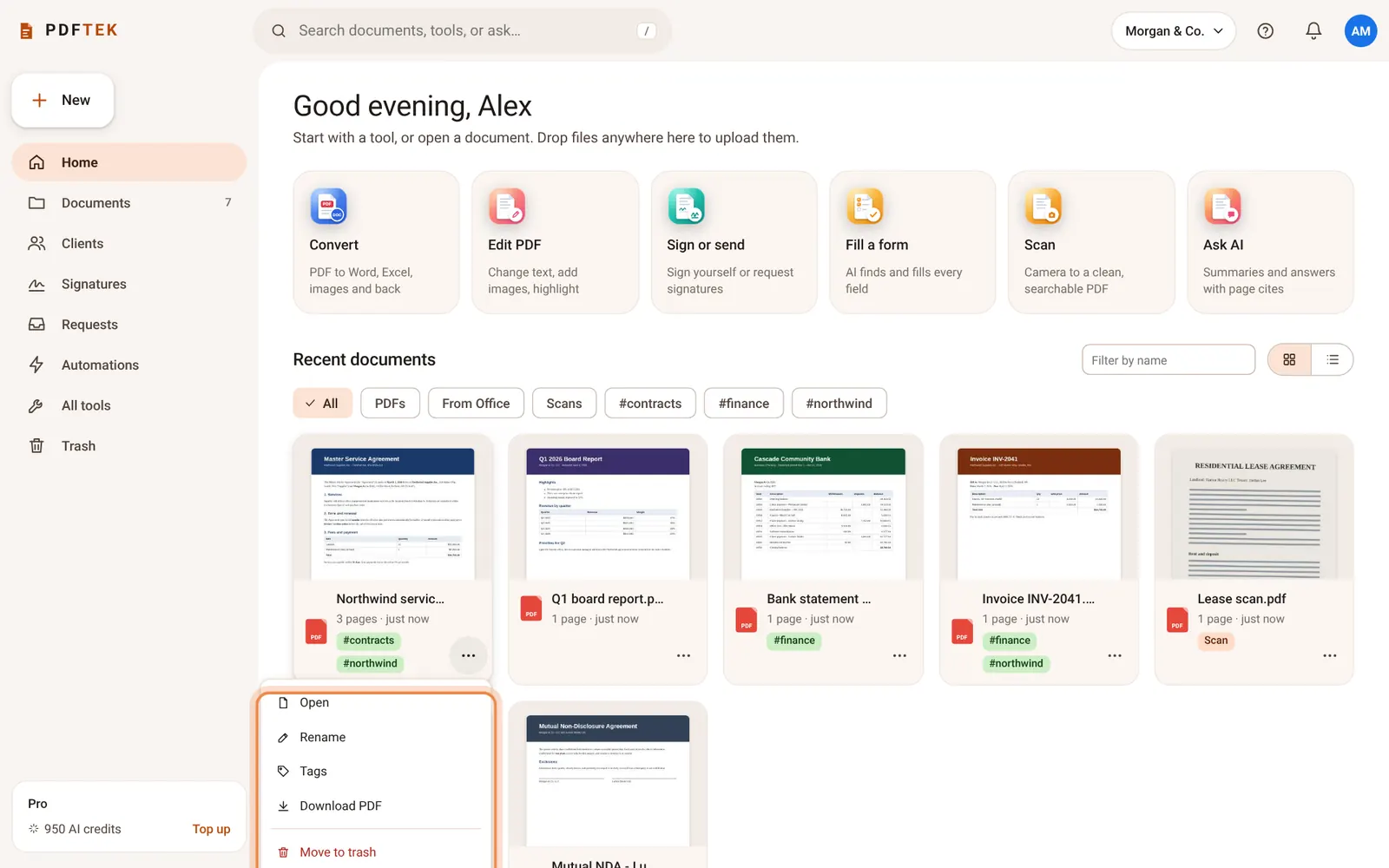
重新命名、加標籤或下載
點選文件上的三個點,即可「重新命名」、設定「標籤」、「下載 PDF」或「移至垃圾桶」。標籤會顯示為篩選標籤,方便您將文件分組。
- 5
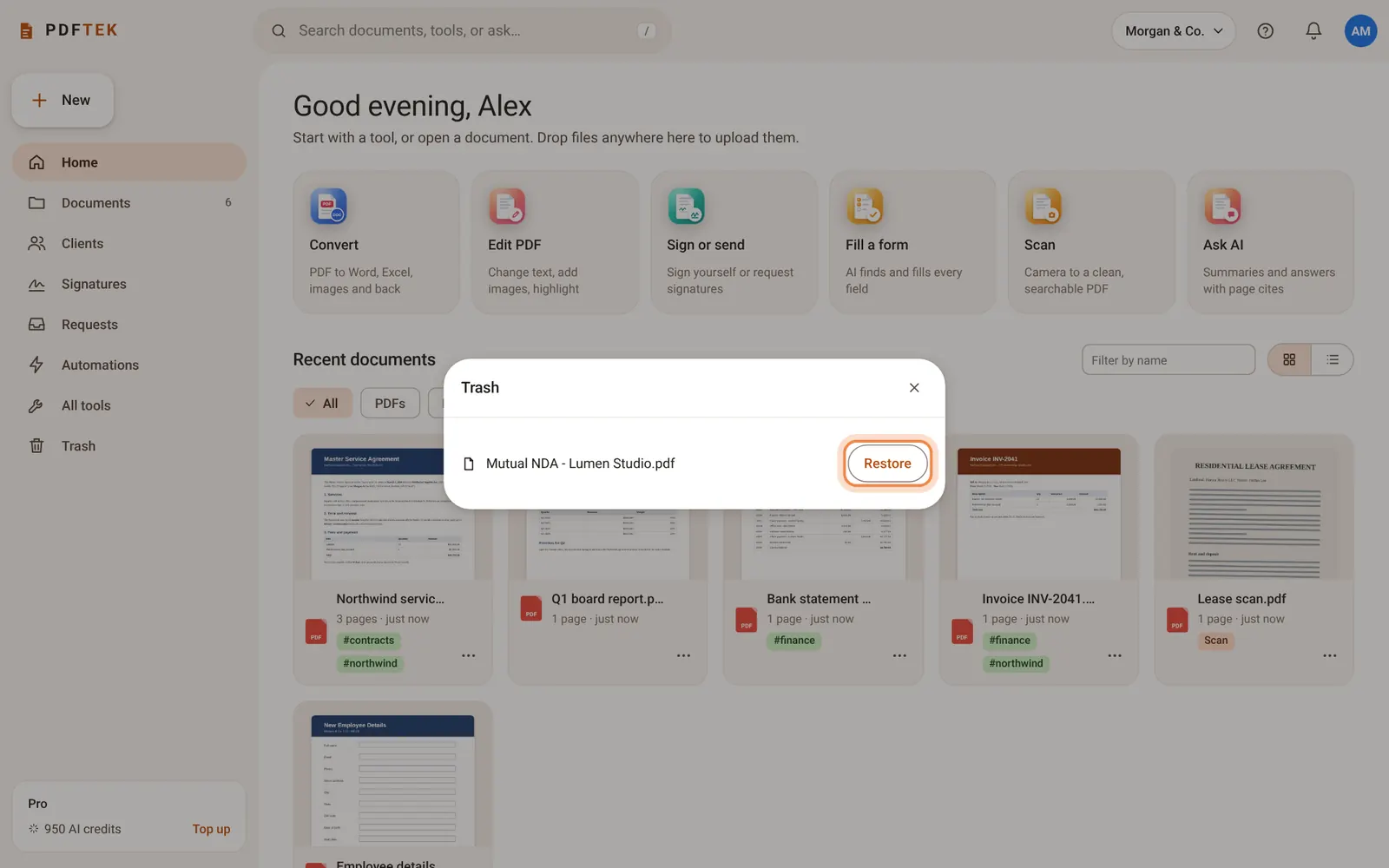
從垃圾桶還原
不小心刪除了檔案?點按左側選單中的「垃圾桶」,然後選擇「還原」。
準備好試試看了嗎?開啟工作台,跟著一起操作。
免費開始