Automations
Let pdftek do routine work: flag risks on upload, send a morning digest, remind you of renewals.
- 1
Open Automations
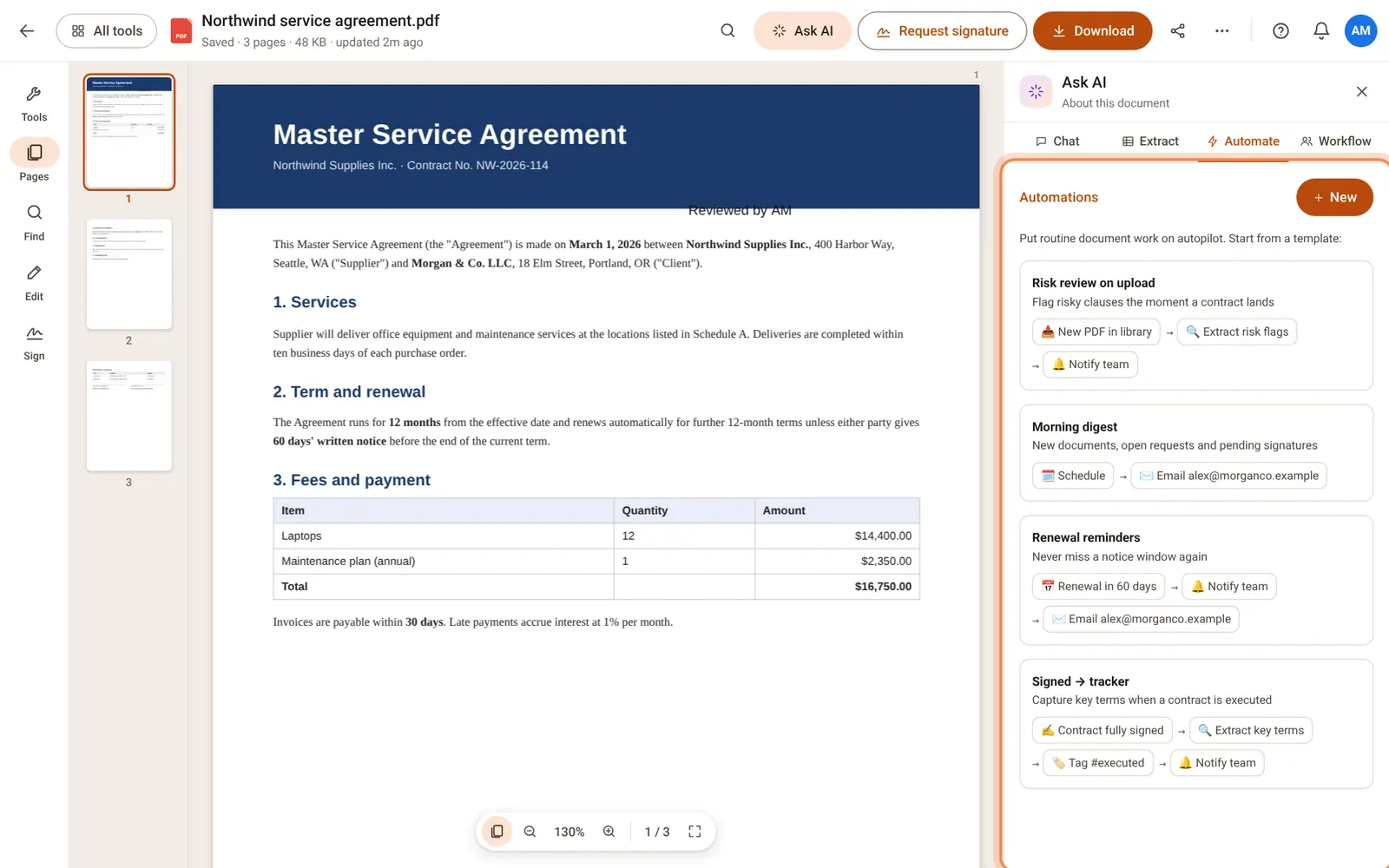
Click Automations in the left menu on Home, or the Automate tab in Ask AI.
- 2
Start from a recipe
Pick Risk review on upload, Morning digest, Renewal reminders or Signed → tracker, or build your own.
- 3
When and then
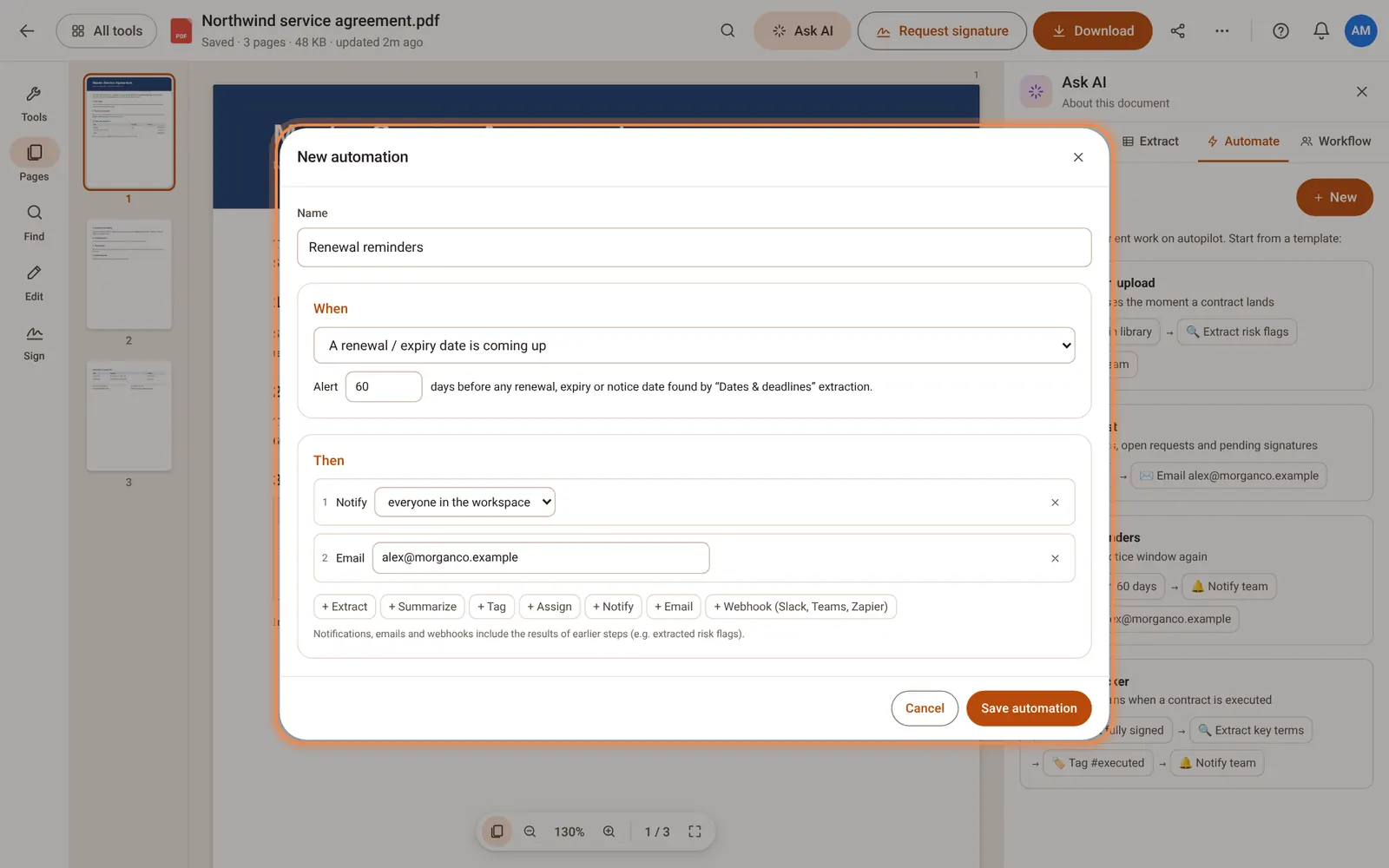
Choose when it runs (a document is uploaded, a signature completes, a renewal is coming, or a schedule) and what happens next (extract, tag, notify or email).
Ready to try it?Open your workbench and follow along.
Start free