Extract key terms, dates and tables
Pull structured data out of a document into a table you can download.
- 1
Open Extract
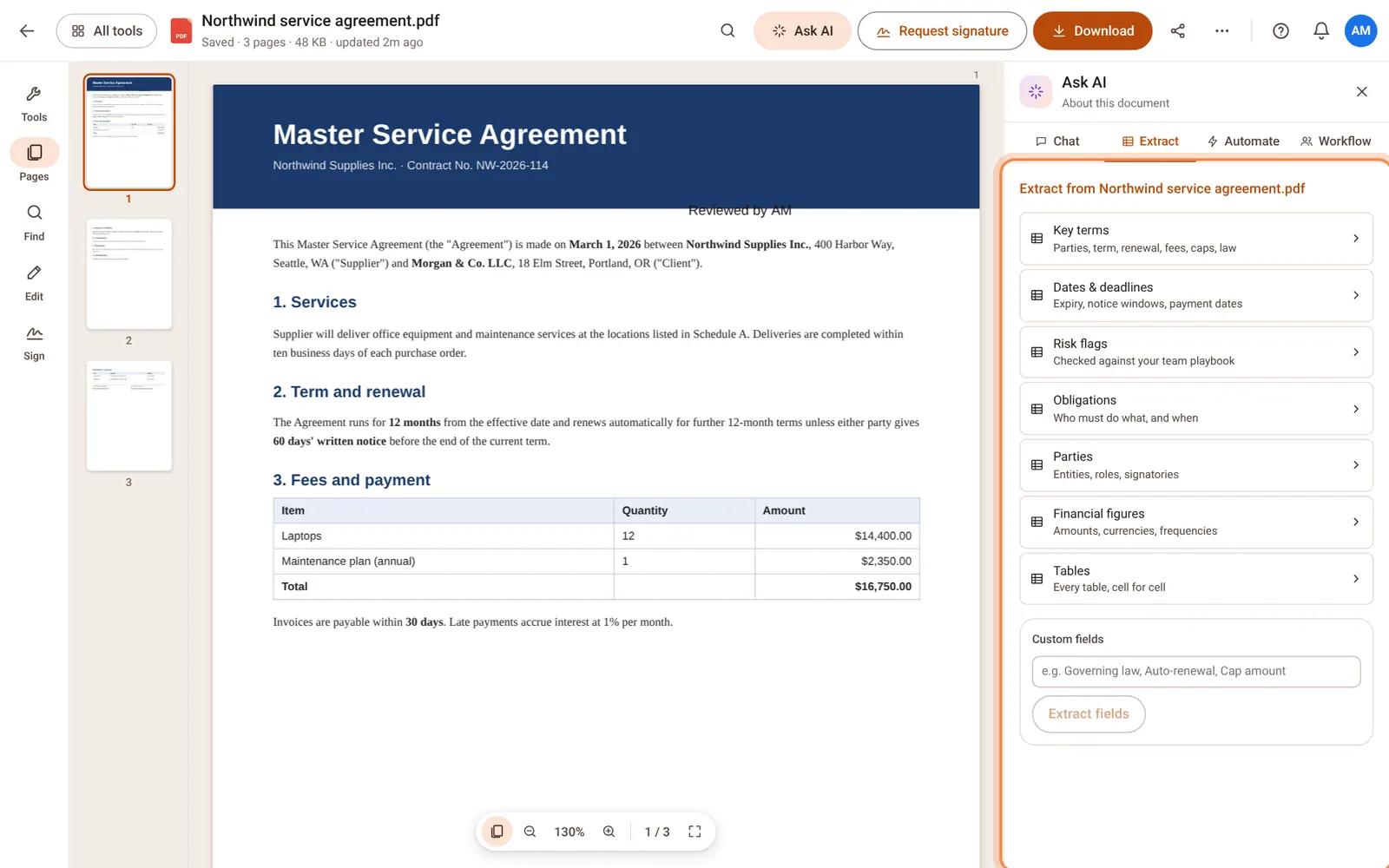
Click Ask AI, then the Extract tab, or Extract data under AI in All tools.
- 2
Choose what to pull
Pick Key terms, Dates and deadlines, Risk flags, Obligations, Parties, Financial figures or Tables.
- 3
Use the results
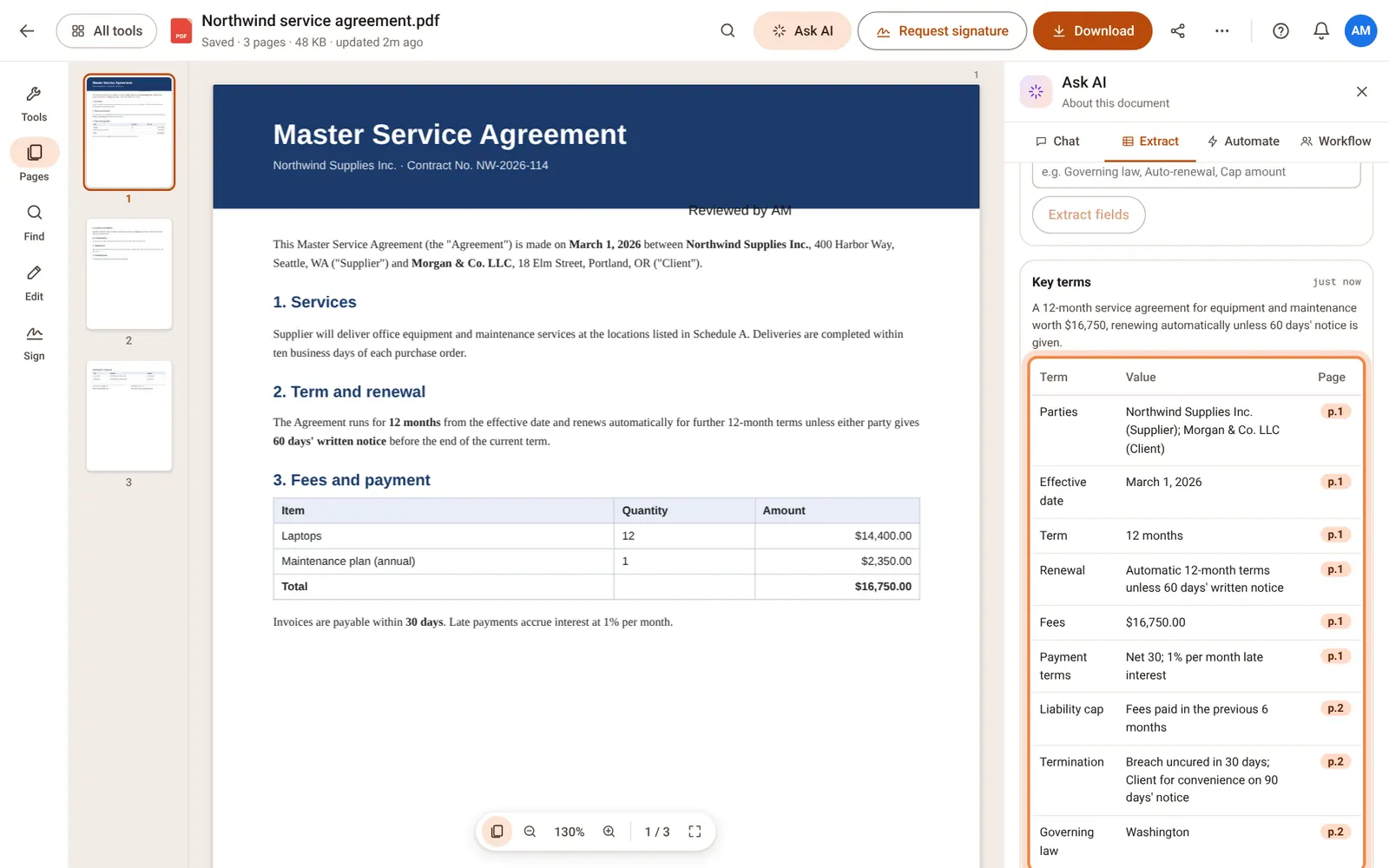
Results appear as tables with page references. Download them as a spreadsheet.
Ready to try it?Open your workbench and follow along.
Start free