Translate a PDF
Translate a whole PDF into 35+ languages while keeping its layout.
- 1
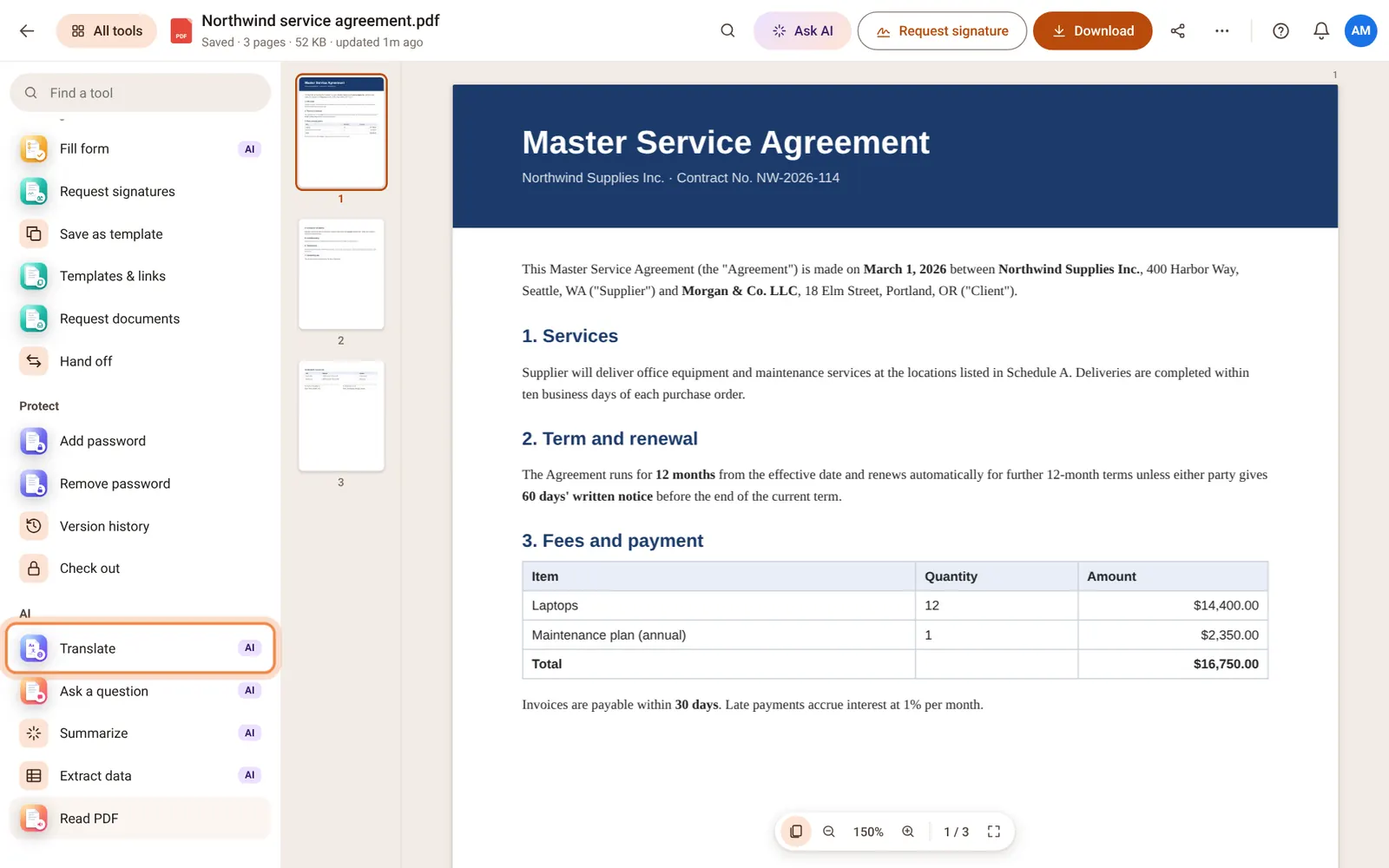
Open Translate
Click Translate under AI in All tools.
- 2
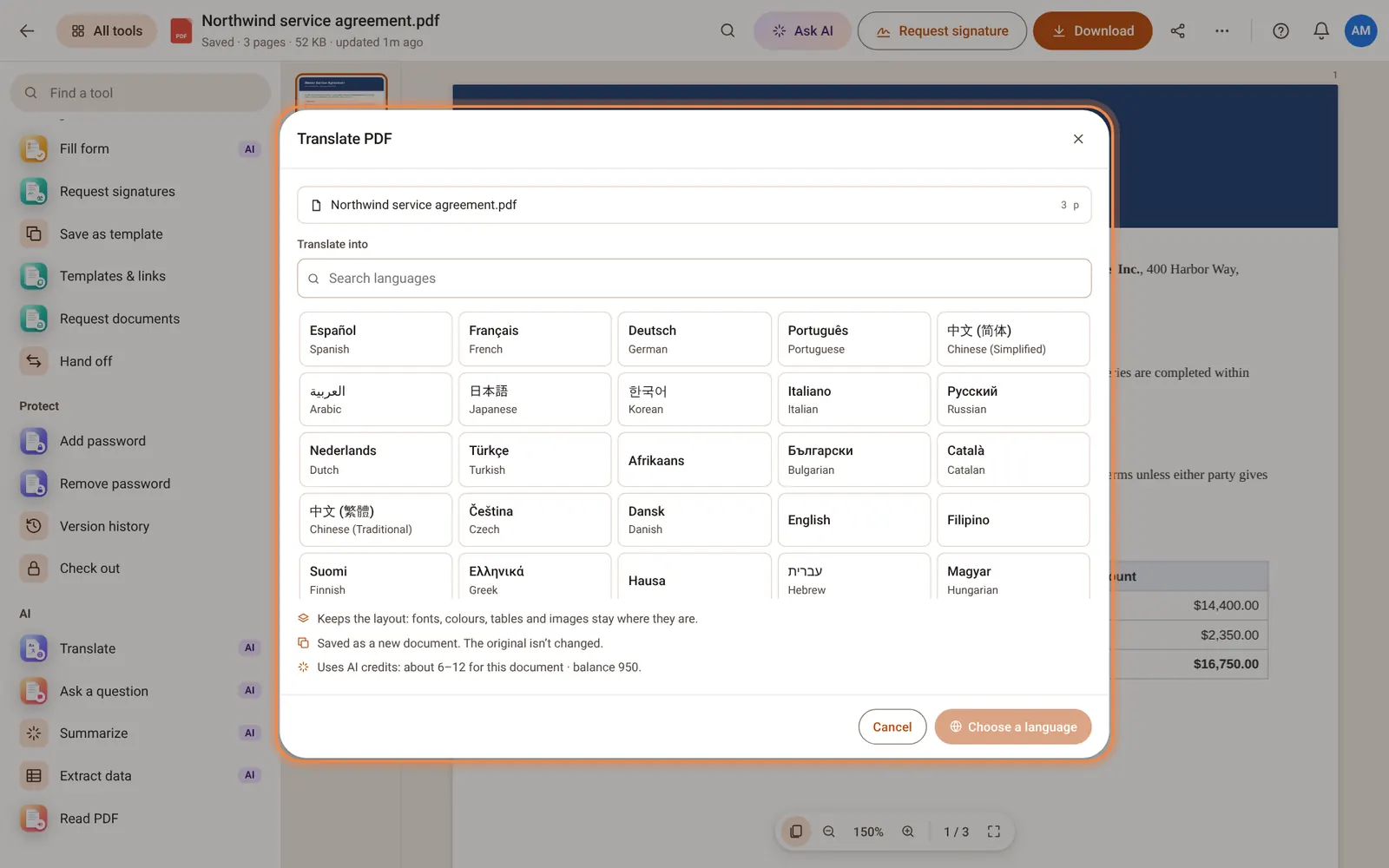
Pick the language
Choose the language. You see roughly how many credits it will use before you start.
- 3
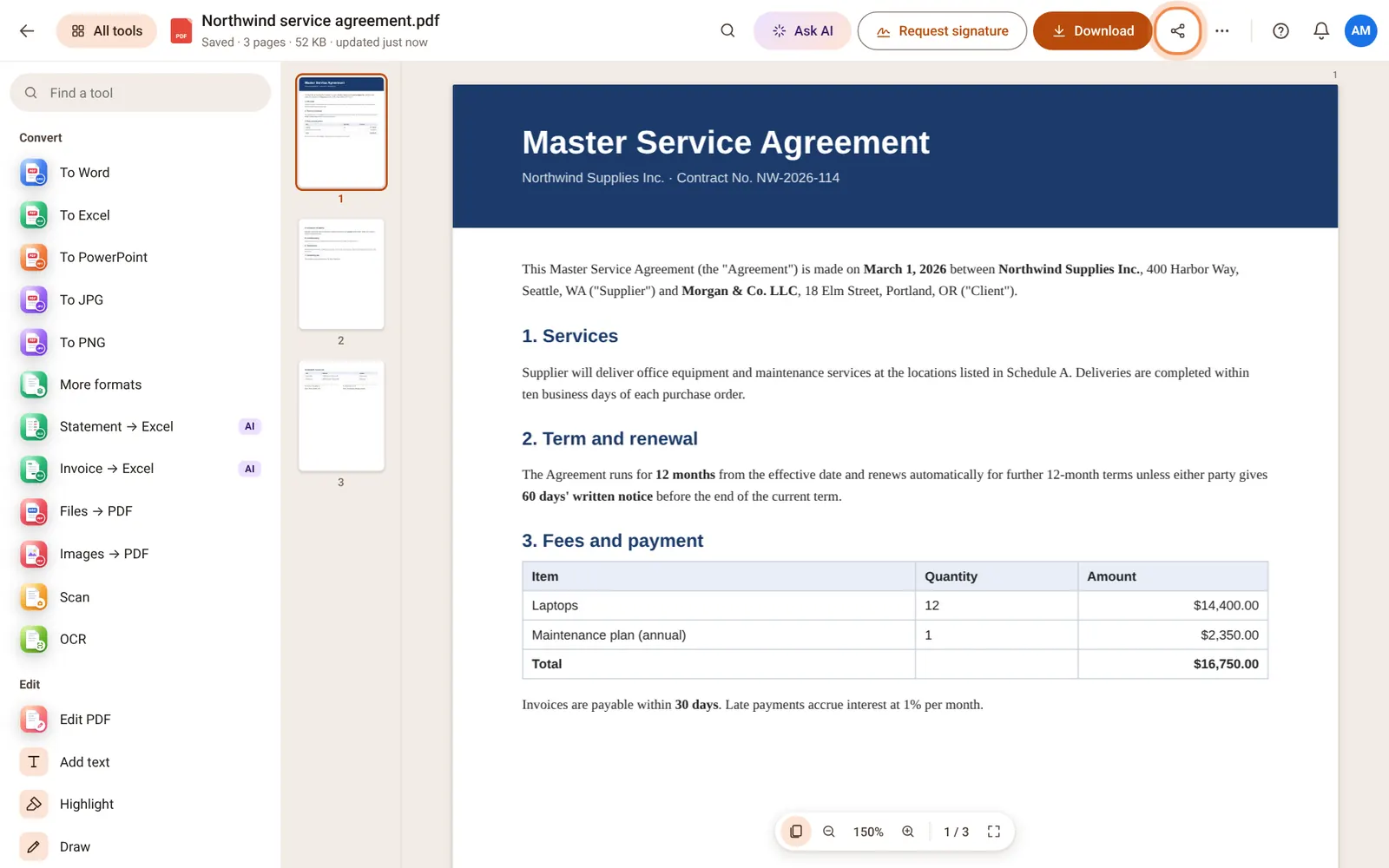
Open the translation
The translated PDF is added to your documents and opens when it is ready.
Ready to try it?Open your workbench and follow along.
Start free