Listen to a document
Have pdftek read a document to you, in 11 languages.
- 1
Start reading
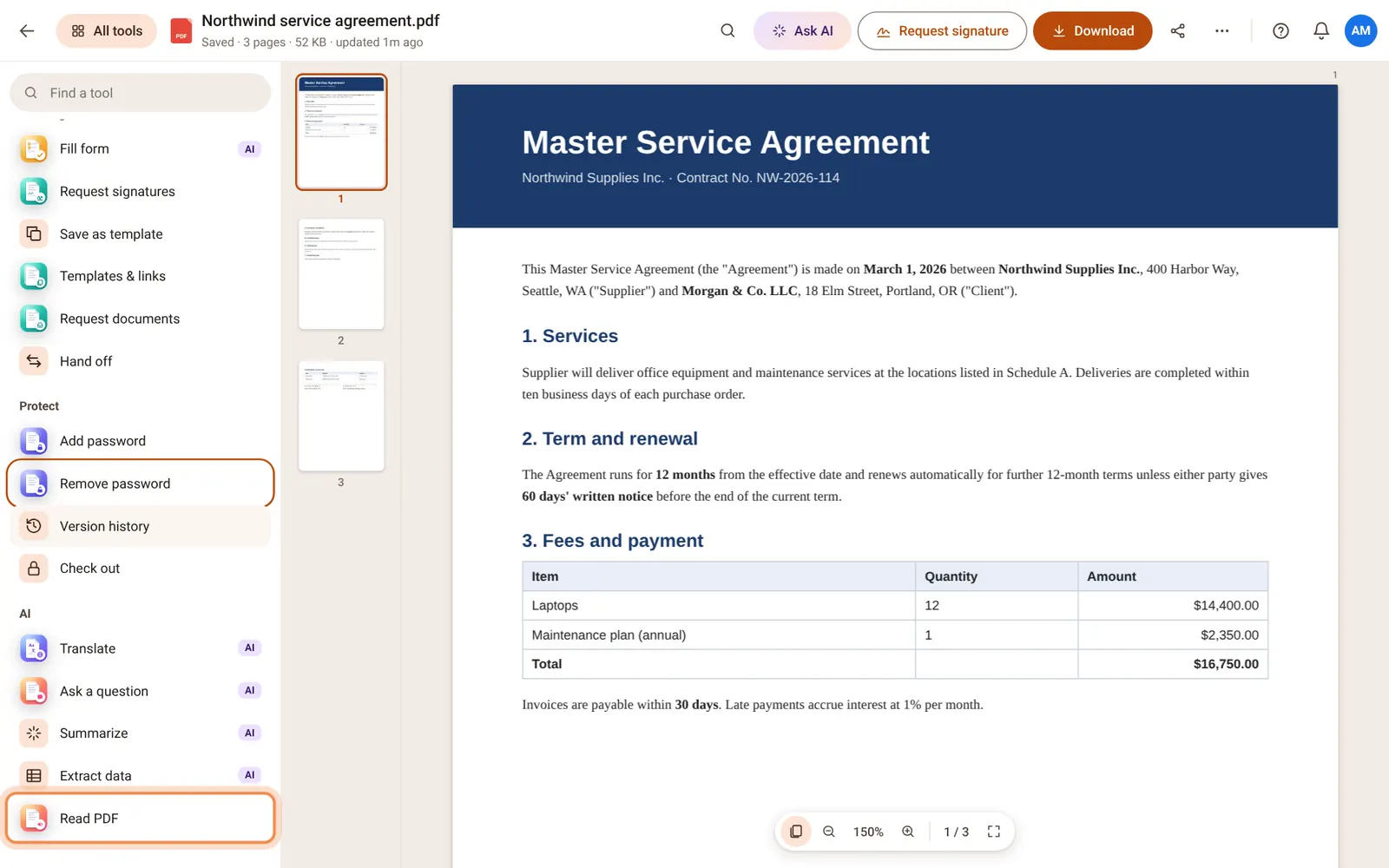
Open the document and click Read PDF under AI in All tools.
- 2
Control playback
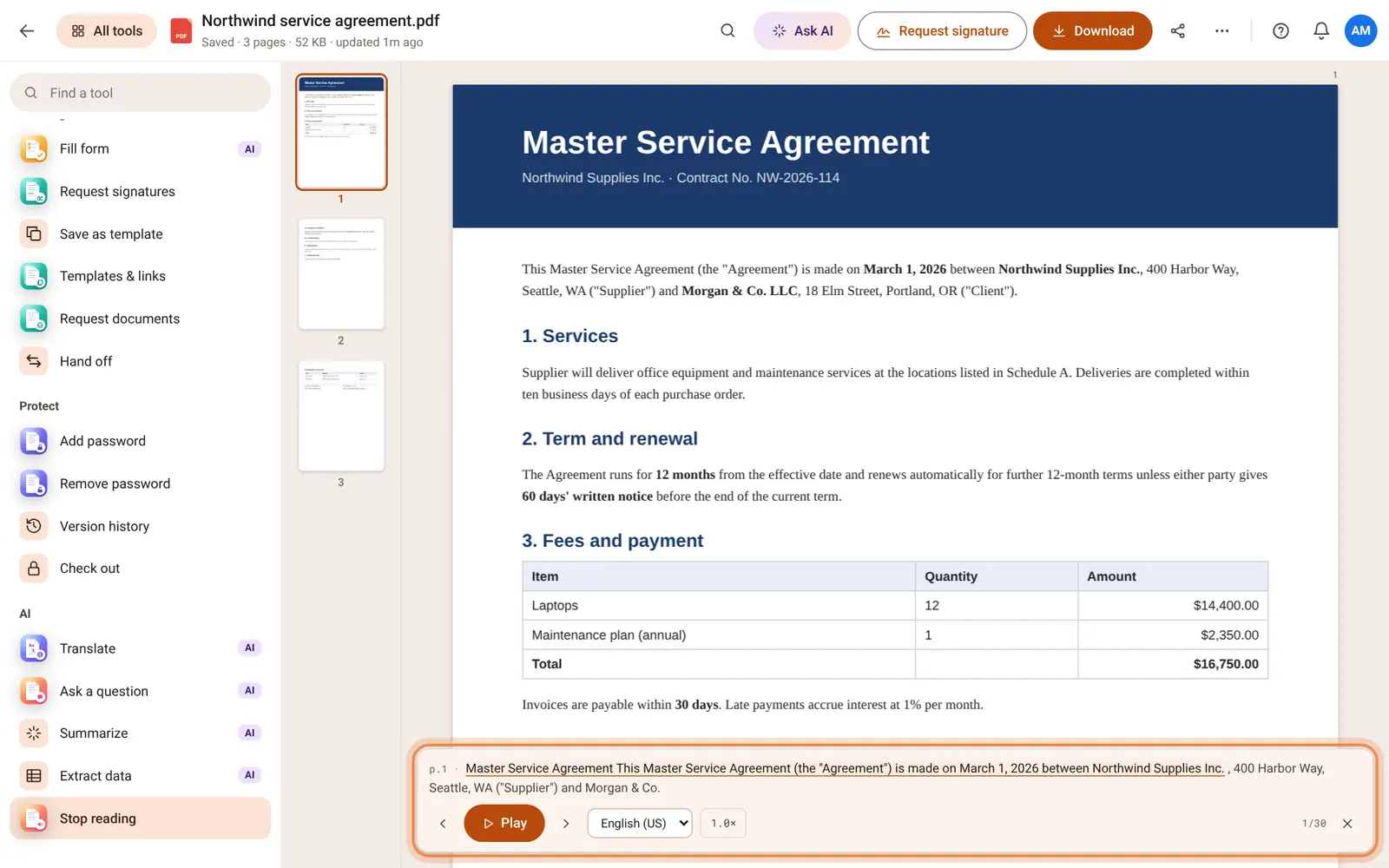
Pause, skip, change the speed or the voice. Reading starts from the page you are on.
Ready to try it?Open your workbench and follow along.
Start free