Workspaces and teammates
Keep work separate in workspaces and invite your team with the right permissions.
- 1
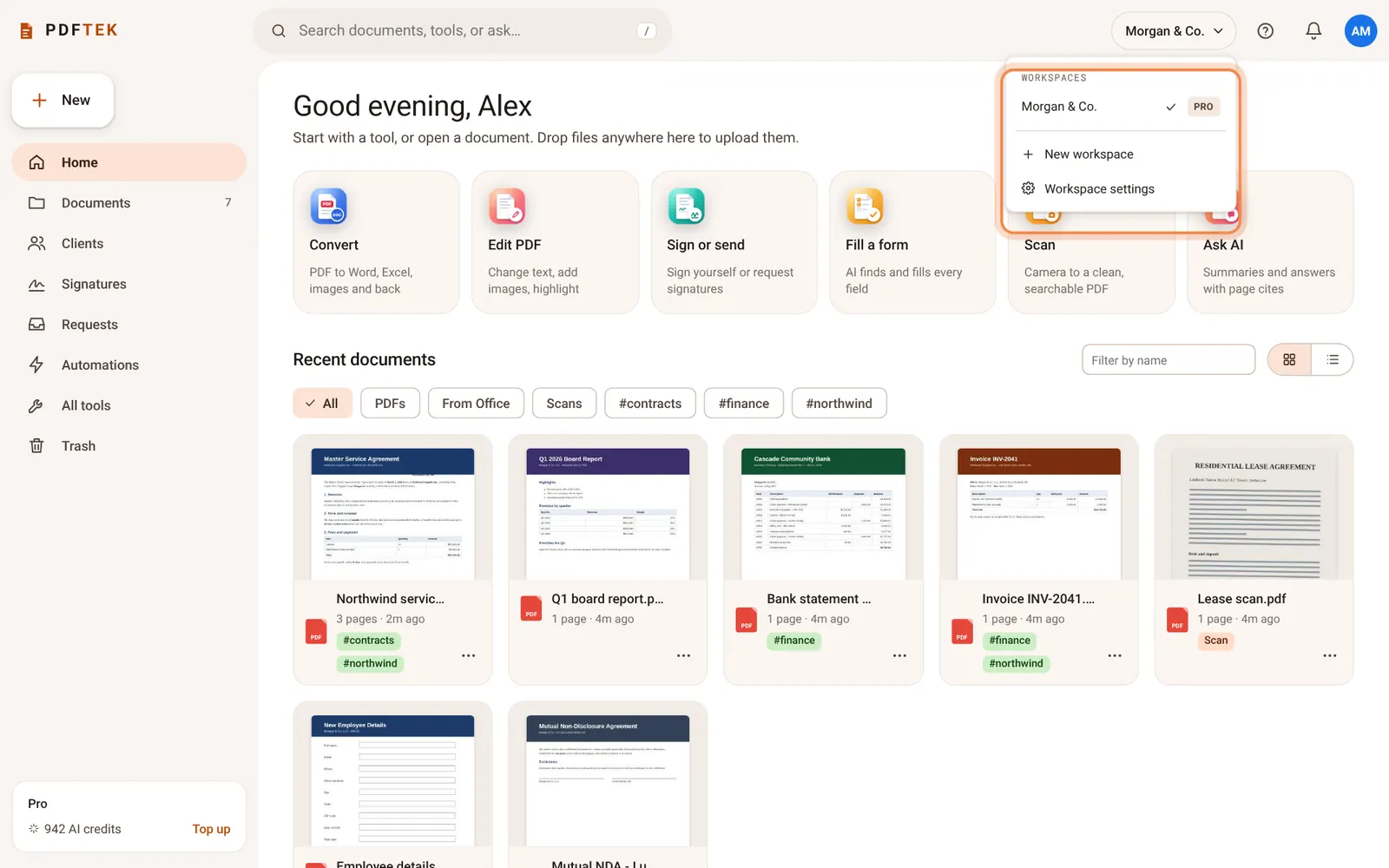
Switch or add workspaces
Click the workspace name at the top to switch, or choose New workspace. Each has its own documents, members and billing.
- 2
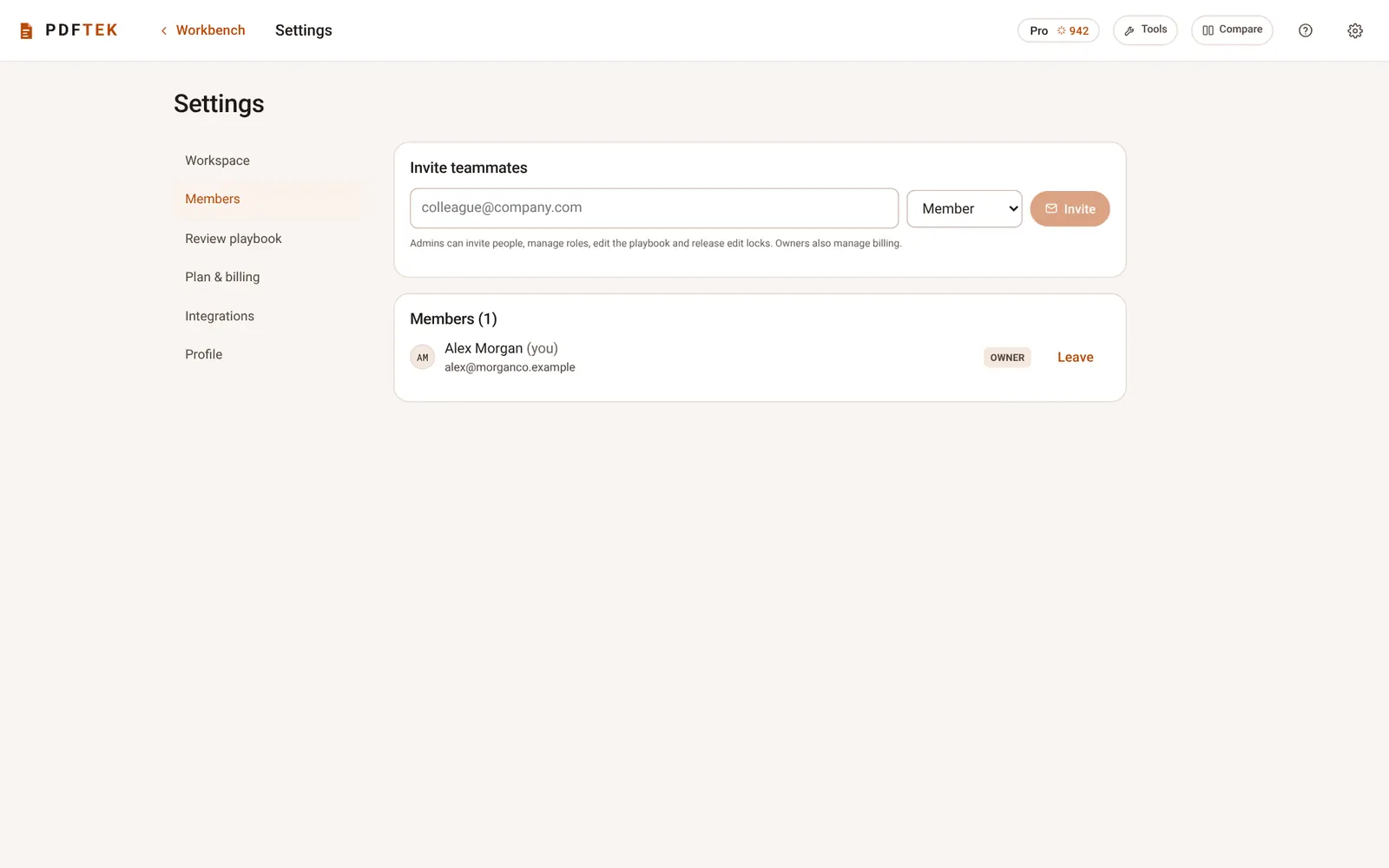
Invite teammates
Open Settings, Members. Enter an email and choose a role: Member or Admin. The person who created the workspace is its Owner.
- 3
What roles can do
Admins invite people, edit the playbook and release edit locks. Owners also manage billing.
Ready to try it?Open your workbench and follow along.
Start free