Versions, check out and hand off
Every change is a version you can restore. Lock a document while you work or pass it to a teammate.
- 1
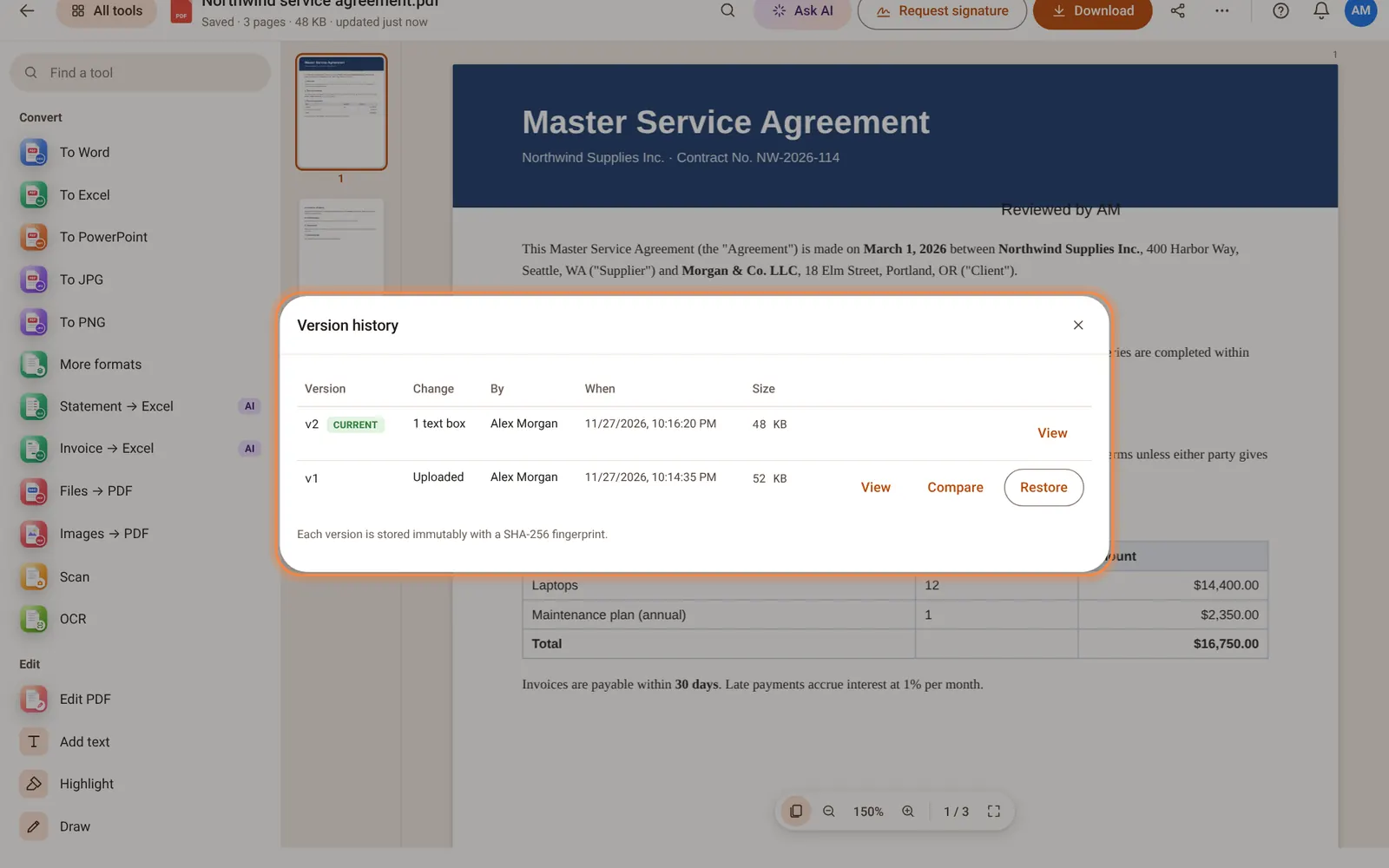
Version history
Click the three dots at the top right of a document, then Version history. View, compare or restore any earlier version.
- 2
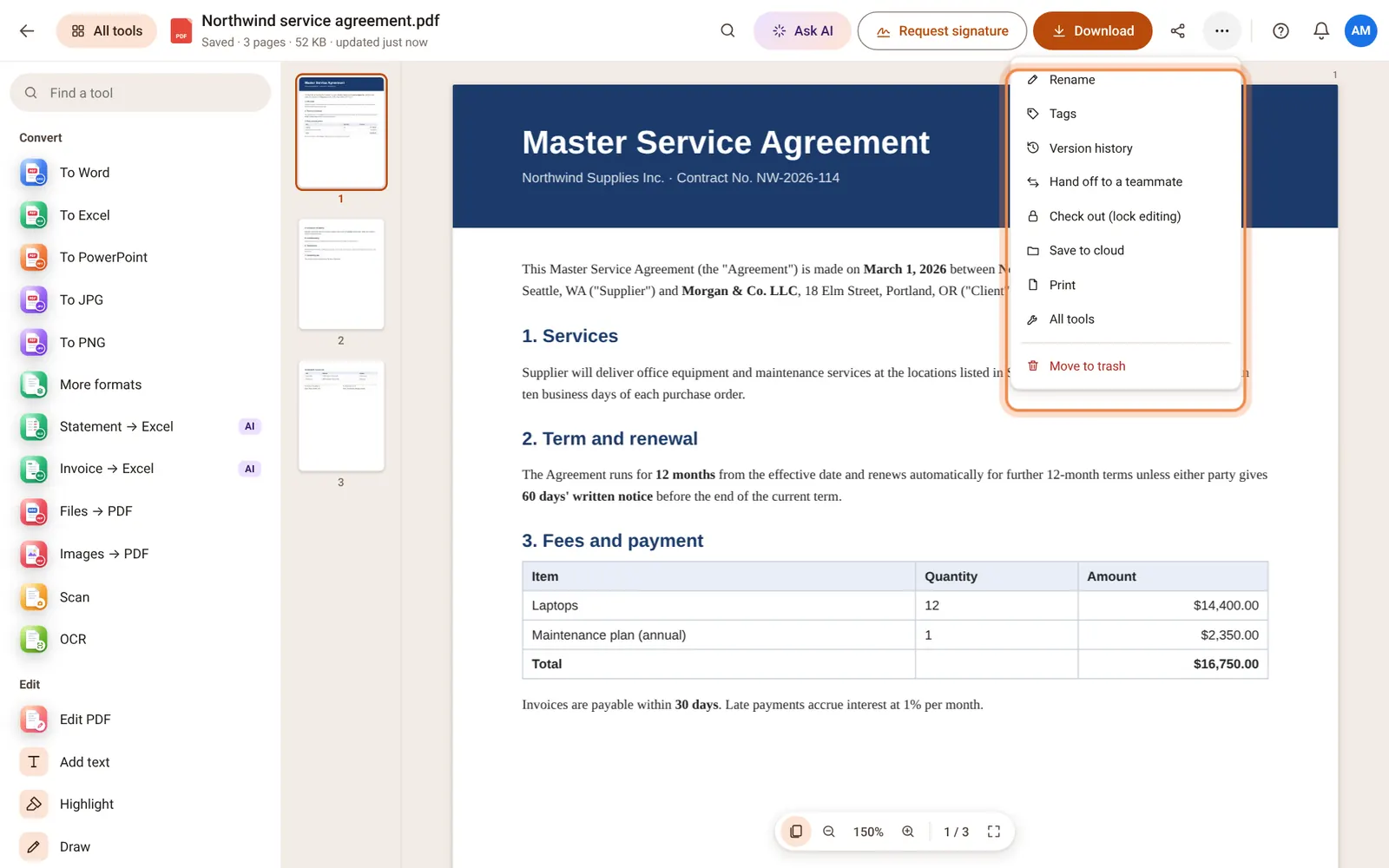
Check out
Choose Check out to lock editing while you work. Teammates can still read and ask the AI; click Check in when you're done.
- 3
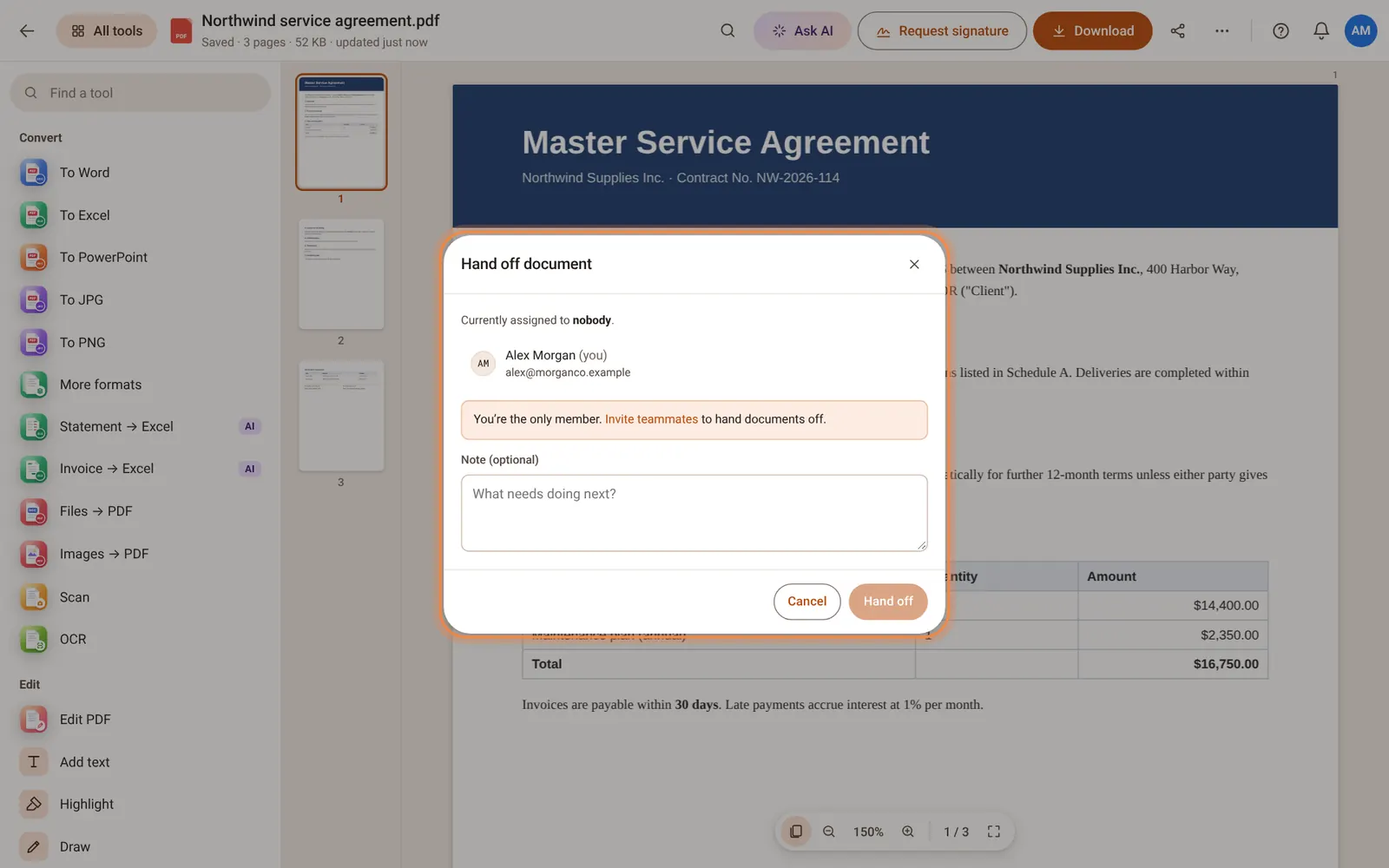
Hand off
Choose Hand off to a teammate, pick a person and add a note. They're notified, and your lock moves with it.
- 4
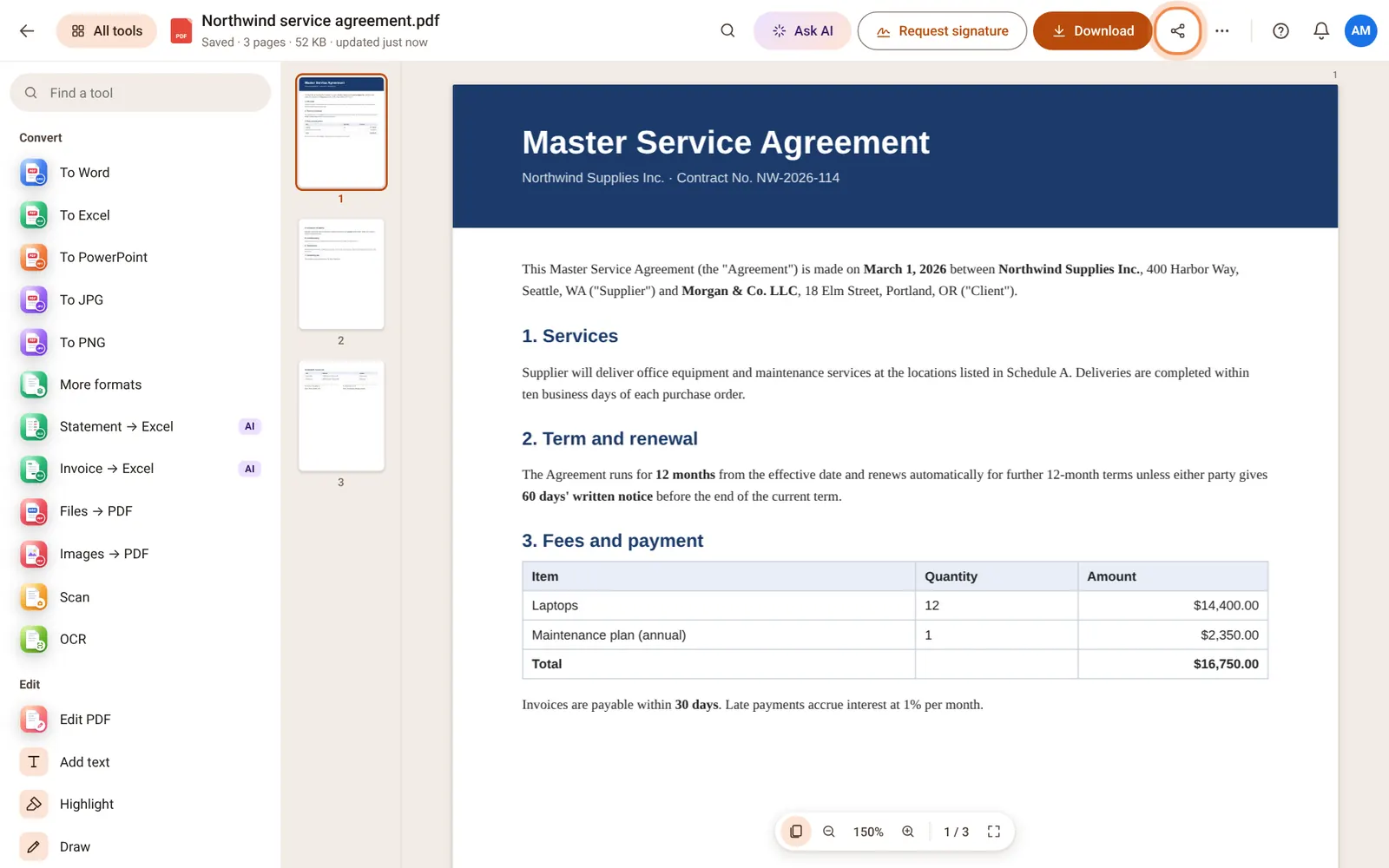
Share a link
Click the share button to copy a link to the document for people in your workspace.
Ready to try it?Open your workbench and follow along.
Start free