Request documents from clients
Send checklists, track progress by stage, and let AI check every upload.
- 1
Request documents
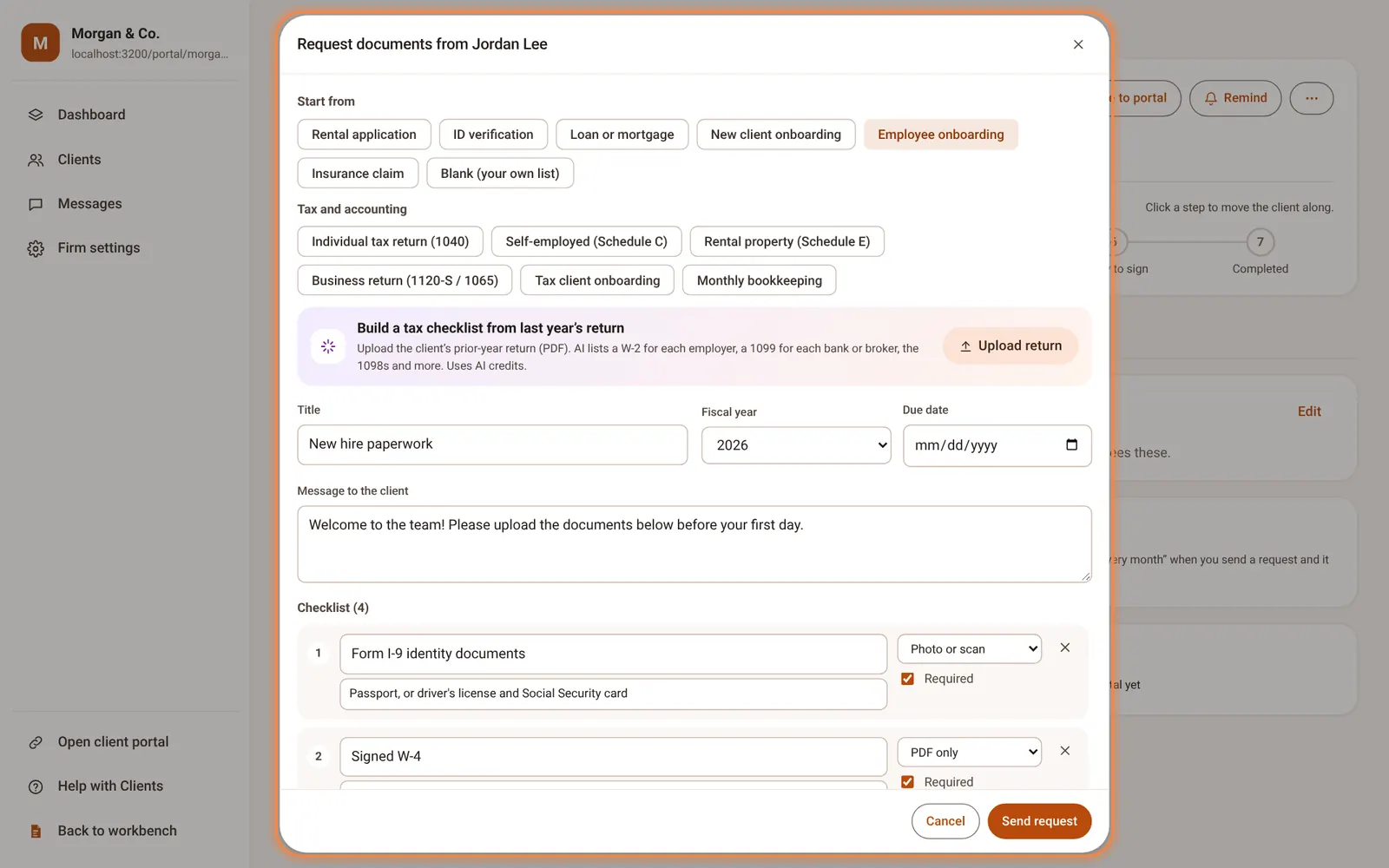
Open a client and click Request documents. Start from New client onboarding, ID verification, Employee onboarding, a tax checklist or your own list.
- 2
Repeat automatically
Choose to repeat the request every month, quarter or year, for example for monthly bookkeeping.
- 3
Uploads are checked
Each upload is checked against the item it was sent for, renamed and filed under the client and year. Problems are flagged for you and for the client.
- 4
Move clients along
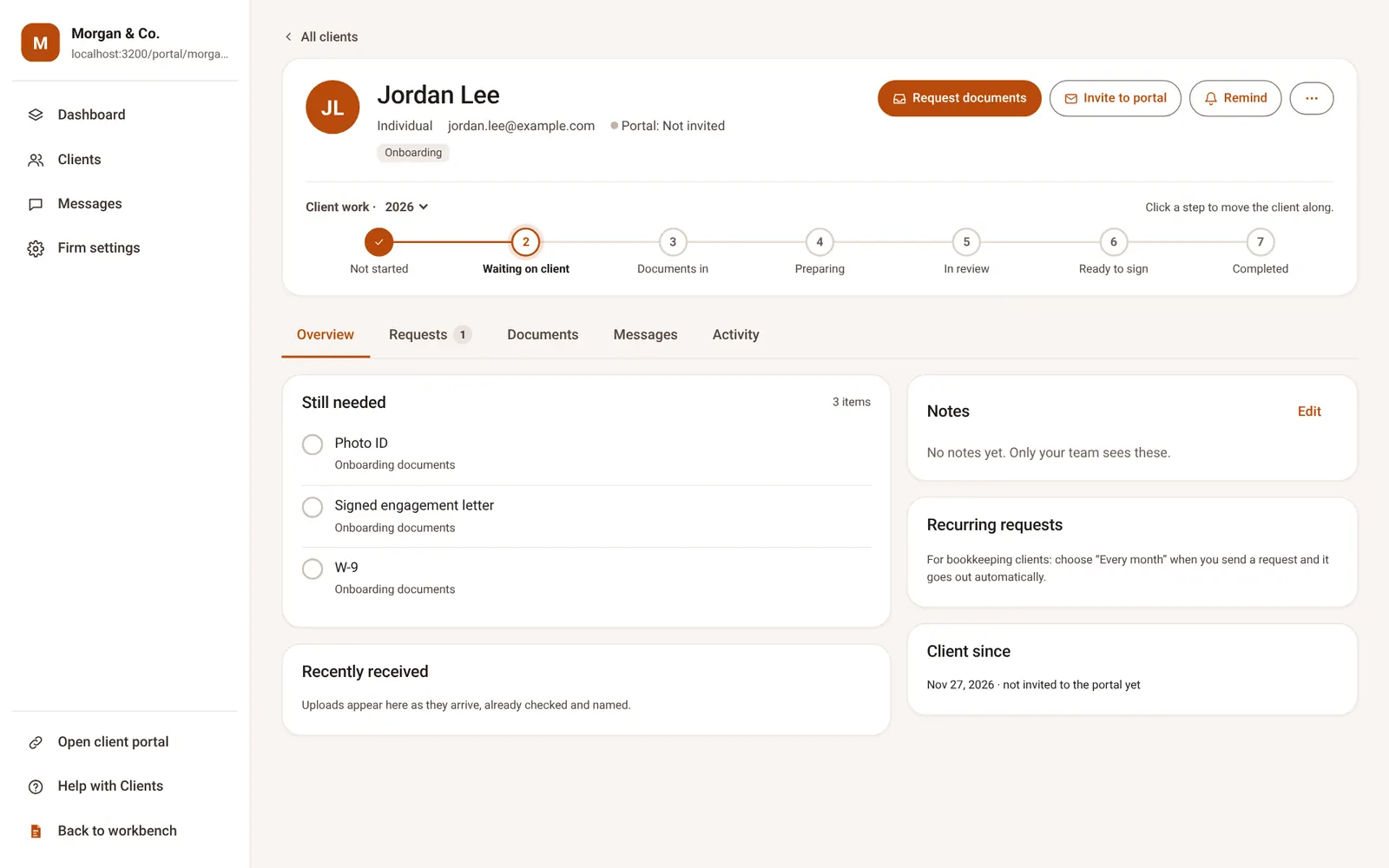
Click a stage to move the client from Waiting on client through to Completed. The dashboard shows who needs attention.
Ready to try it?Open your workbench and follow along.
Start free