Set up Clients and your portal
Give your clients a branded portal and keep everything about each client in one place.
- 1
Open Clients
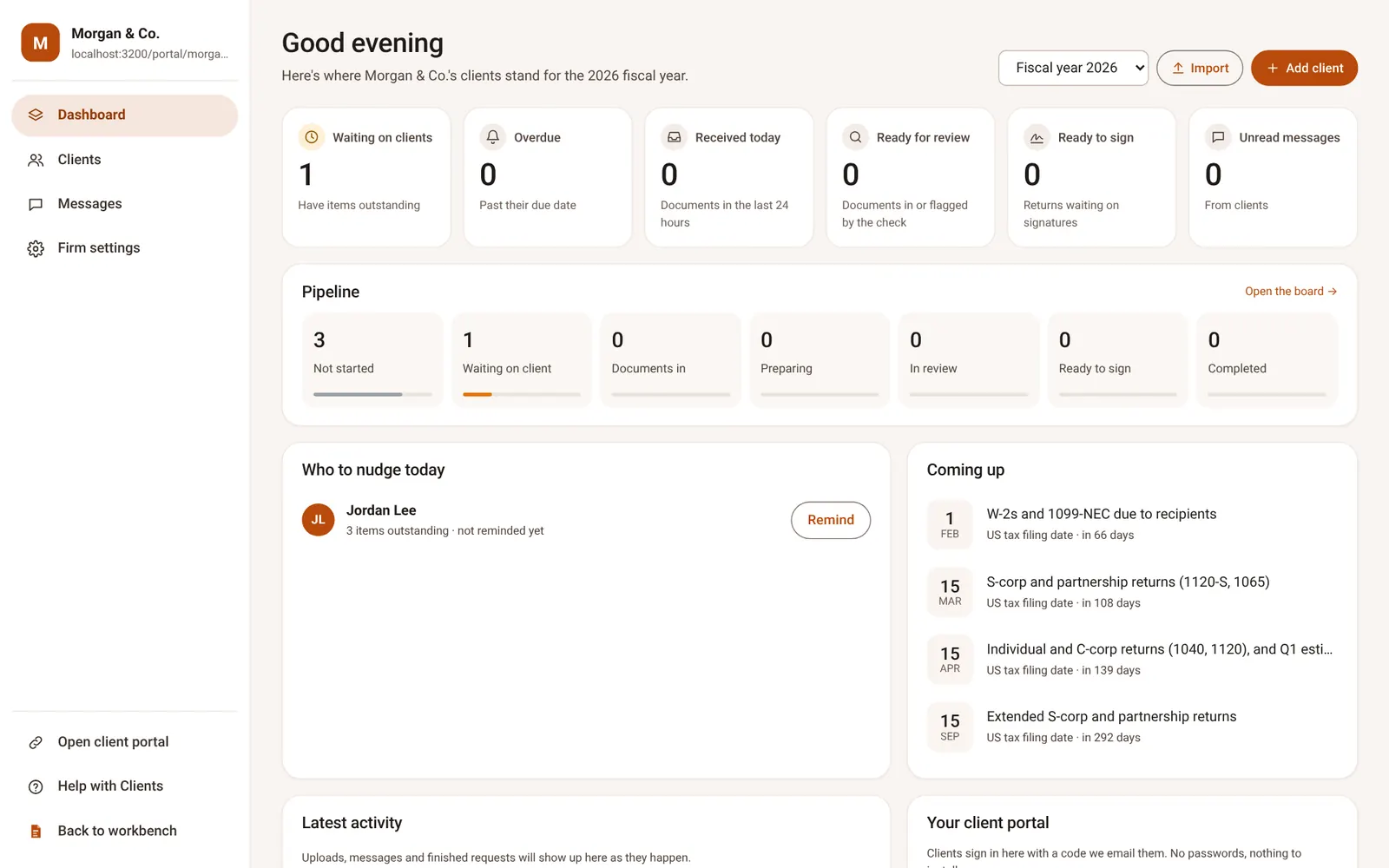
Click Clients in the left menu. The dashboard shows where every client stands for the fiscal year.
- 2
Brand your portal
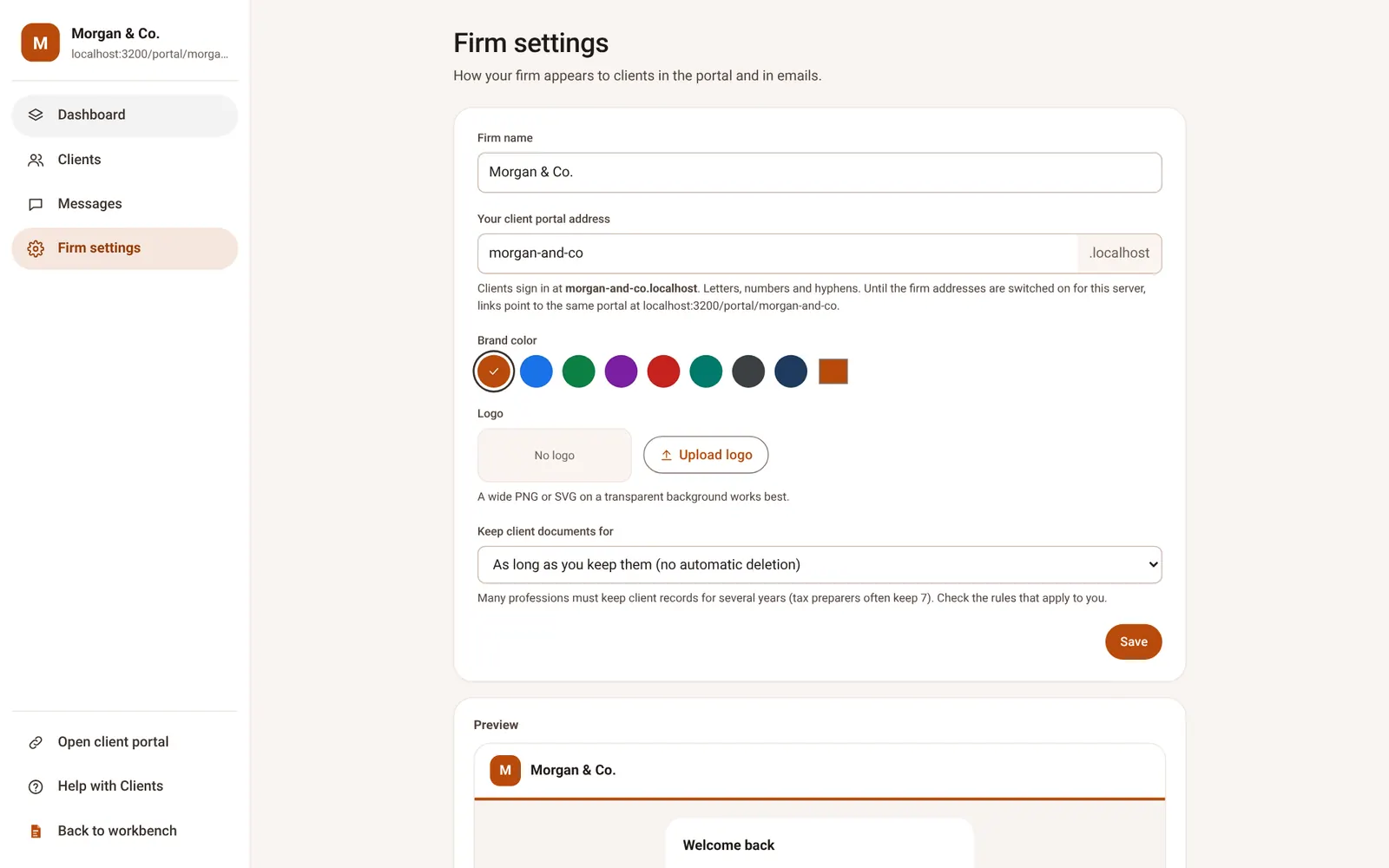
In Firm settings, set your firm's name, colour and logo. Clients see them when they sign in.
- 3
Add clients
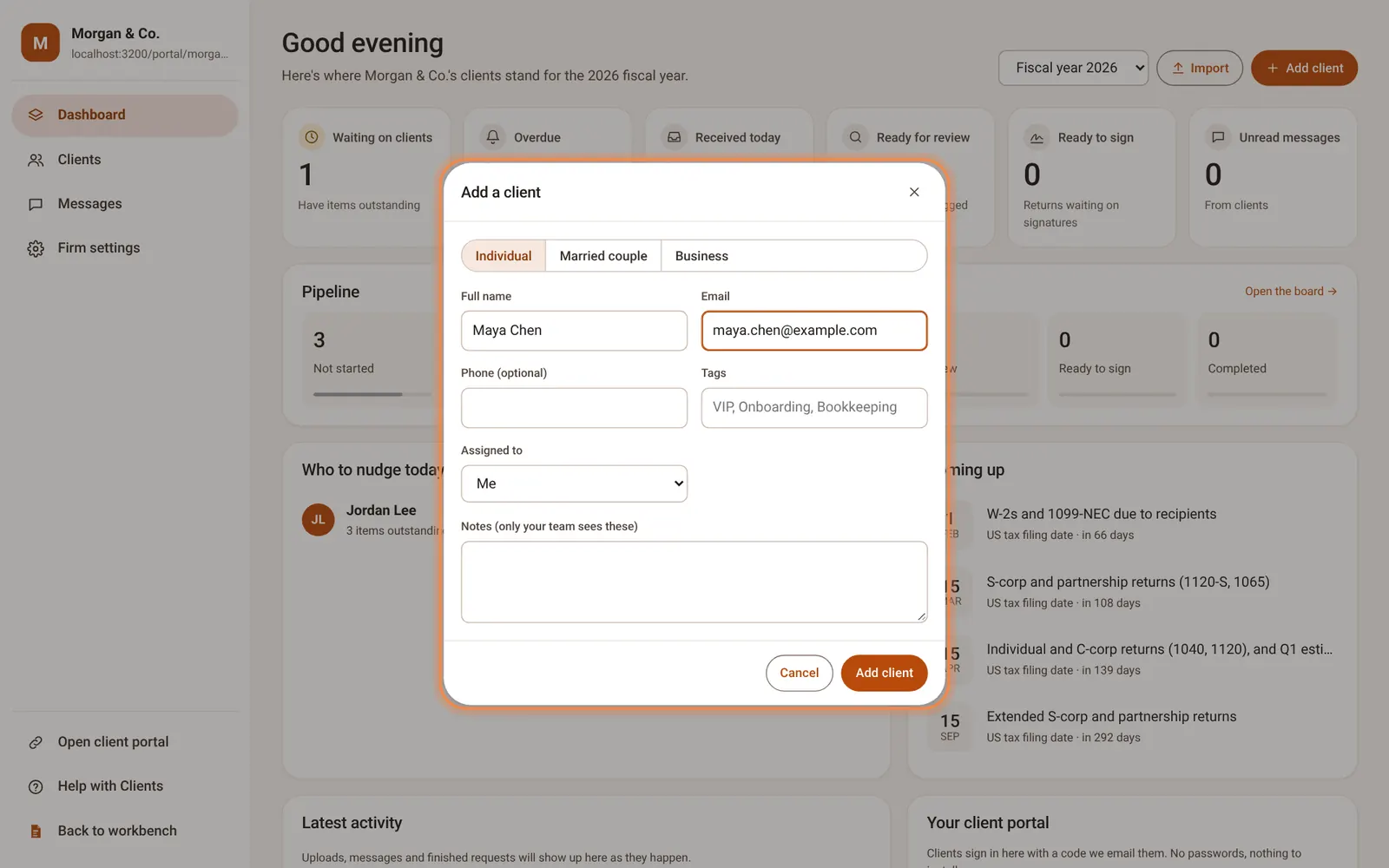
Click Add client, or Import to bring in a spreadsheet of names and emails. Pro includes up to 50 active clients.
- 4
Invite them
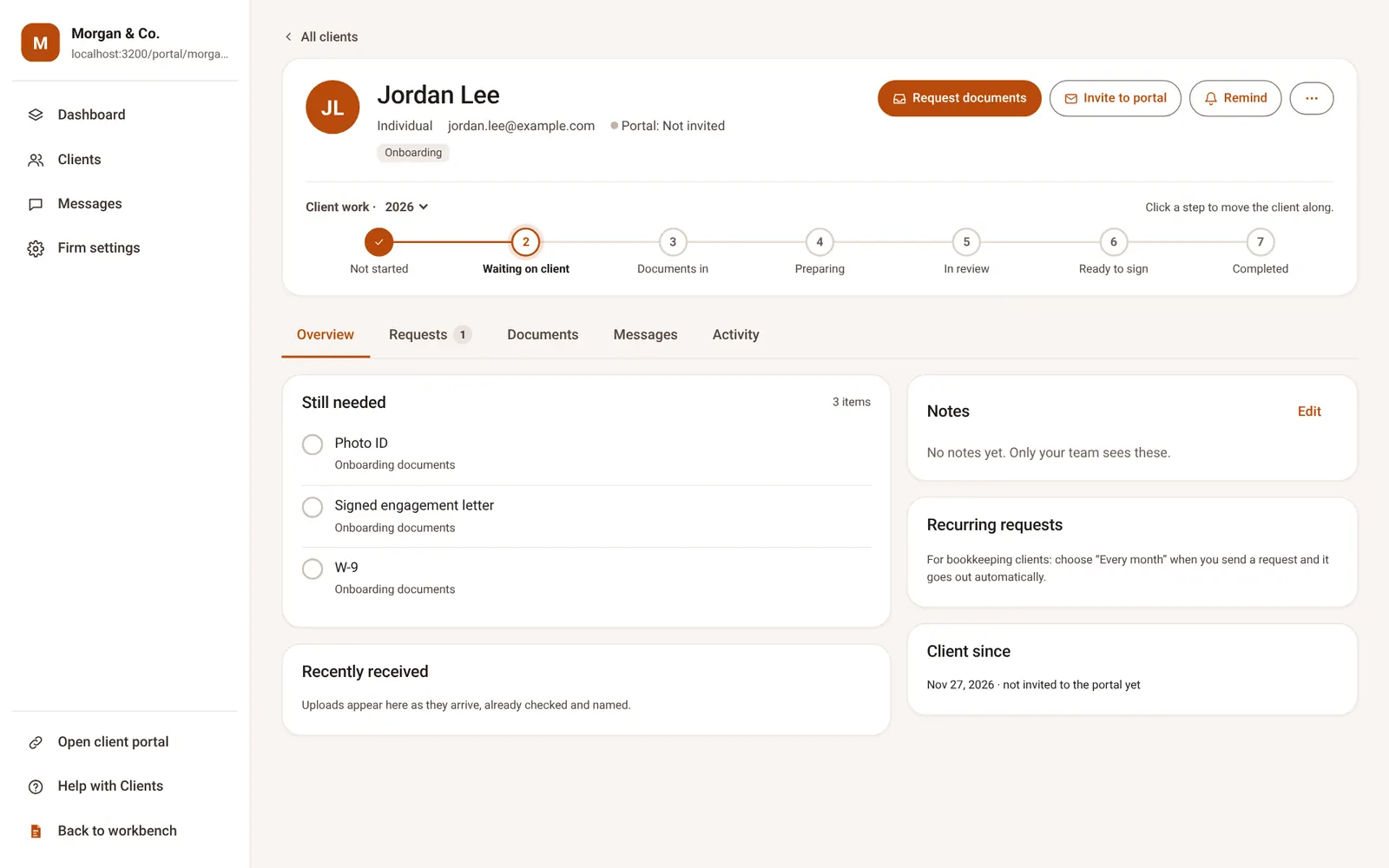
Open a client and click Invite to portal. They sign in with a code by email, with no password to remember.
Ready to try it?Open your workbench and follow along.
Start free