Compress a PDF
Make a large PDF smaller so it is easier to email and upload.
- 1
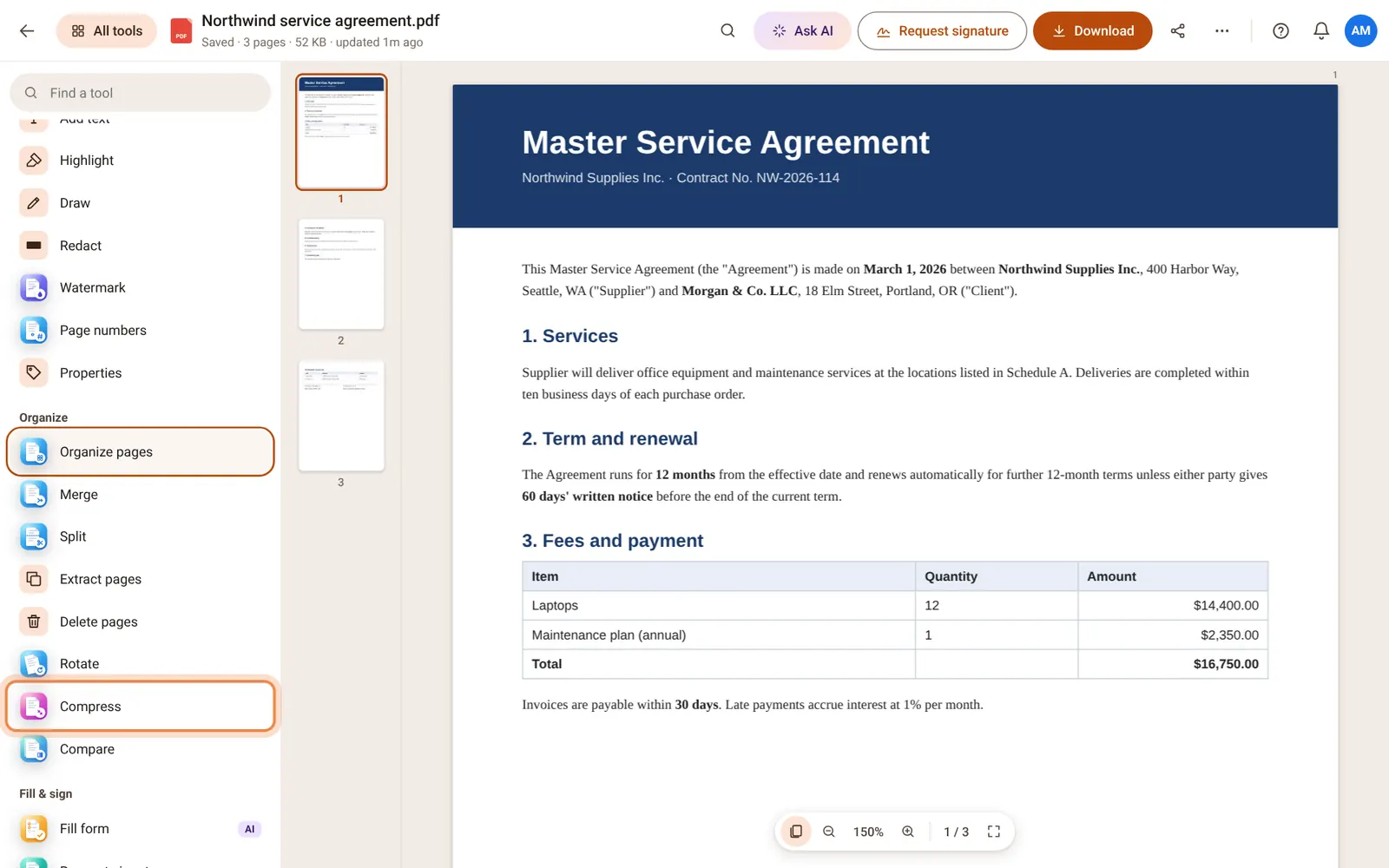
Open Compress
Open the document and click Compress under Organize in All tools.
- 2
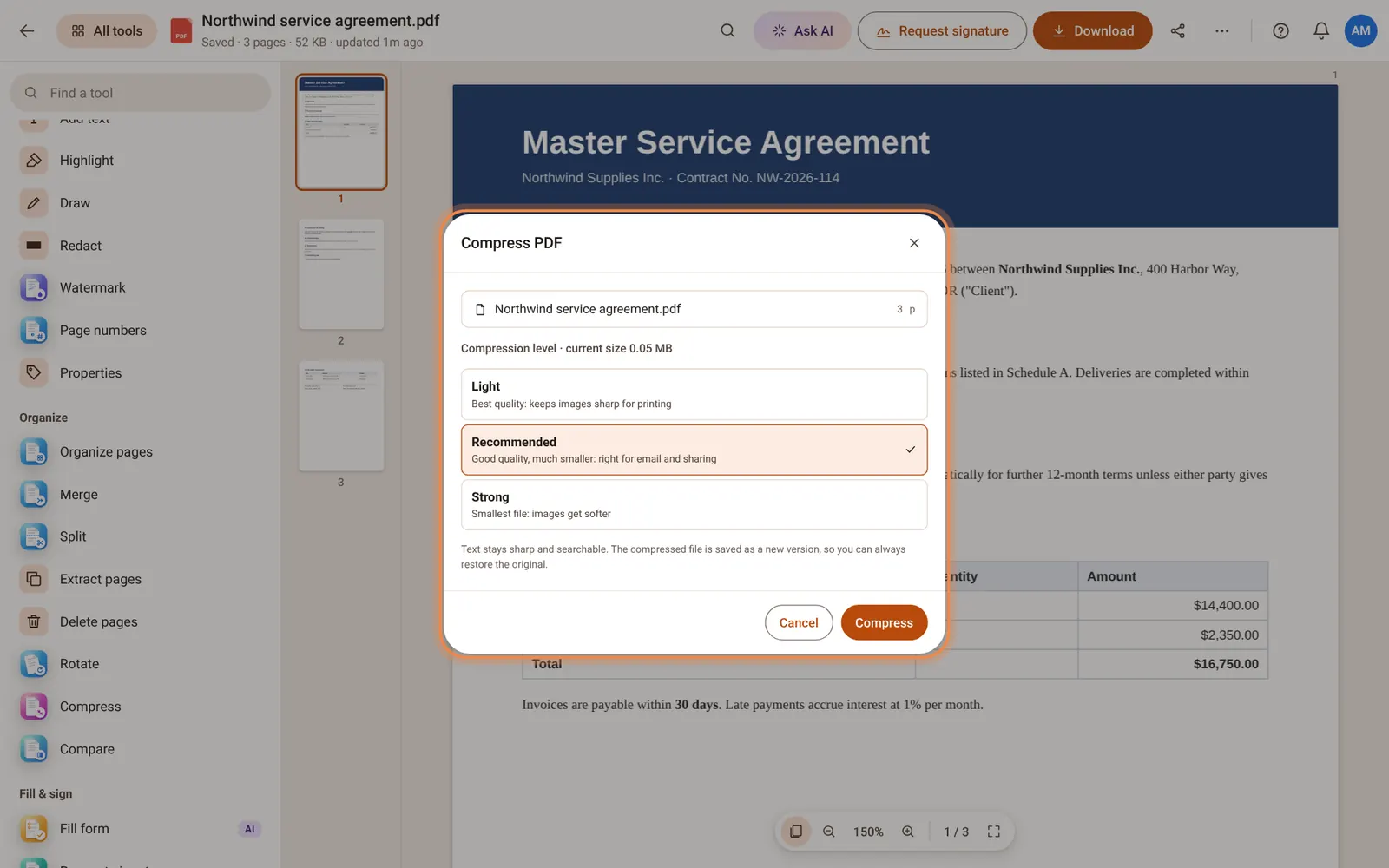
Create the smaller copy
Choose Recommended for good quality at a much smaller size, or a stronger setting, and create the smaller copy.
Ready to try it?Open your workbench and follow along.
Start free