Merge and split PDFs
Combine documents into one, or break one into parts by page ranges.
- 1
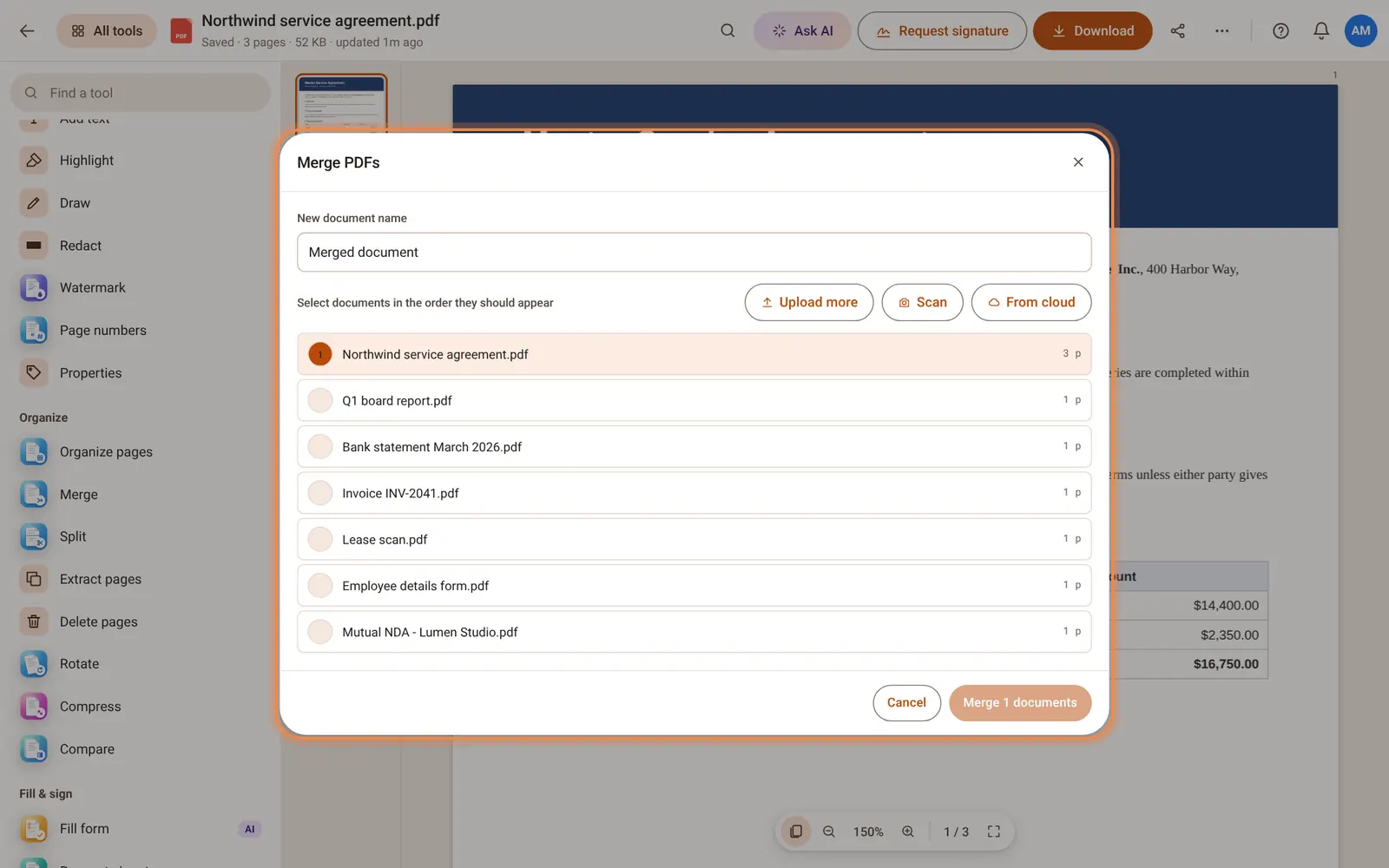
Merge
Click Merge in All tools or in the New menu. Pick the documents, drag them into order and create the merged PDF.
- 2
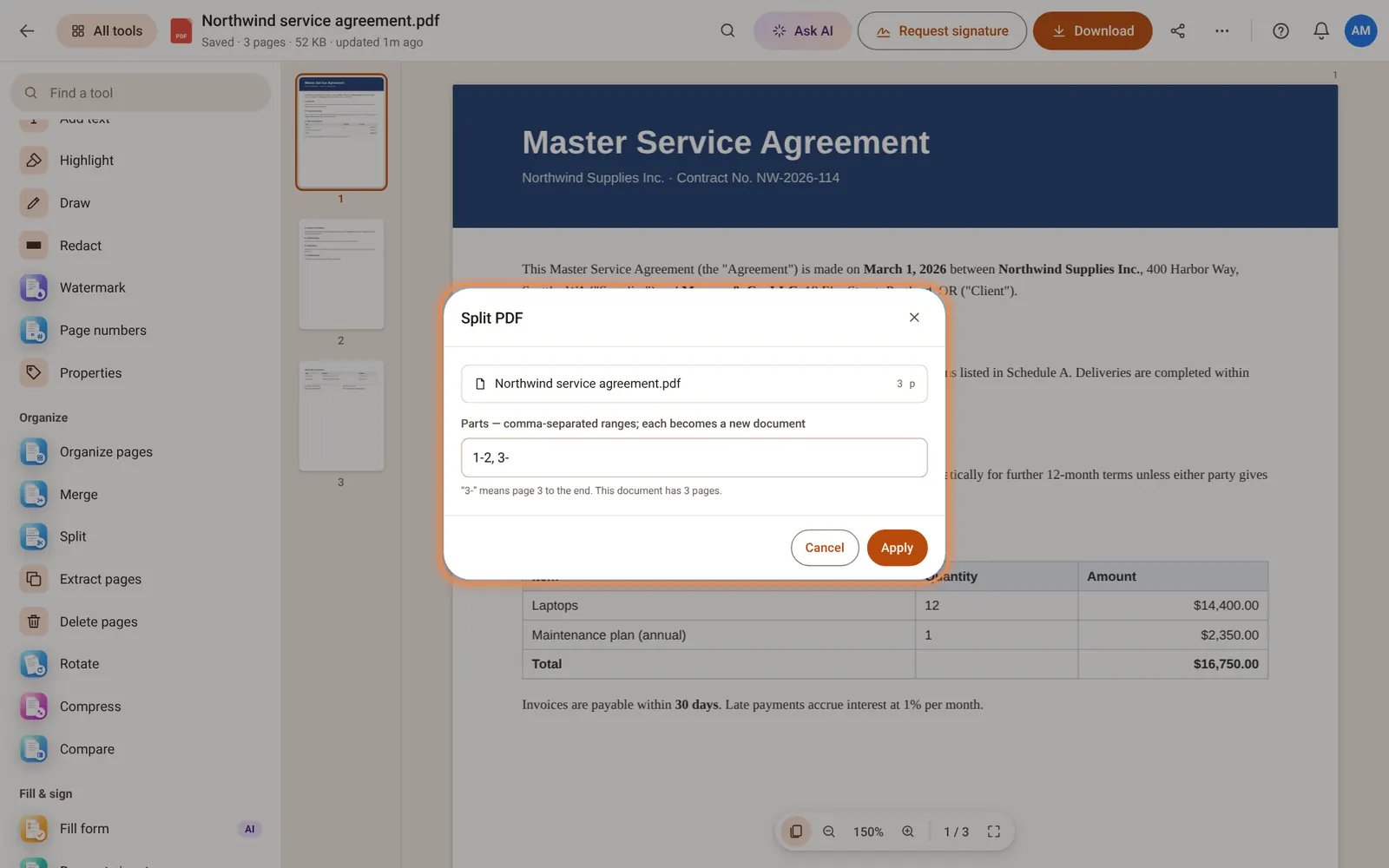
Split
Open a document and click Split. Type page ranges such as 1-3, 4-6 and each range becomes its own PDF.
- 3
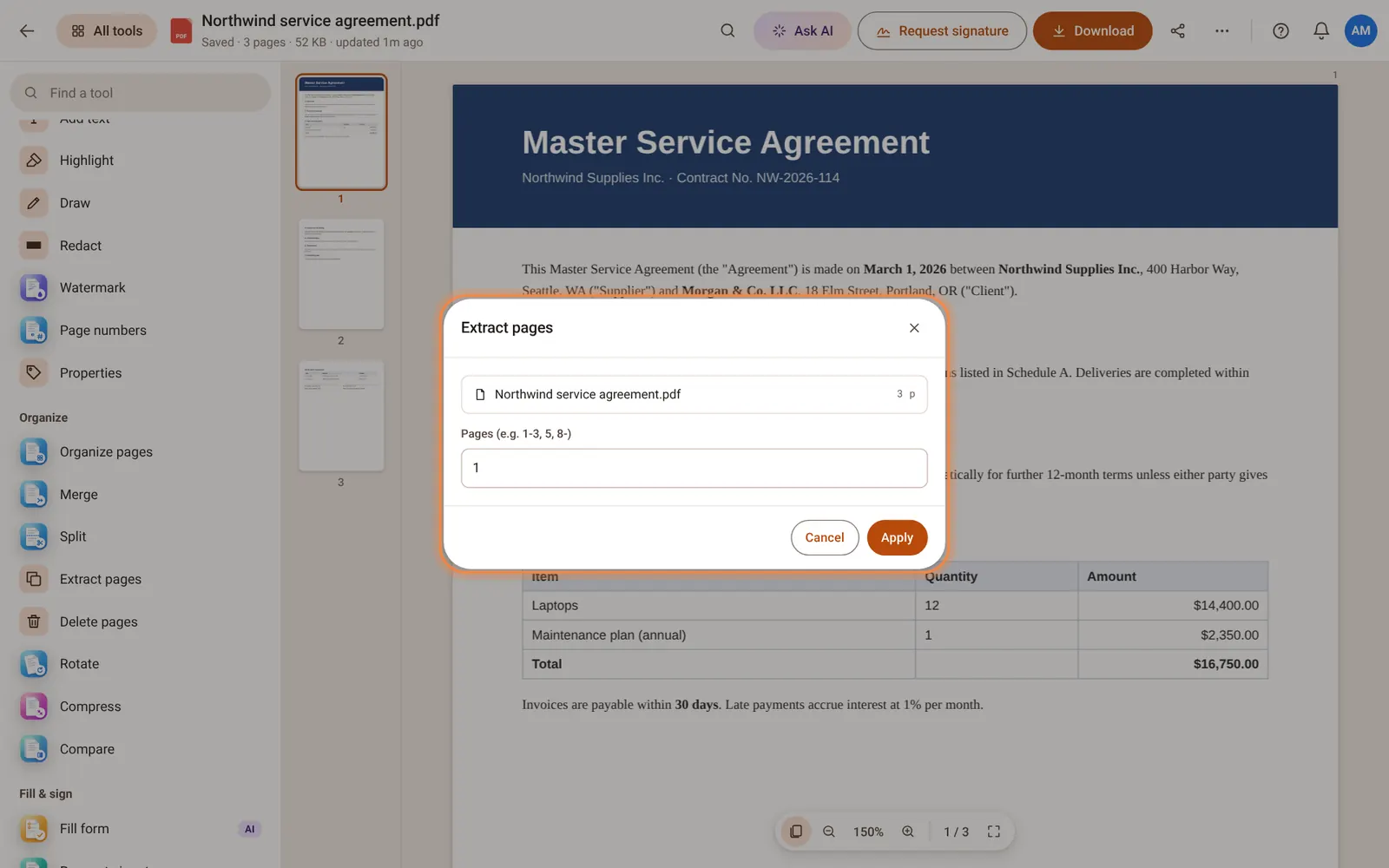
Extract pages
Click Extract pages to copy just the pages you need into a new document.
Ready to try it?Open your workbench and follow along.
Start free