Reorder, rotate and delete pages
Rearrange pages visually and save the result as a new version.
- 1
Open Organize pages
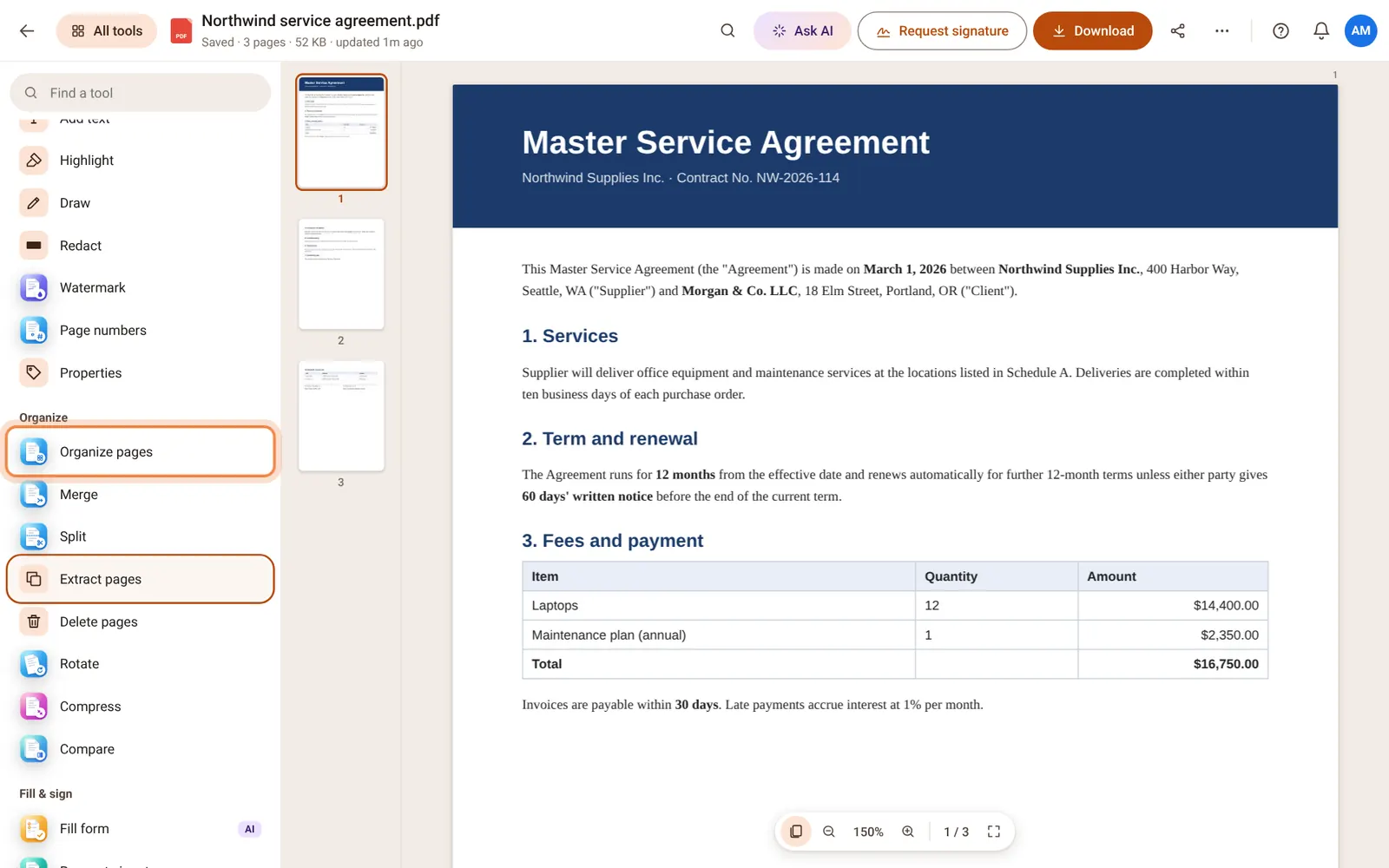
Open the document and click Organize pages under Organize in All tools.
- 2
Drag, rotate or remove
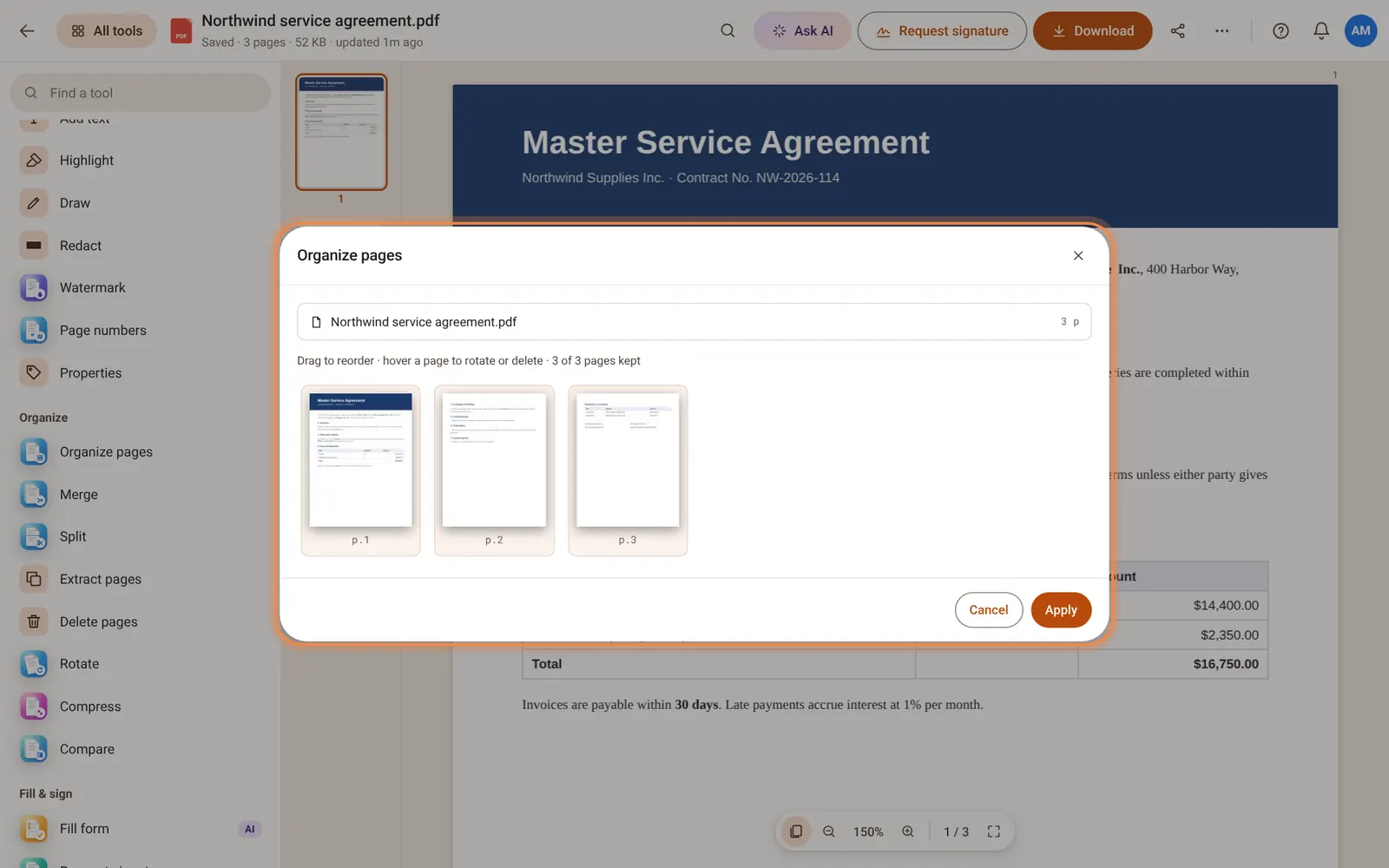
Drag thumbnails to reorder them, rotate pages that are sideways and remove the ones you don't need.
- 3
Use the page thumbnails
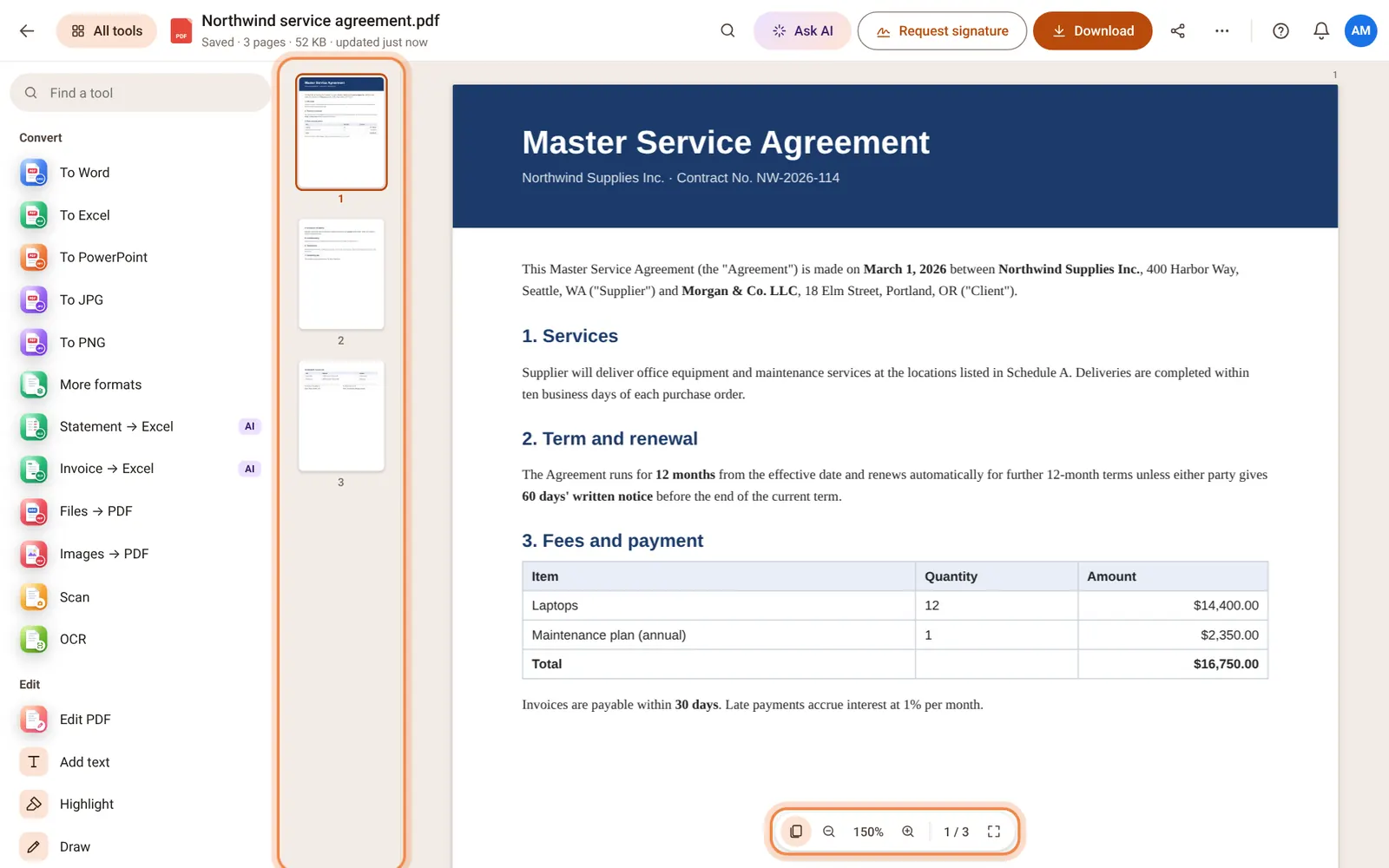
The thumbnails beside the page show every page. Click one to jump to it; the control at the bottom zooms and fits the page to the width.
Ready to try it?Open your workbench and follow along.
Start free