Make a scan searchable (OCR)
Recognize the text in scanned pages so you can search, copy and listen to it.
- 1
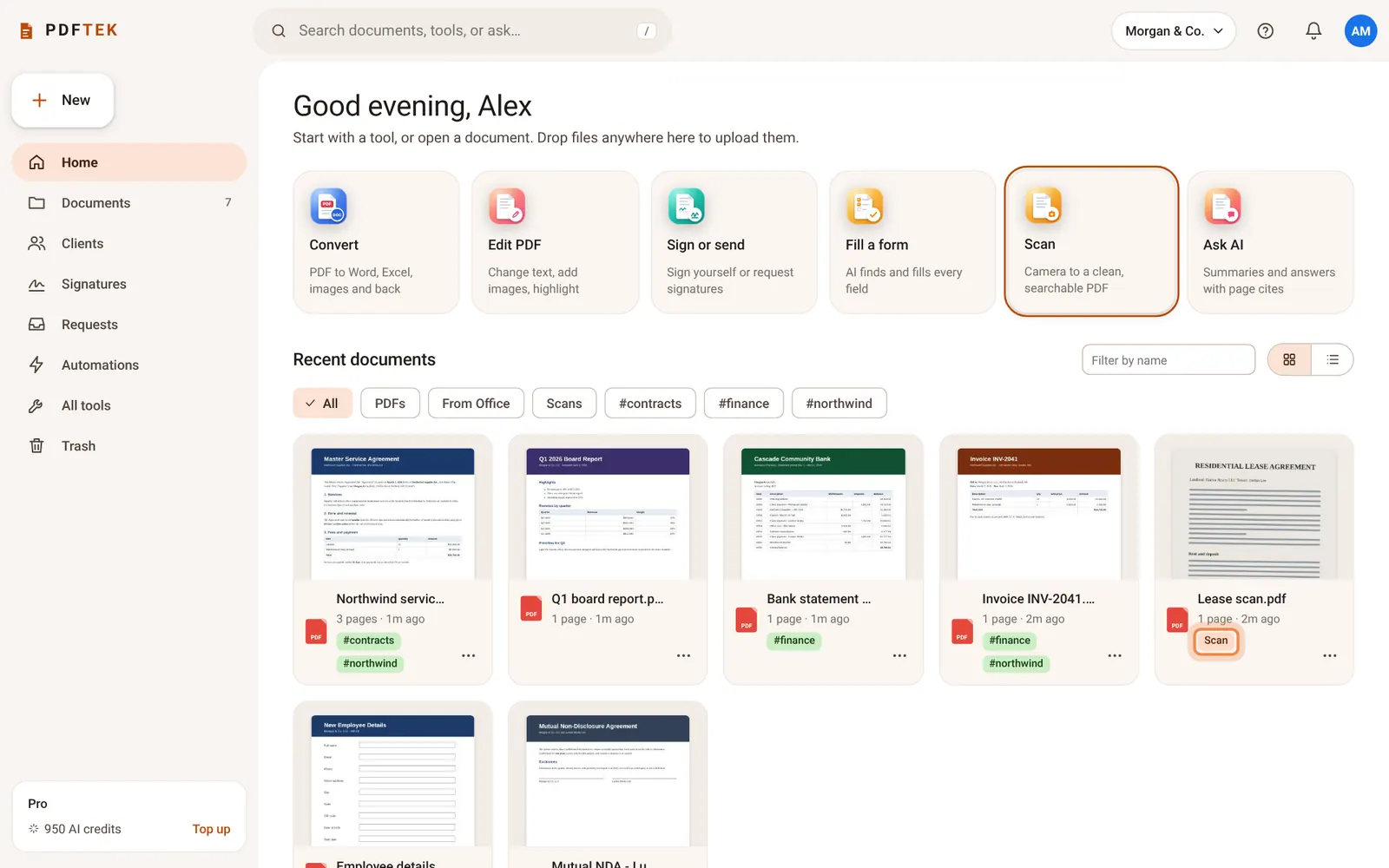
Spot a scan
Scanned documents show a Scan badge on Home, and a notice above the page when you open them.
- 2
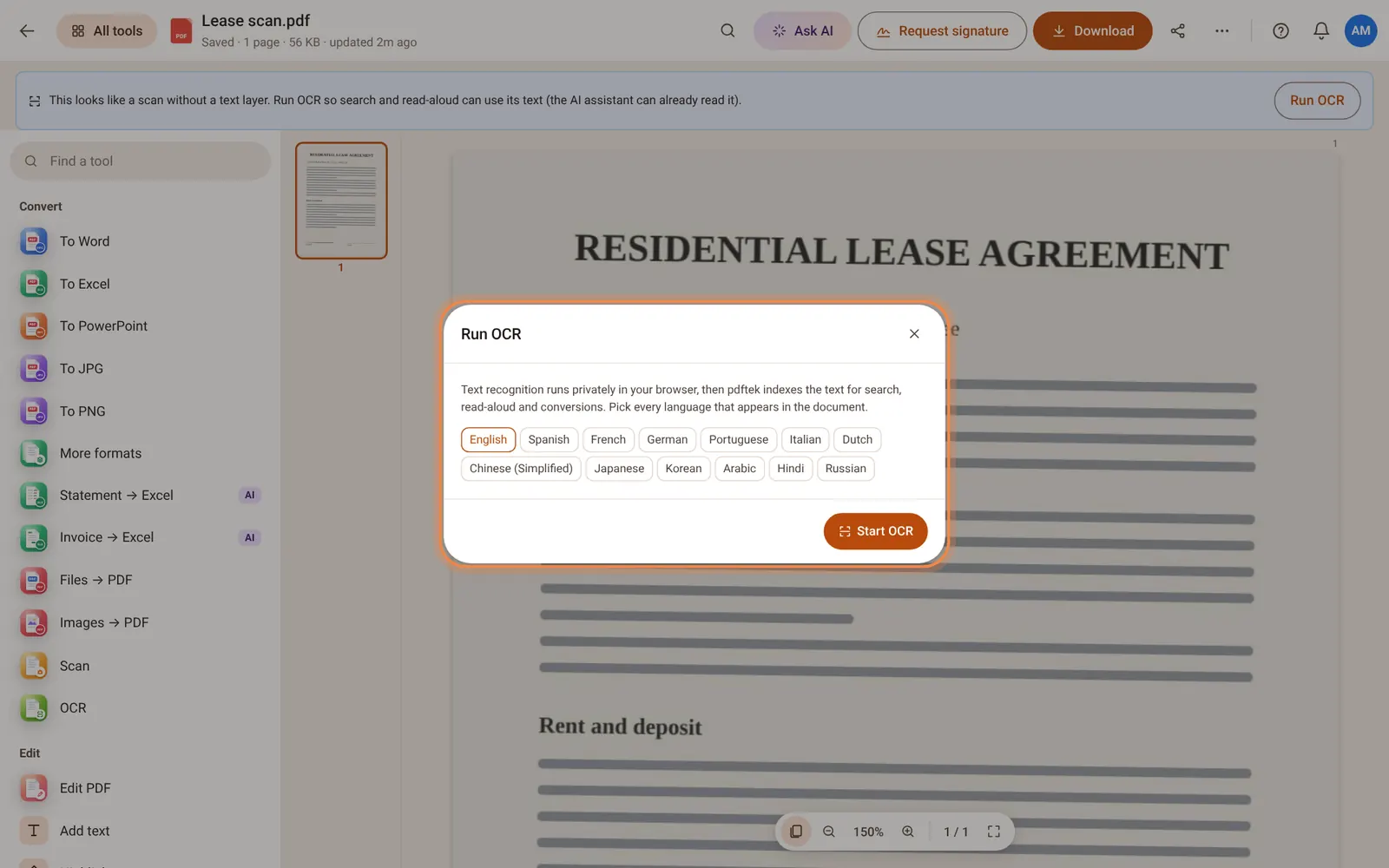
Run OCR
Click Run OCR on the notice, or OCR in All tools. Pick every language in the document and click Start OCR.
- 3
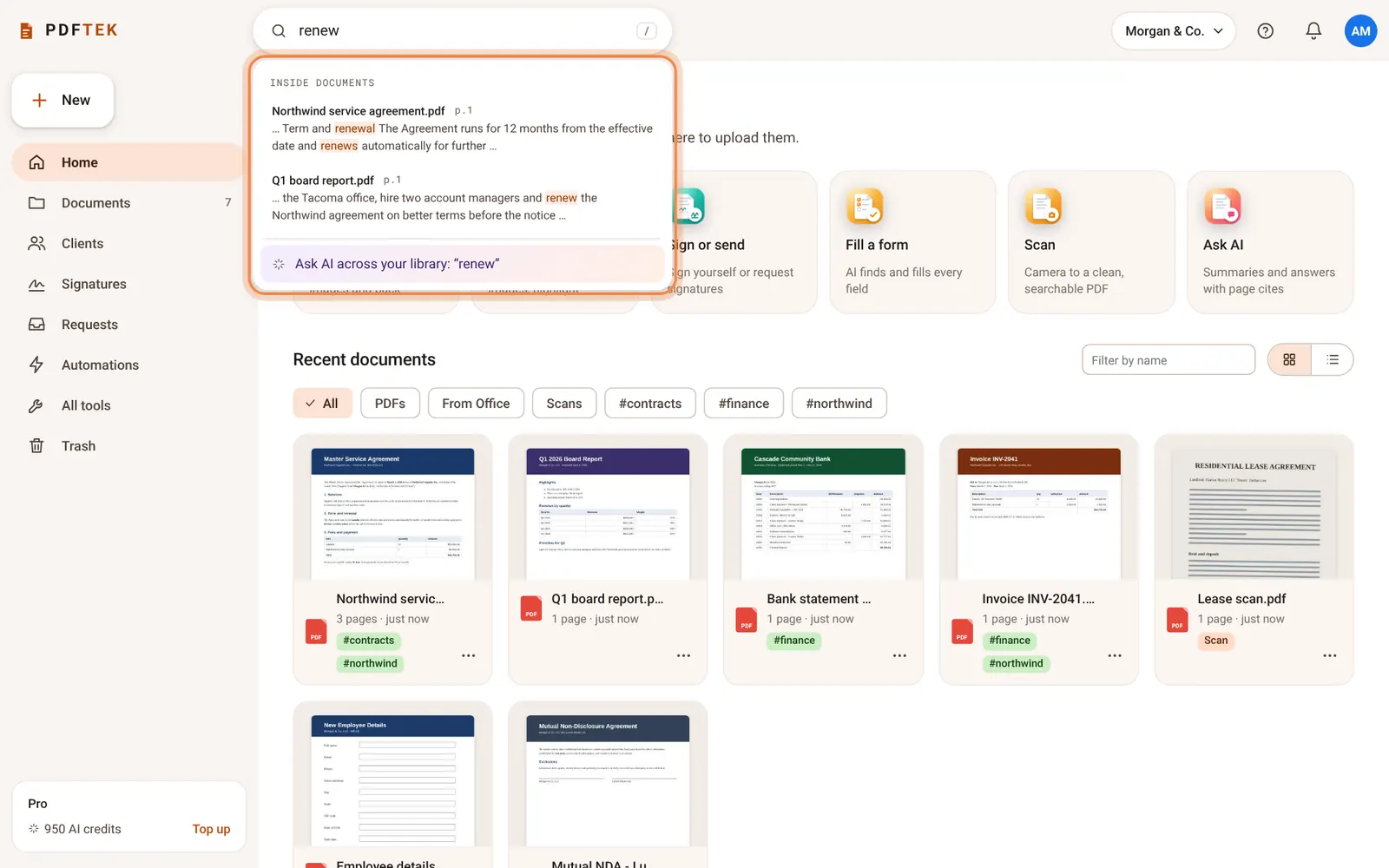
Search the text
Text recognition runs privately in your browser. Afterwards the document's words appear in search and Read aloud.
Ready to try it?Open your workbench and follow along.
Start free