Scan paper documents
Use your phone or laptop camera to make a clean, straight, searchable PDF.
- 1
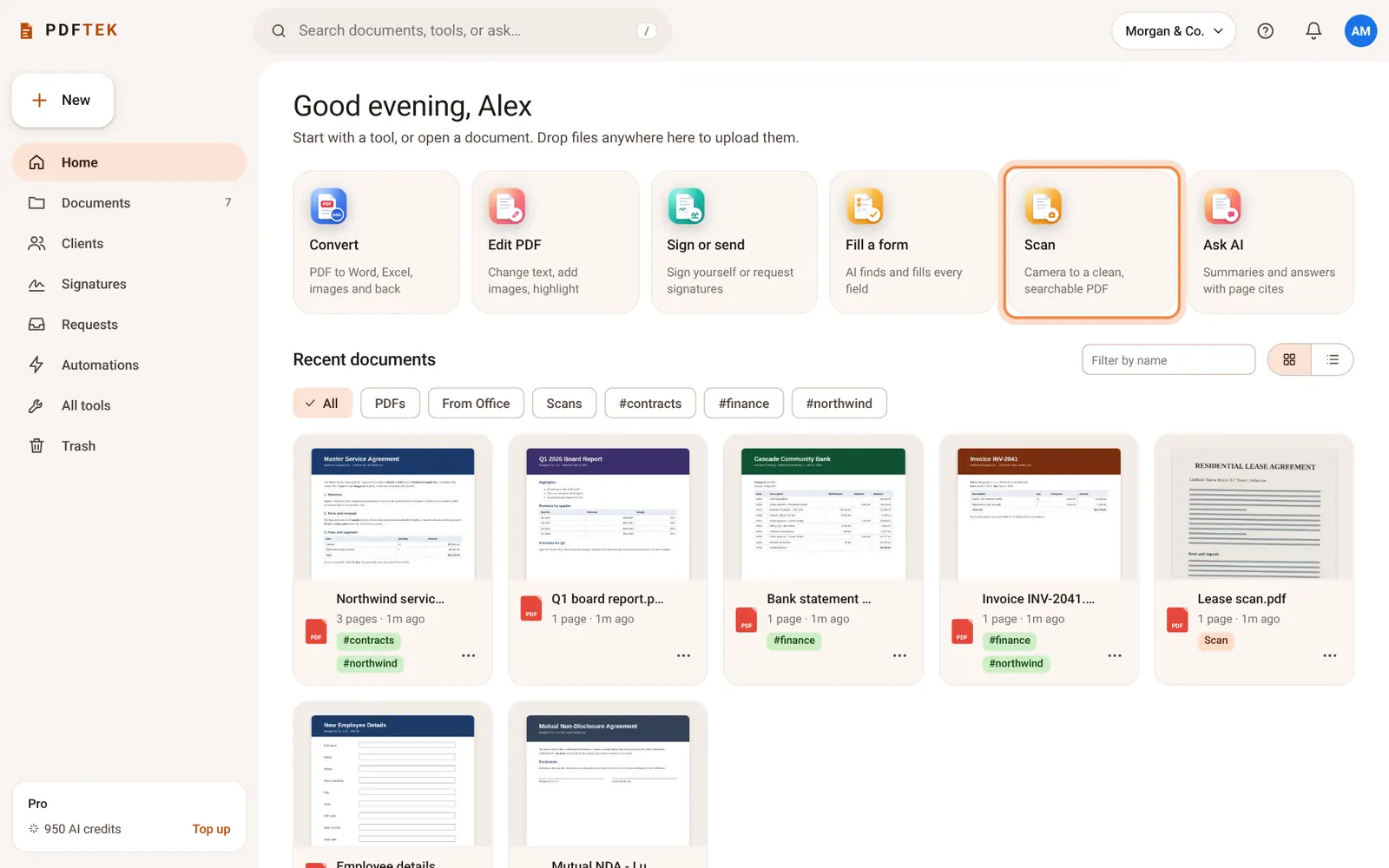
Open the scanner
Click Scan on Home, choose Scan with camera in the New menu, or tap the Scan button on your phone.
- 2
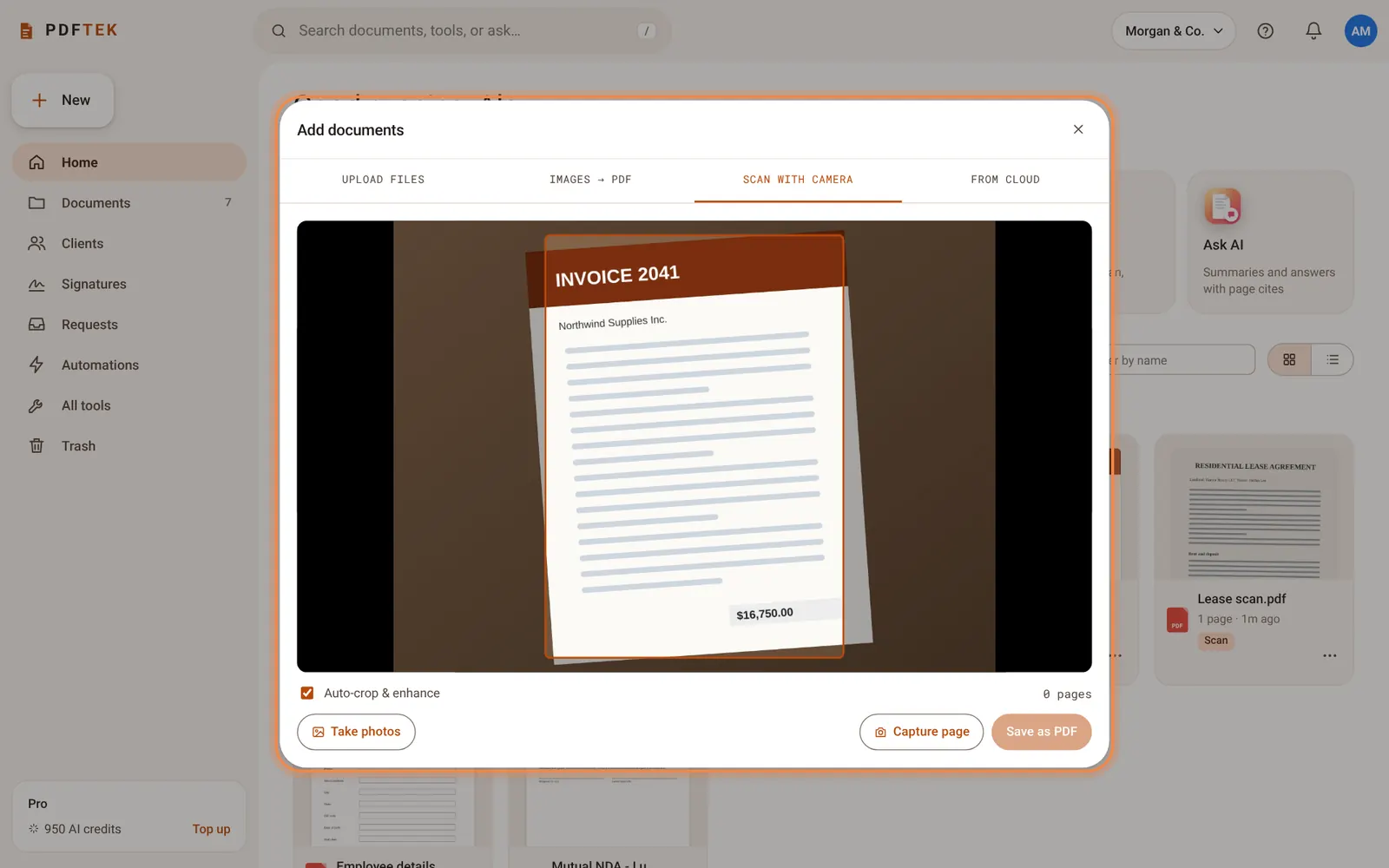
Capture pages
Hold the page in view and take a photo. pdftek detects the edges and straightens it; add as many pages as you need.
- 3
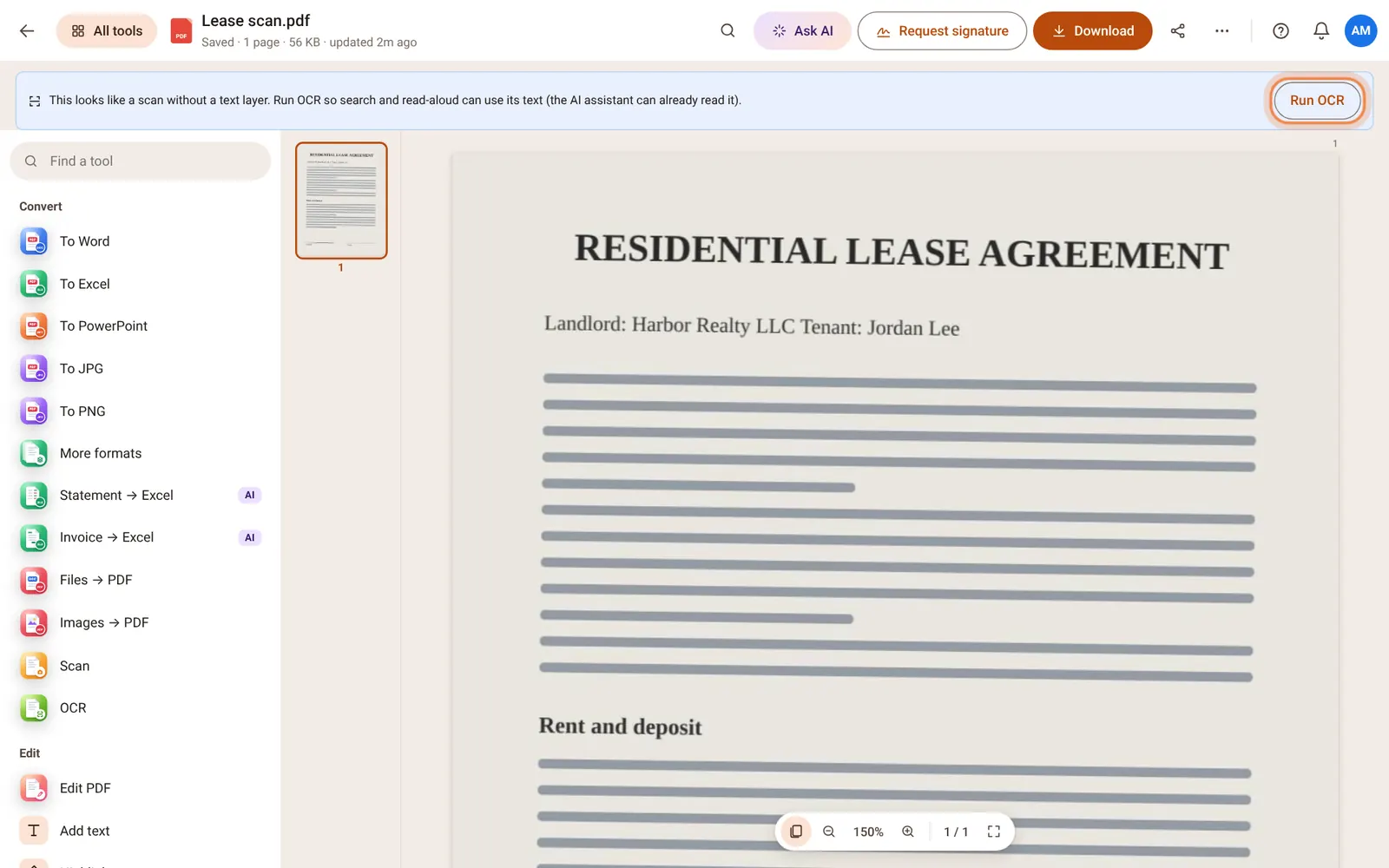
Save and make it searchable
Save the scan as a PDF. Run OCR on it so you can search and copy its text.
Ready to try it?Open your workbench and follow along.
Start free