Search everything
One search box finds documents by name, words inside any page, tools, or sends your question to the AI.
- 1
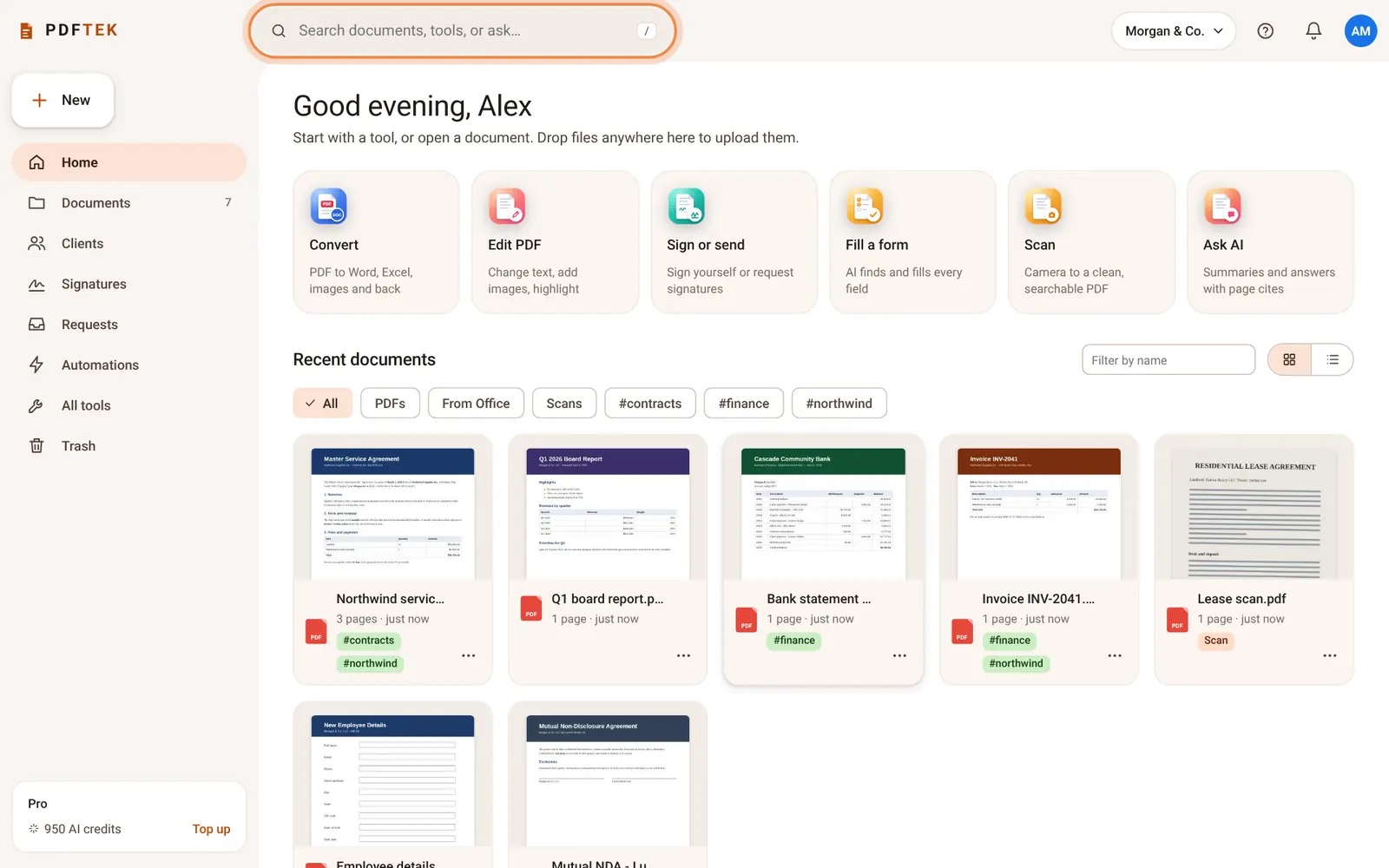
Open search
Click the search box at the top, or press the slash key on your keyboard from anywhere.
- 2
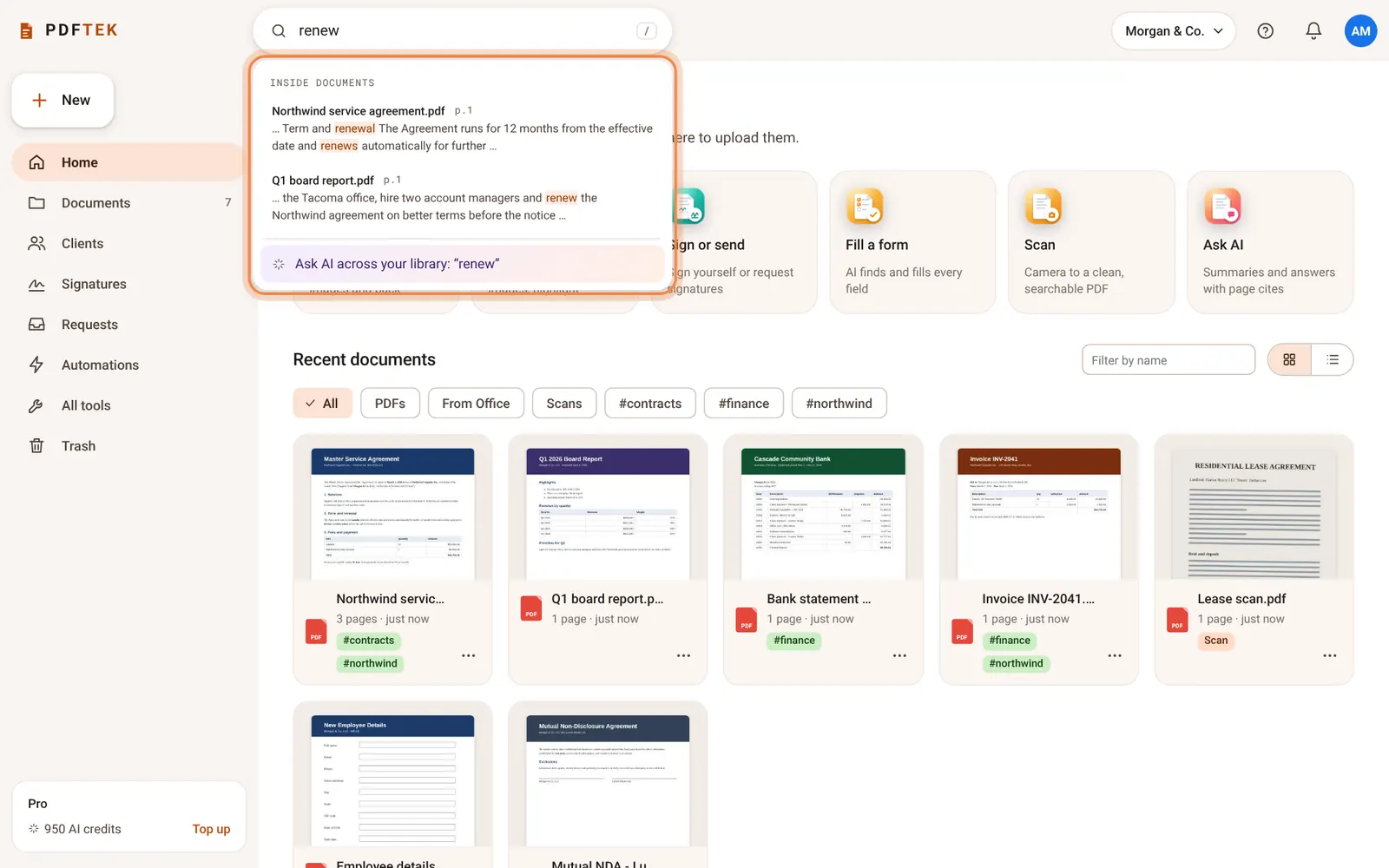
Find a tool, a document or a page
Type a few letters. Results show matching tools, document names and the exact pages where your words appear, highlighted.
- 3
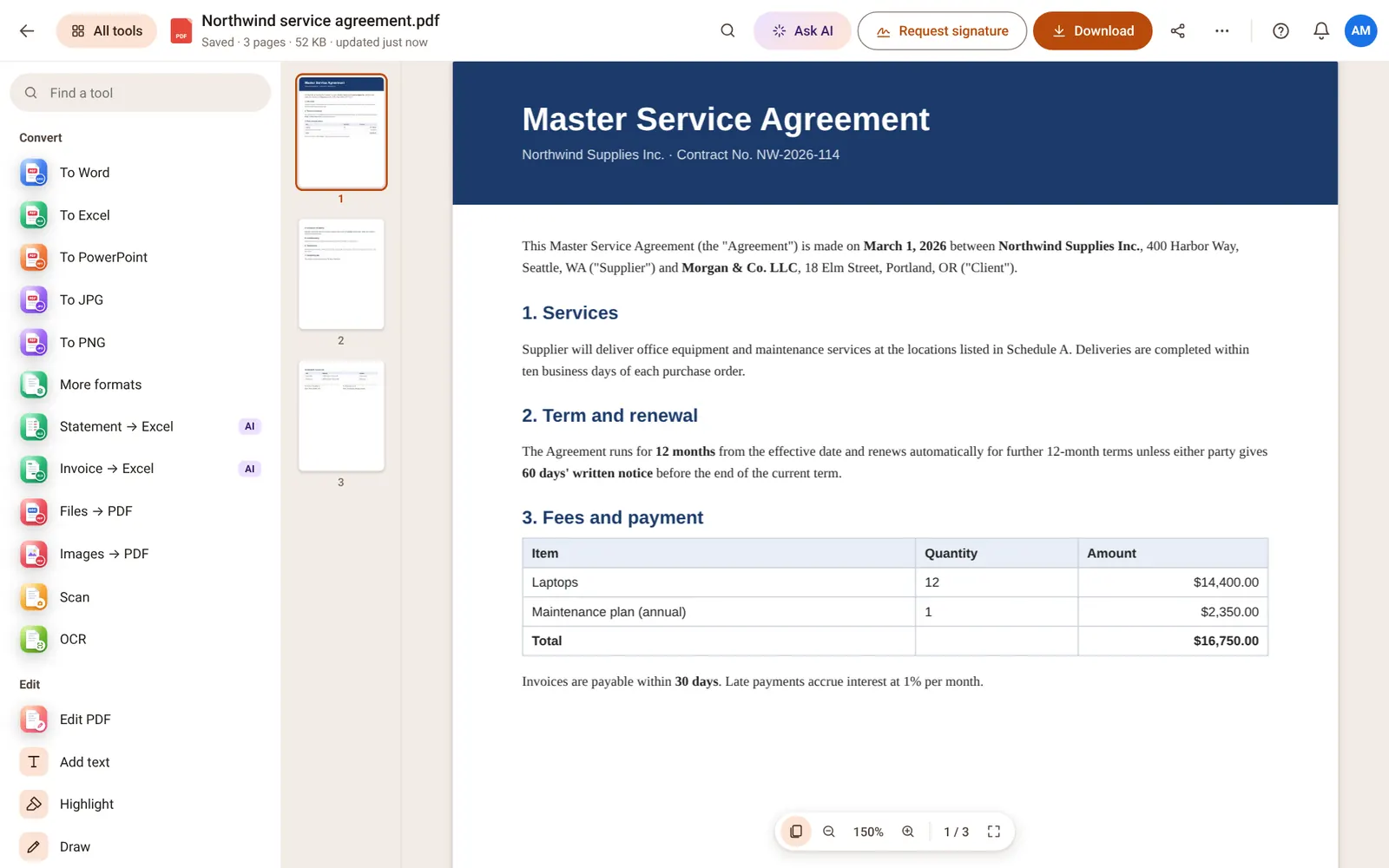
Jump to the page
Click a result inside a document and it opens at that page with your words highlighted.
- 4
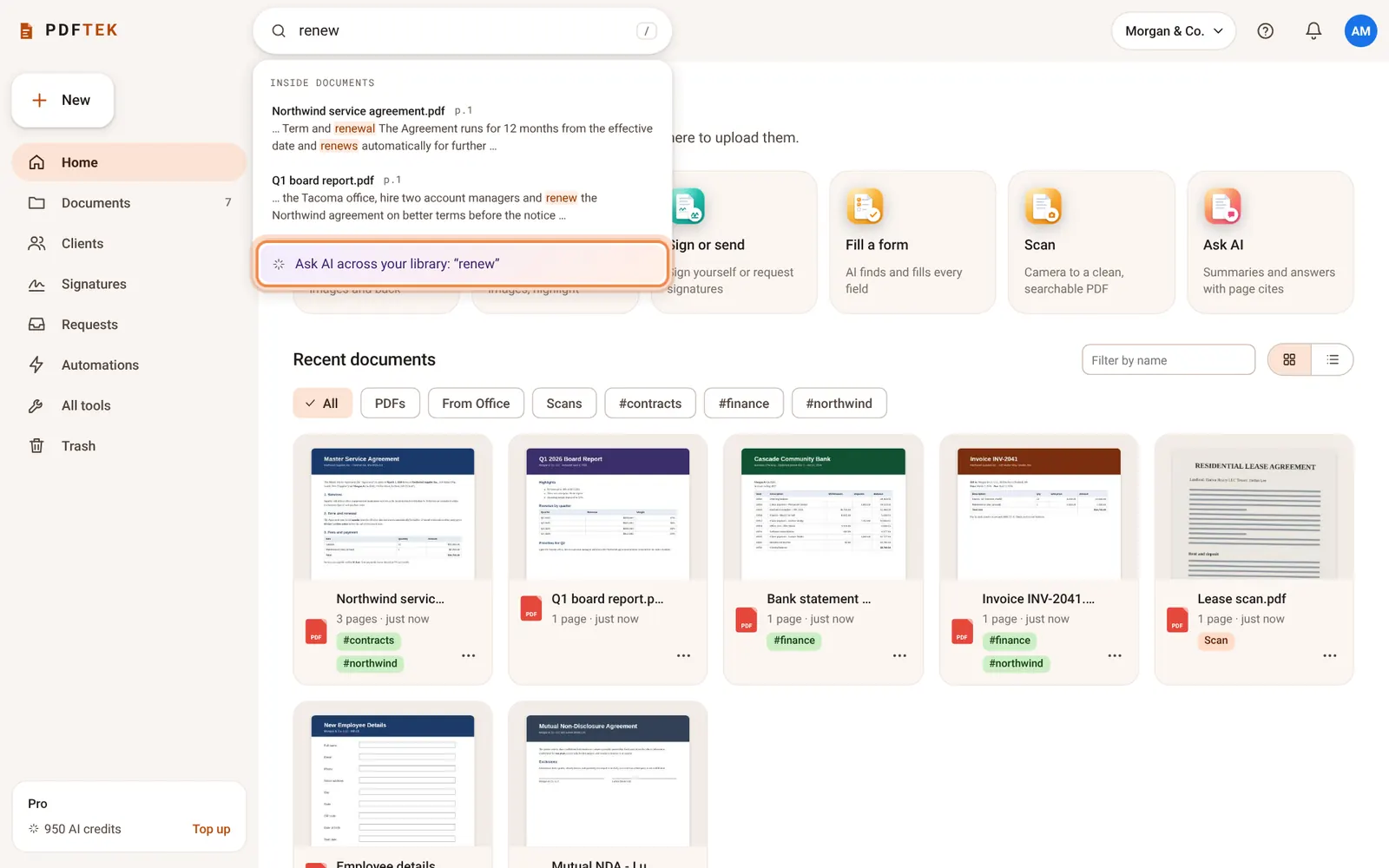
Ask instead
The last result asks the AI your question, about the open document or your whole library.
Ready to try it?Open your workbench and follow along.
Start free