Convert a PDF to Word, Excel, PowerPoint or images
Turn a PDF into an editable Office file or into images, keeping the layout.
- 1
Open the PDF
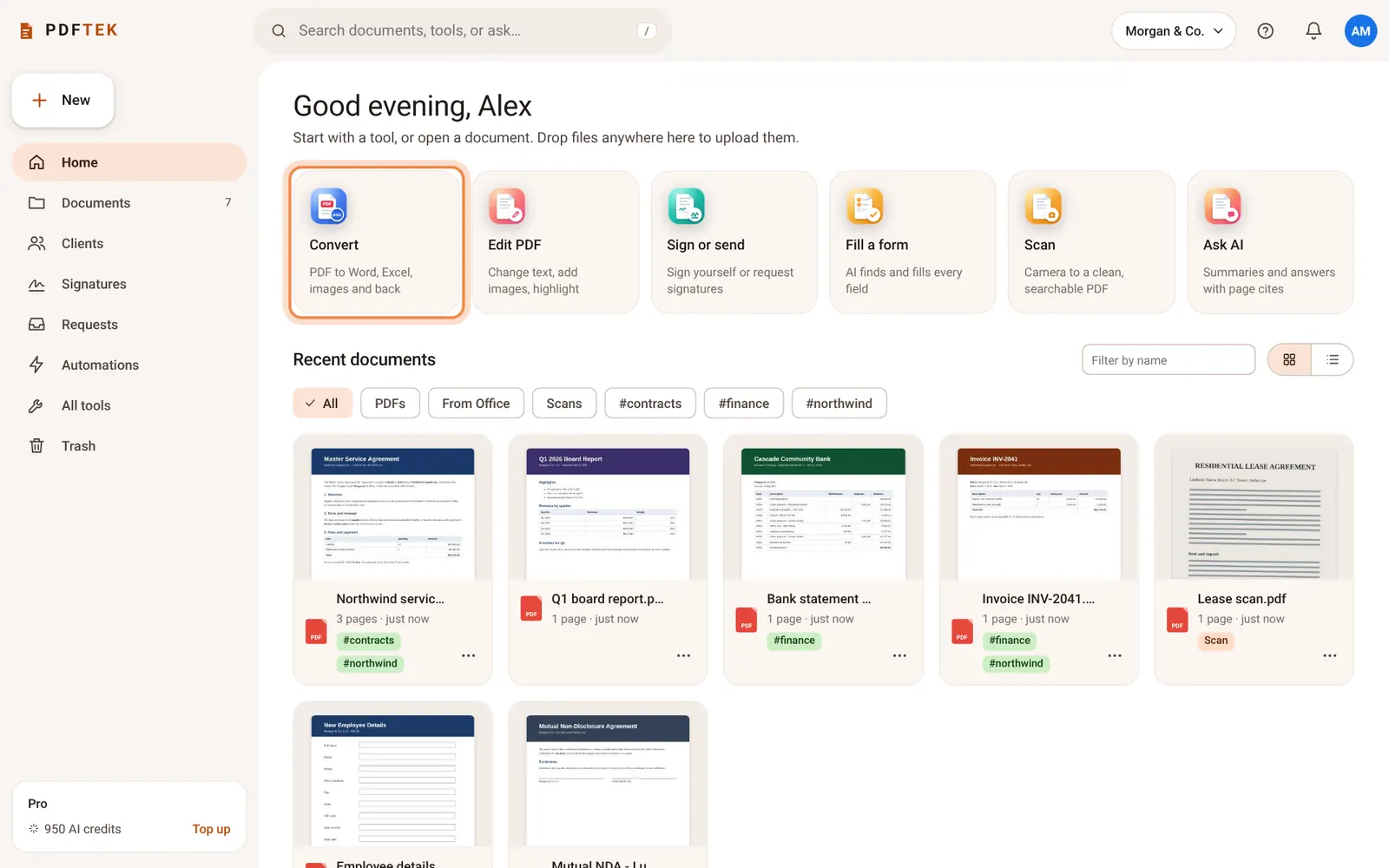
Open the document from Home, or click Convert on Home and choose your file.
- 2
Pick a format
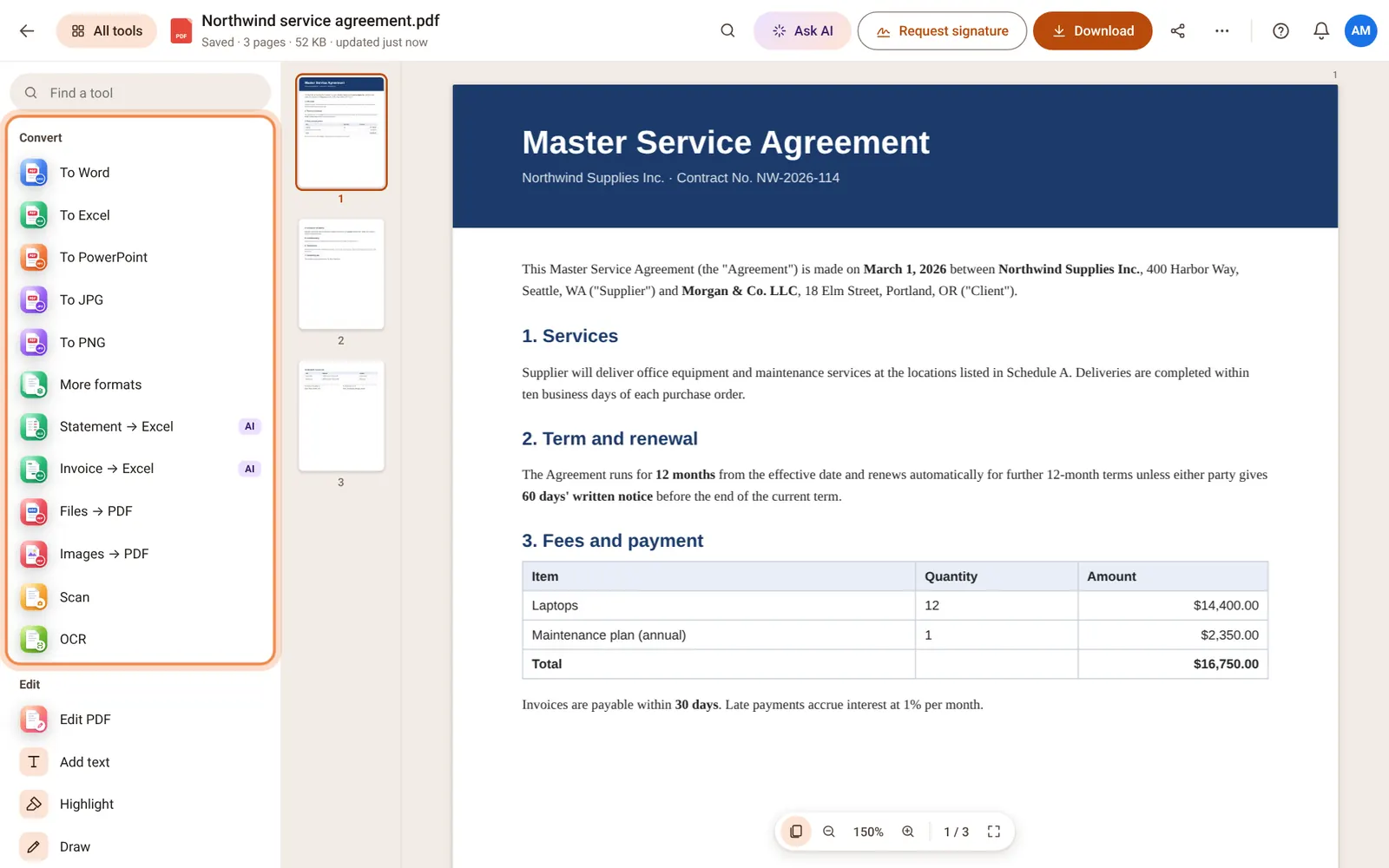
In All tools, under Convert, click To Word, To Excel, To PowerPoint, To JPG or To PNG.
- 3
More formats
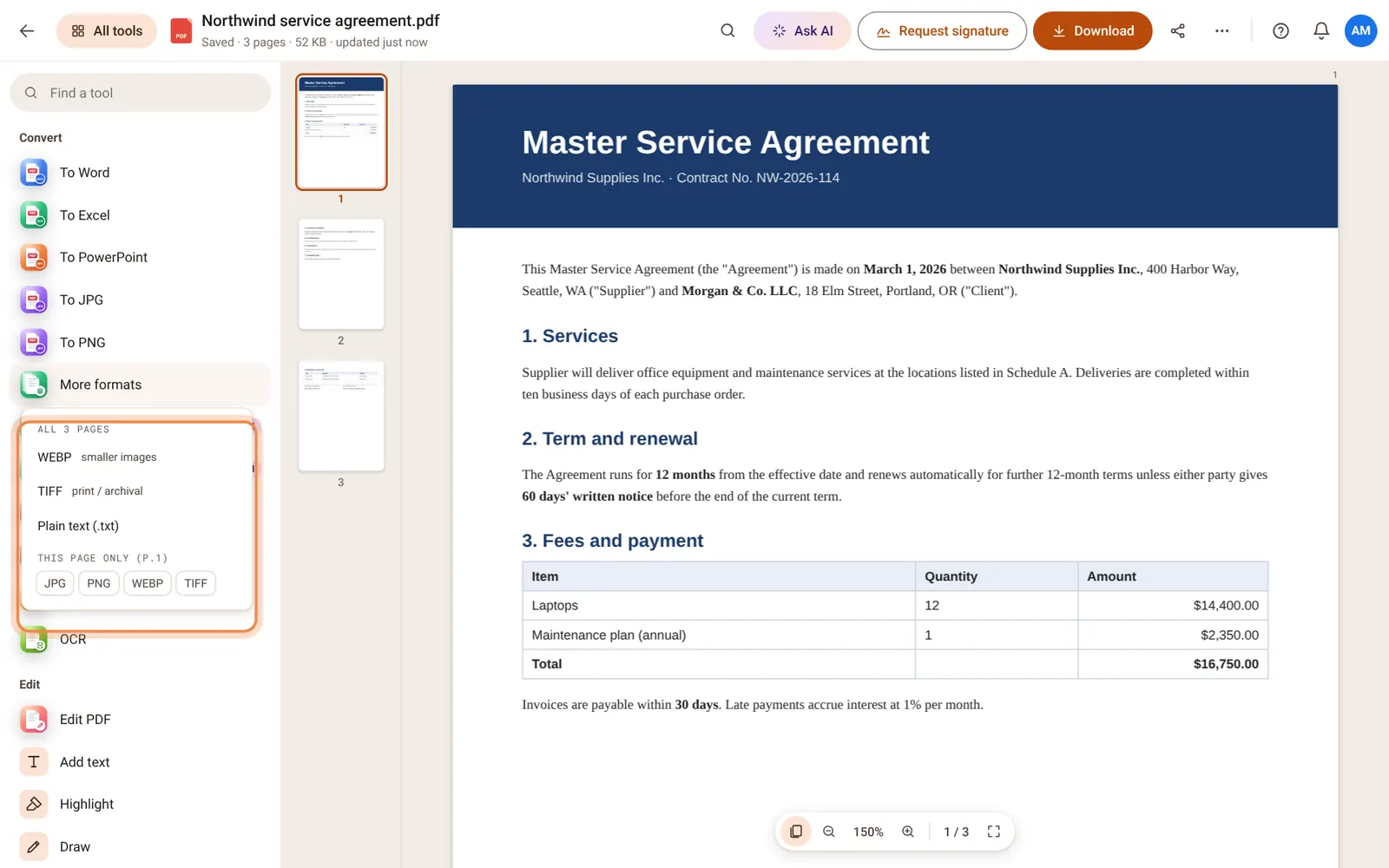
Click More formats for WEBP, TIFF or plain text, or to convert only the page you are looking at.
- 4
Download
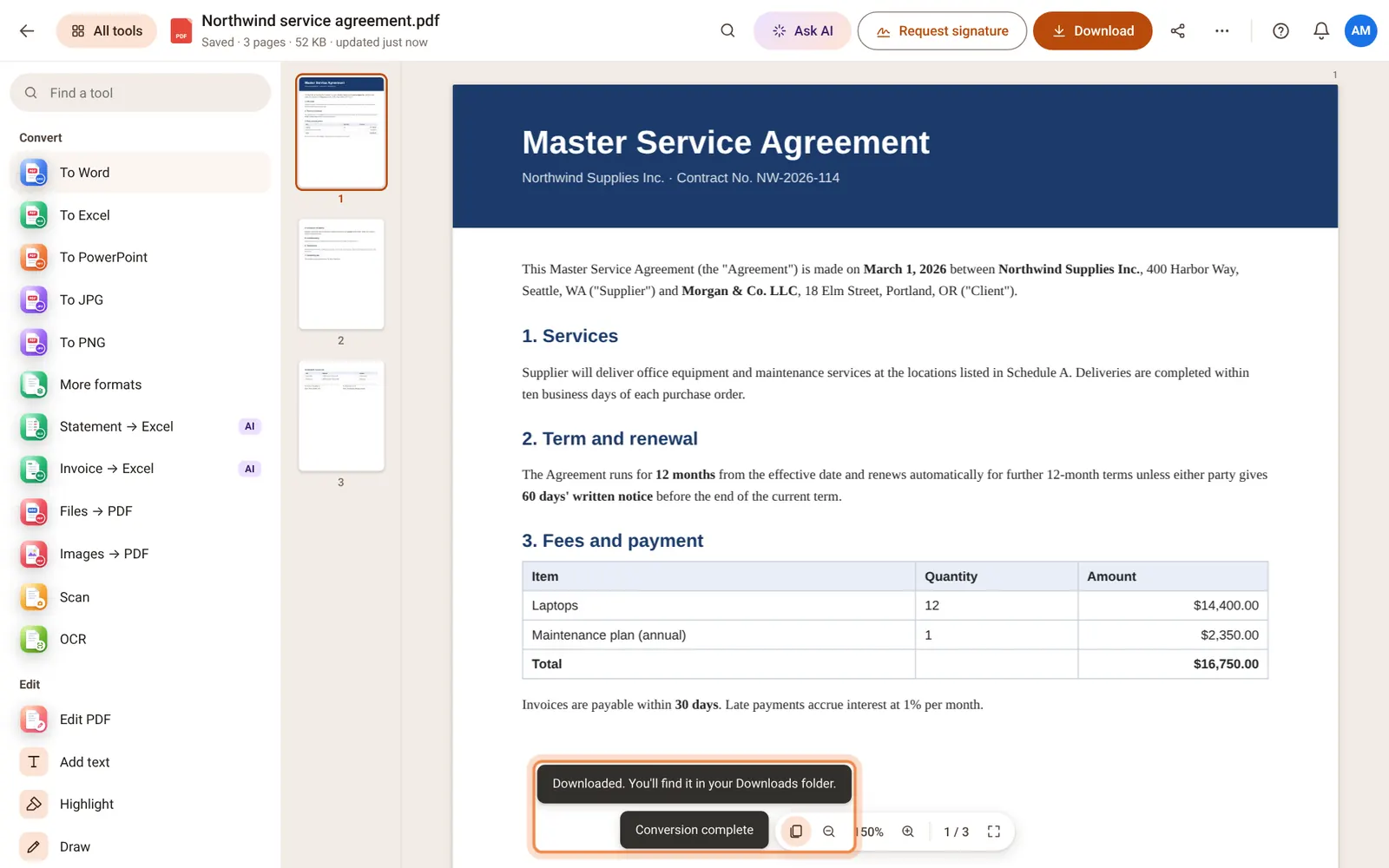
The converted file downloads straight away. Your original PDF stays in your documents.
Tables become real spreadsheet cells in Excel, and text stays editable in Word.
Ready to try it?Open your workbench and follow along.
Start free