Bank statements and invoices to Excel
Pull every transaction or line item into a clean spreadsheet, checked against the totals.
- 1
Choose the converter
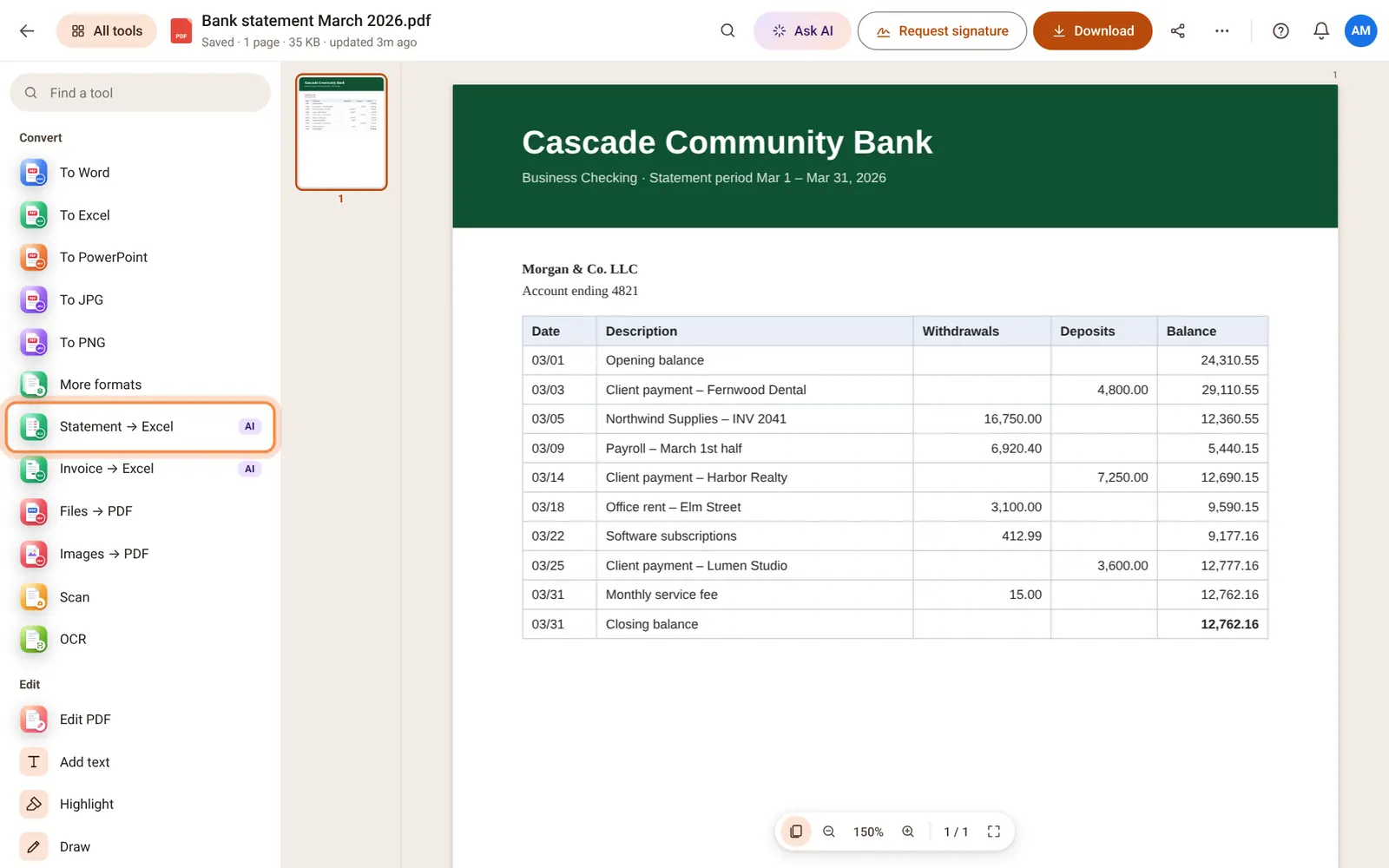
Click Statement → Excel or Invoice → Excel under Convert in All tools.
- 2
Check the results
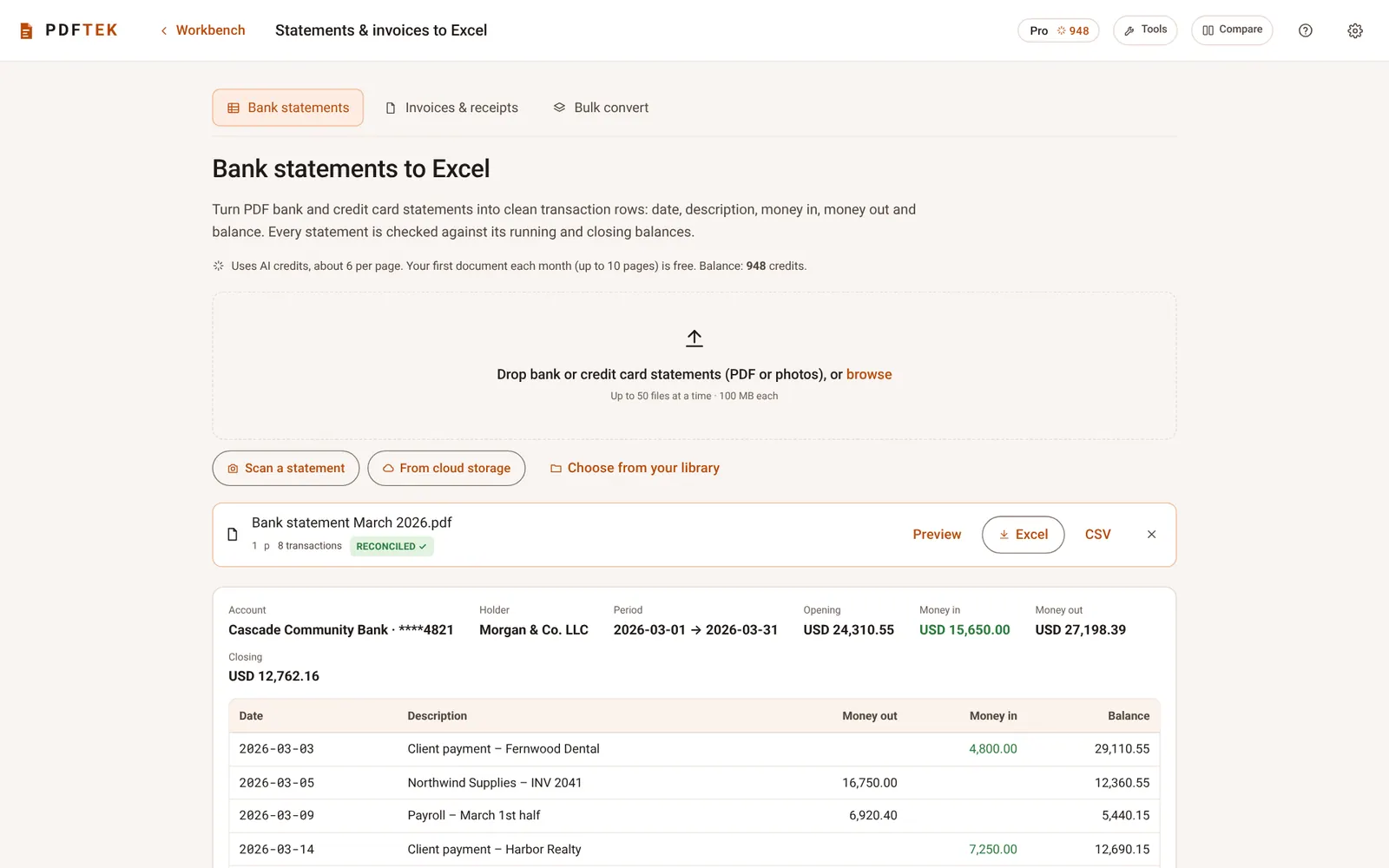
Transactions are listed with dates, descriptions and amounts and checked against the opening and closing balances.
- 3
Download
Download the spreadsheet, ready for your accounting software.
Ready to try it?Open your workbench and follow along.
Start free