Request documents with a secure link
Send a checklist and collect files without email attachments. Anyone can upload, no account needed.
- 1
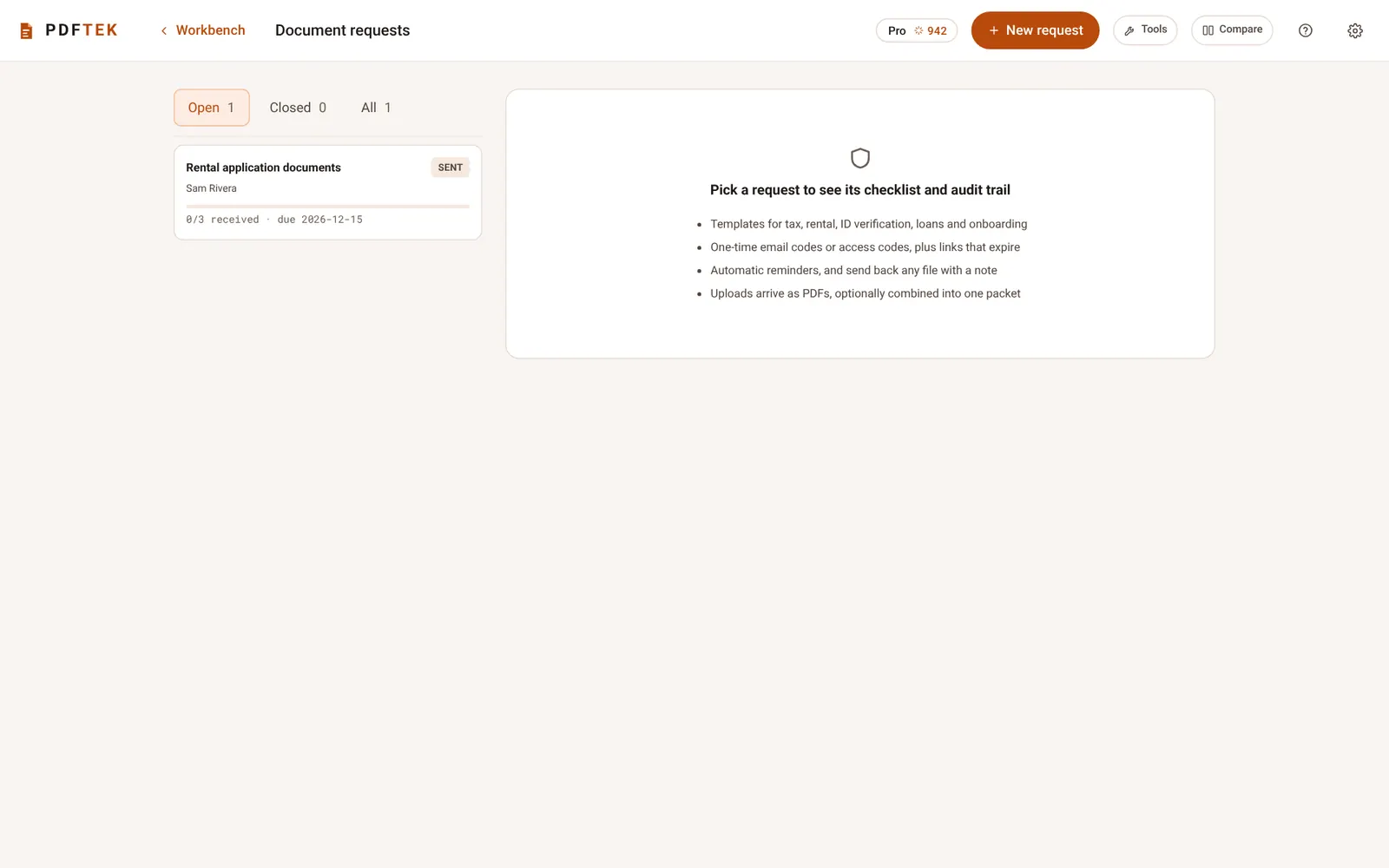
New request
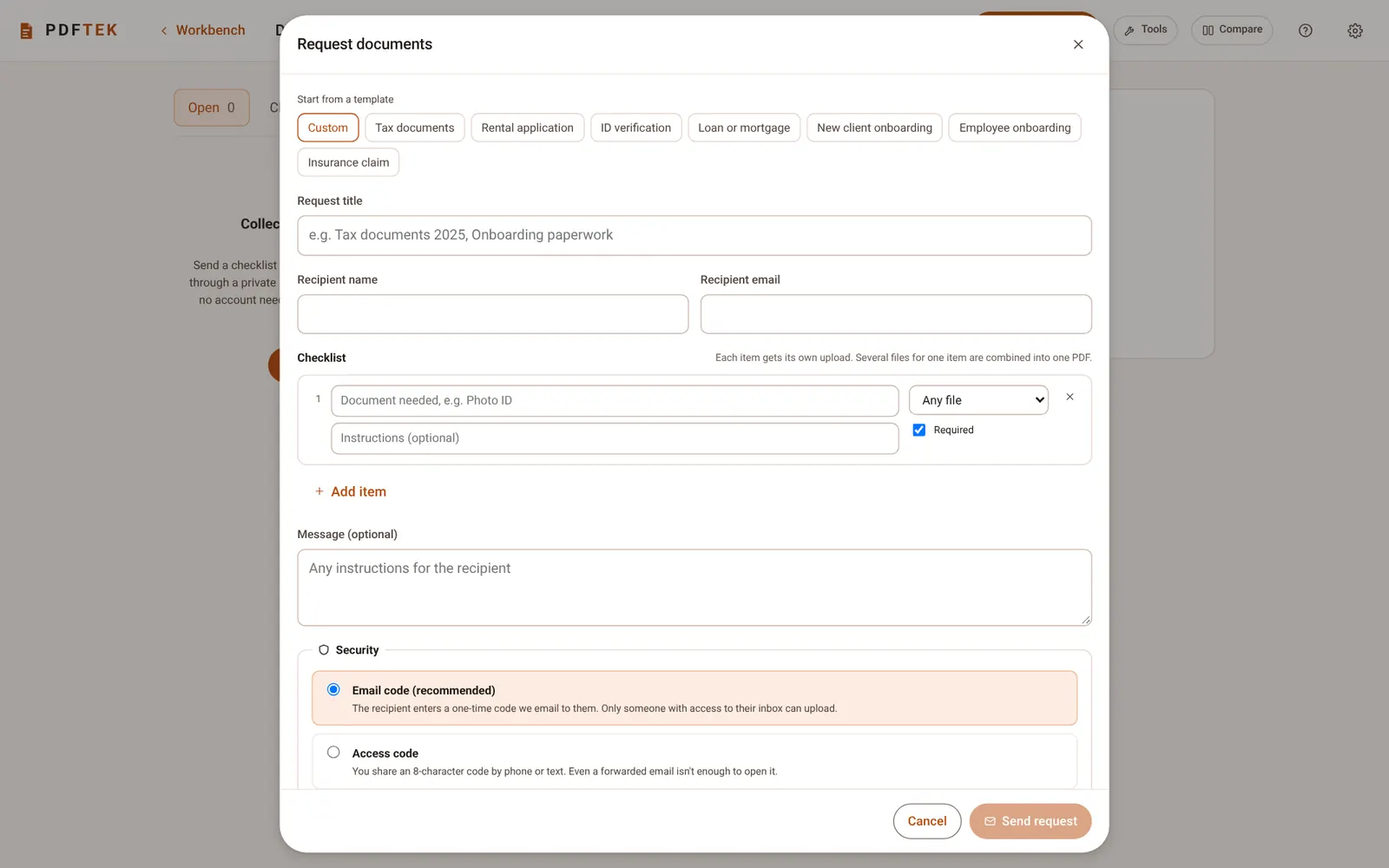
Click Requests in the left menu, then New request. Start from a checklist such as ID verification or Rental application, or write your own.
- 2
Send it
Add the person's email and a due date. They get a secure link; reminders go out automatically until everything arrives.
- 3
Collect the files
Uploads land in your documents, named and tagged. You can see what's still missing at a glance.
Ready to try it?Open your workbench and follow along.
Start free