Request signatures
Send a document for legally binding e-signature, with reminders and an audit trail.
- 1
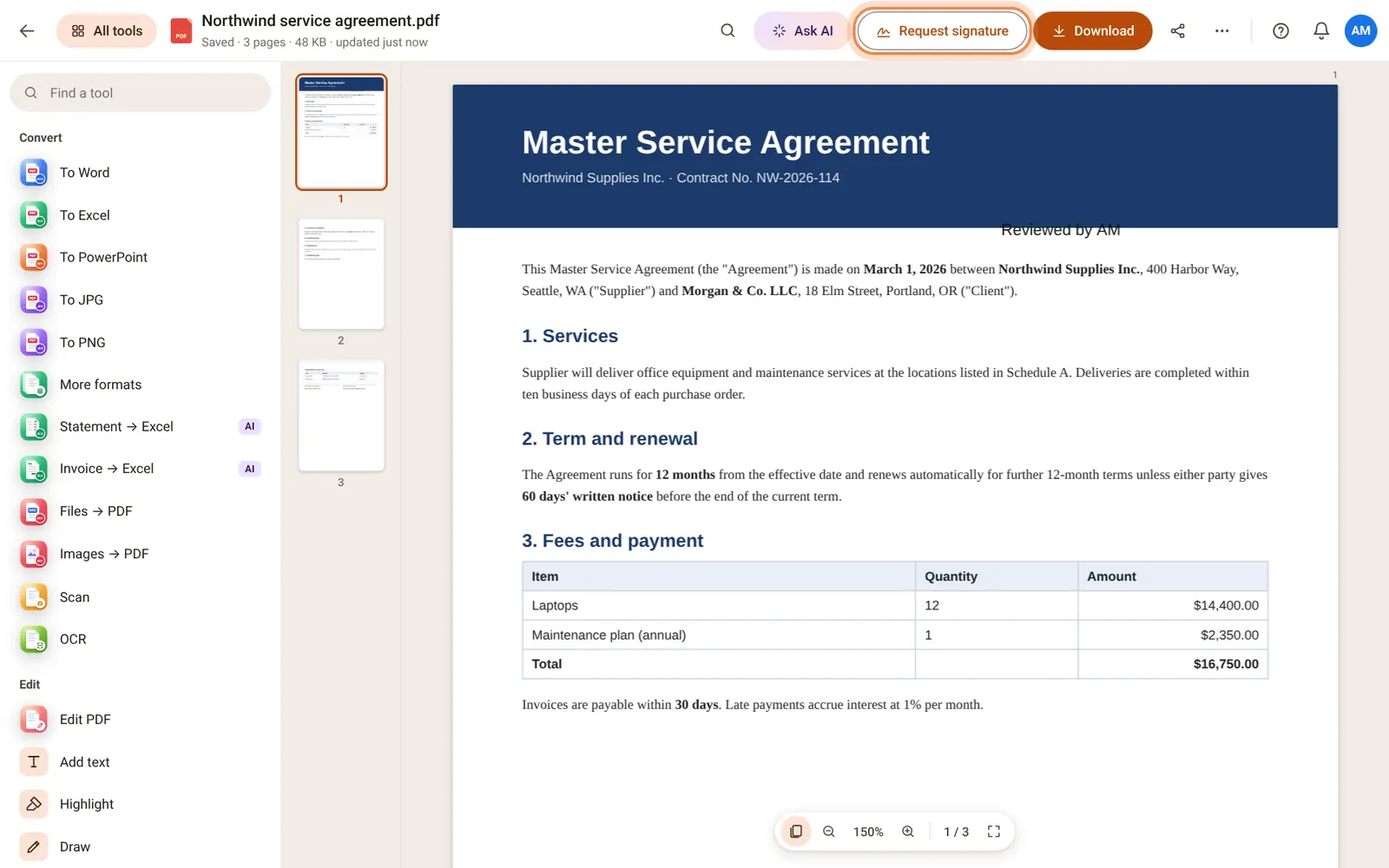
Click Request signature
Open the document and click Request signature at the top.
- 2
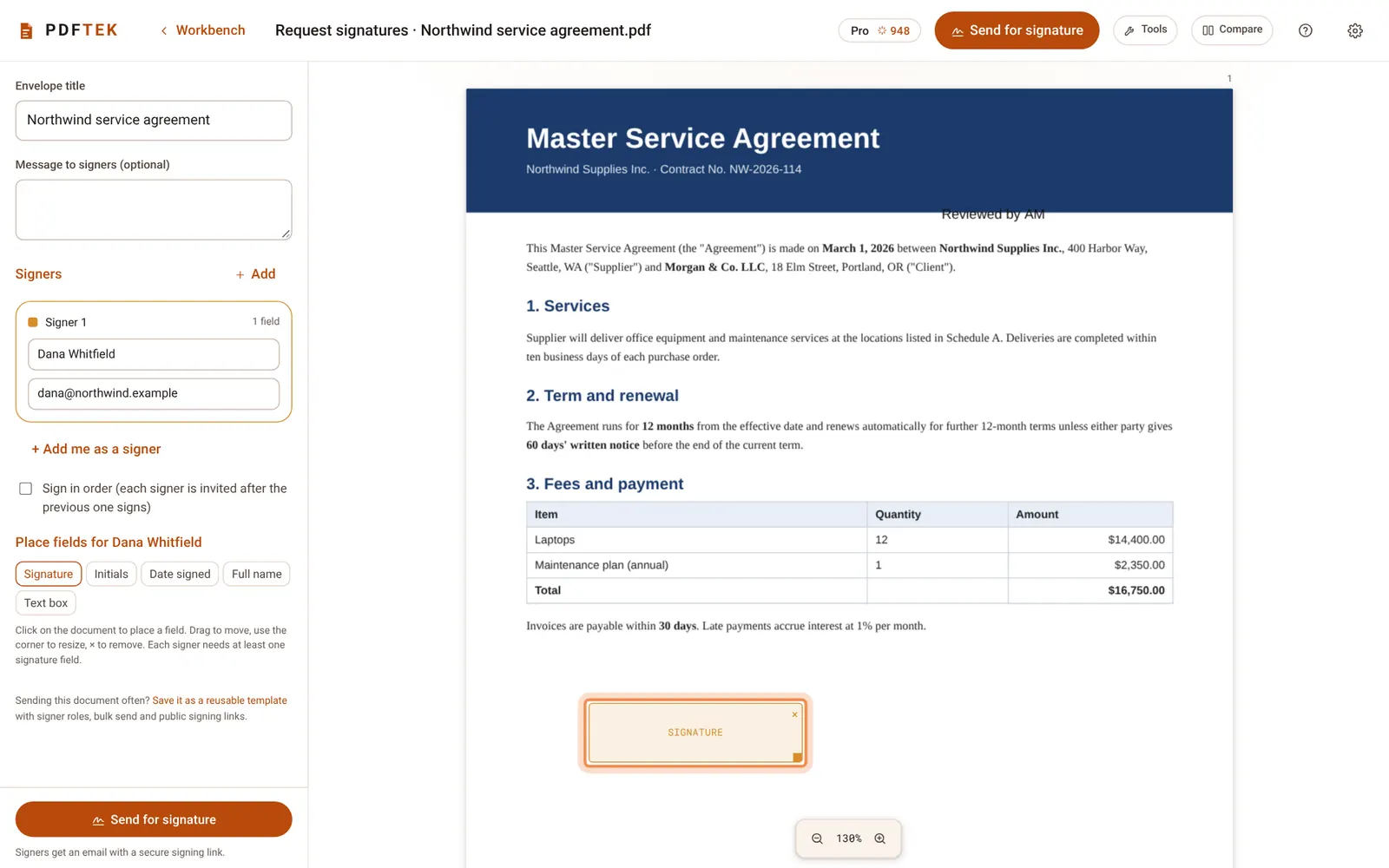
Add signers and fields
Add each signer's name and email, then drag signature, date, initials and text fields onto the page for each person. Choose whether they sign in order.
- 3
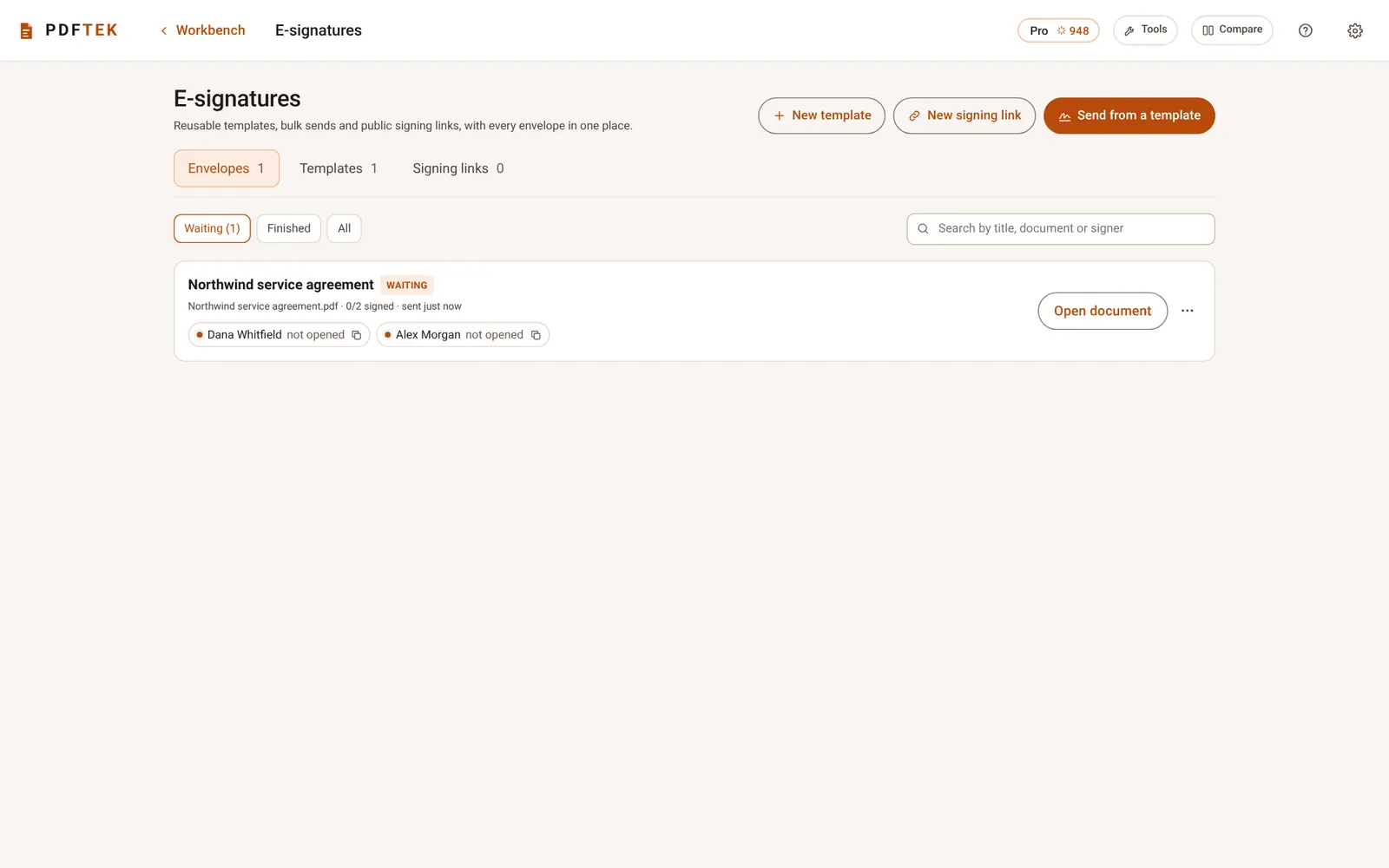
Send and track
Click Send. Signers get an email with a secure link. Follow progress, send reminders or cancel in Signatures.
- 4
The signed copy
When everyone has signed, the signed PDF and its audit trail are saved as a new version and emailed to everyone.
Ready to try it?Open your workbench and follow along.
Start free