Signing templates, bulk send, signing links and payments
Set a document up once and send it forever, to many people at once or with one public link.
- 1
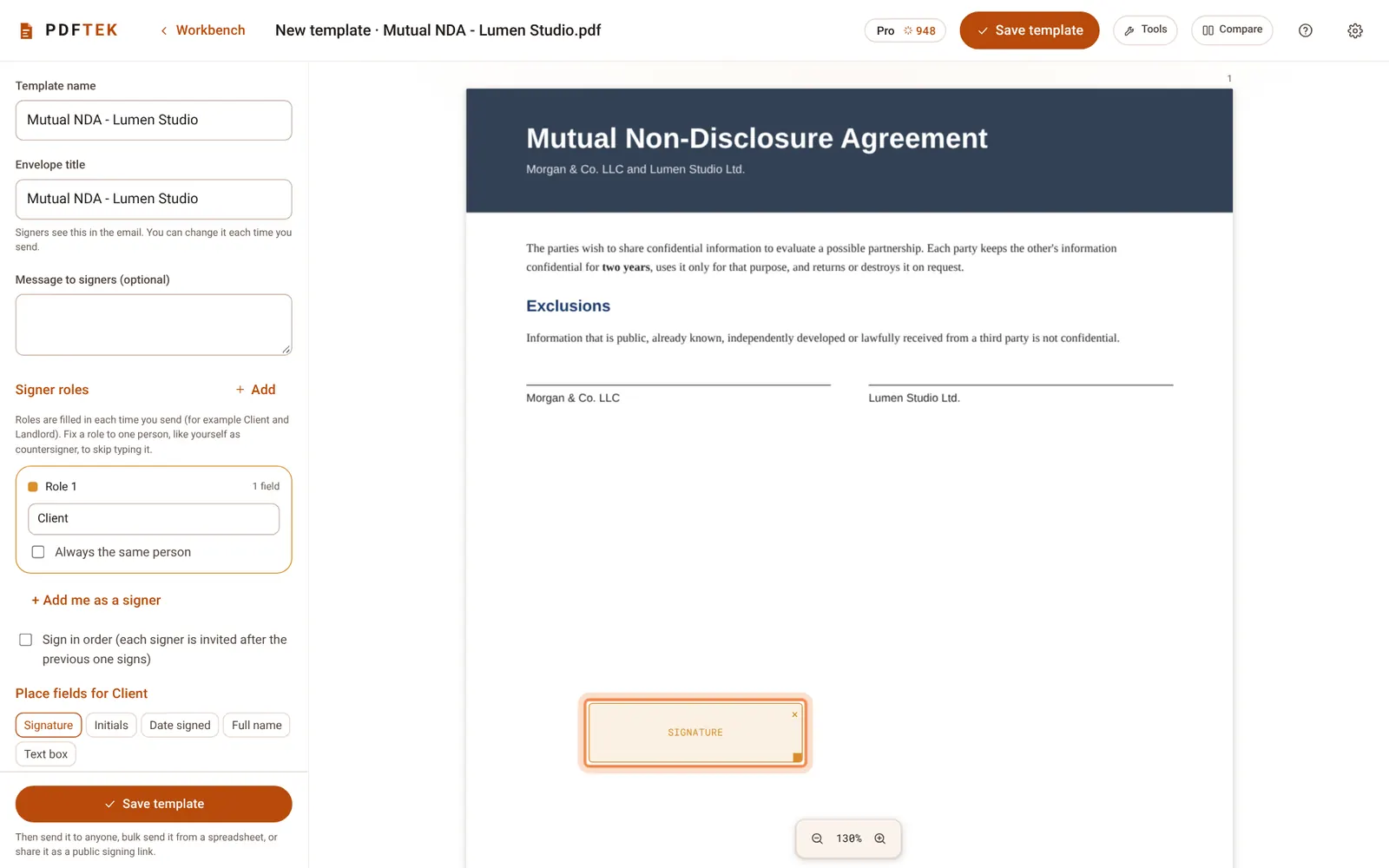
Save a template
Click Save as template under Fill & sign. Name the roles, for example Client, and place their fields once.
- 2
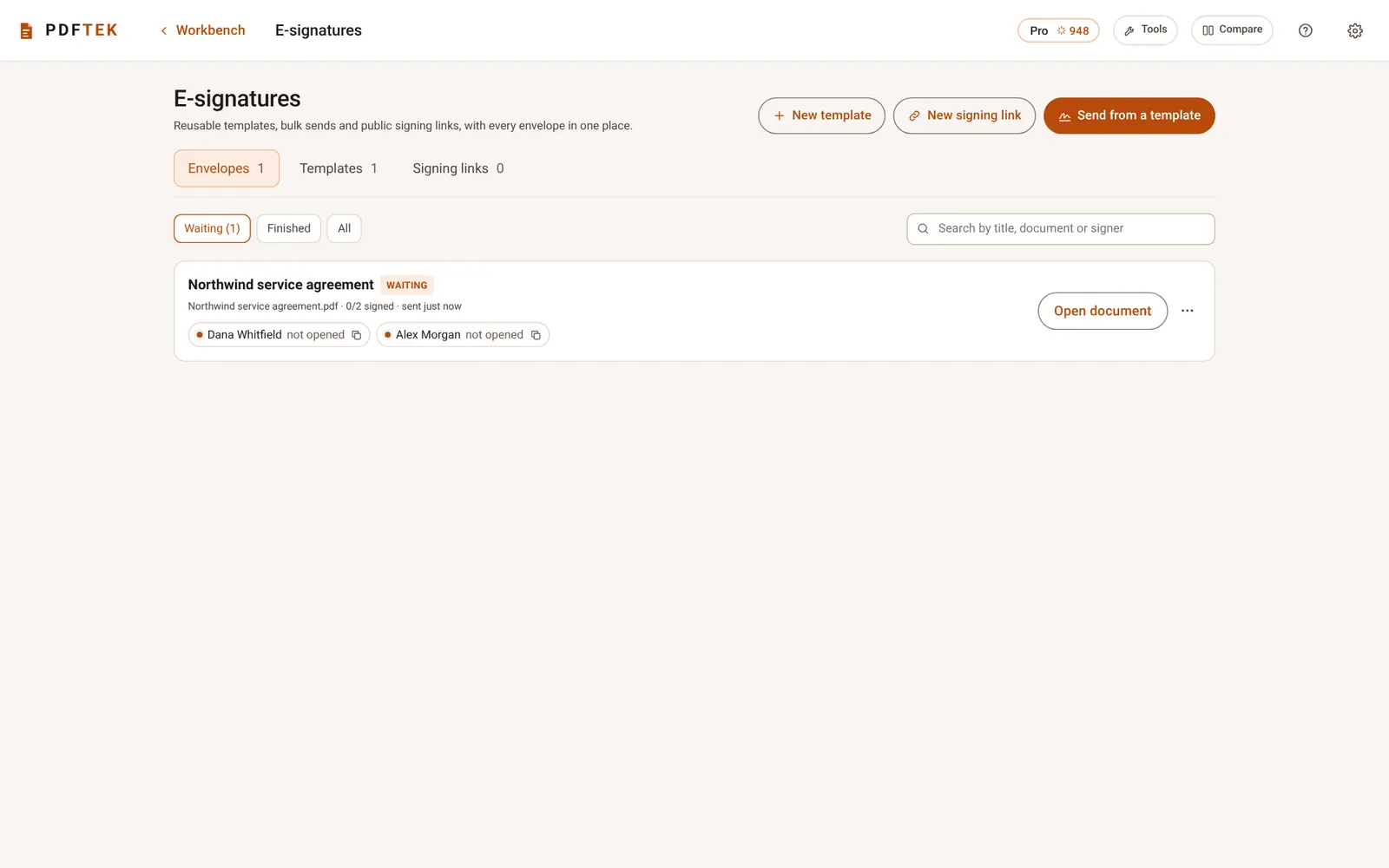
Bulk send
In Signatures, choose a template and Bulk send. Paste a list of names and emails; everyone gets their own copy.
- 3
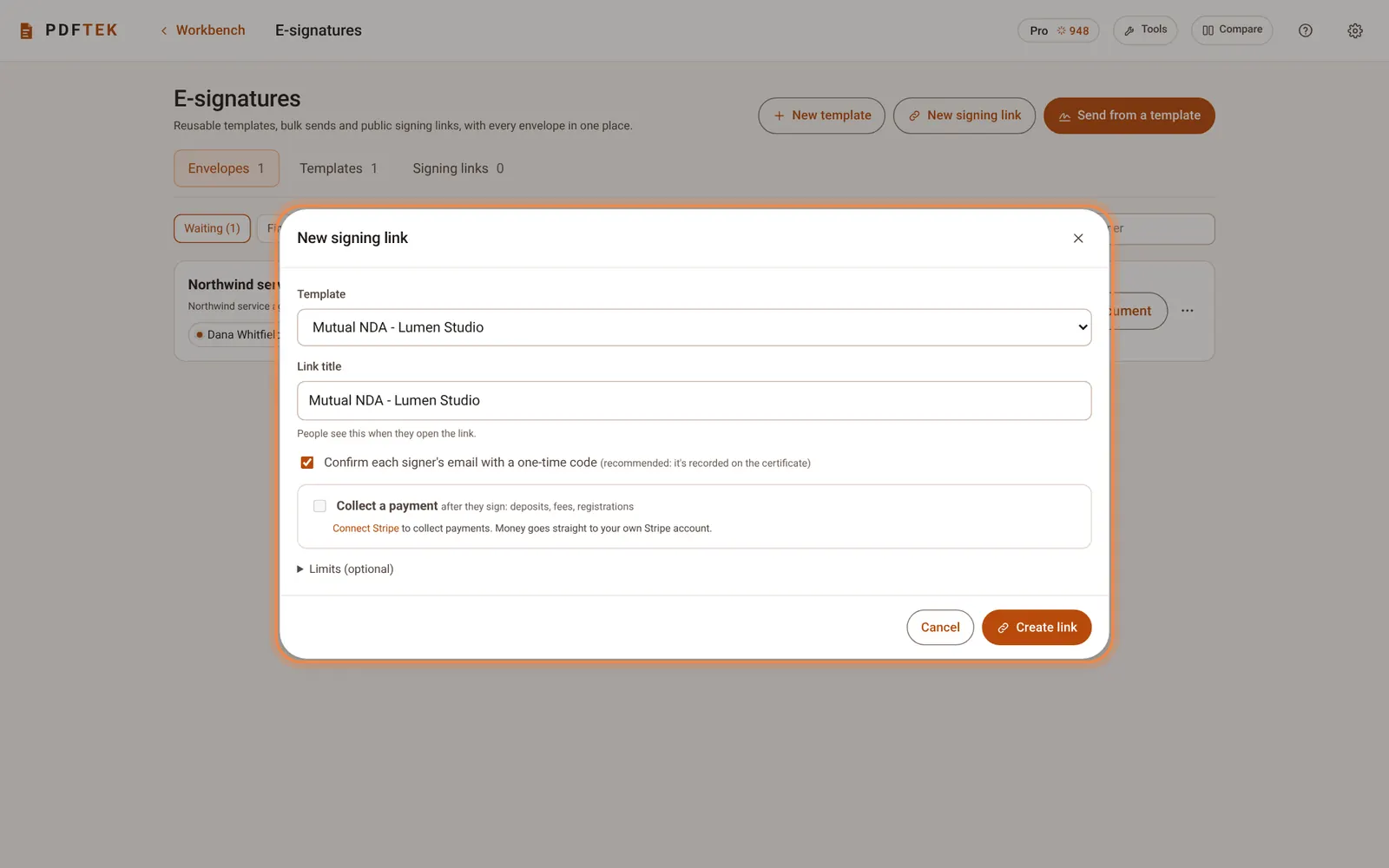
One link anyone can sign
Create a Signing link to put on your website or in an email. Set an end date or a limit on signers if you need to.
- 4
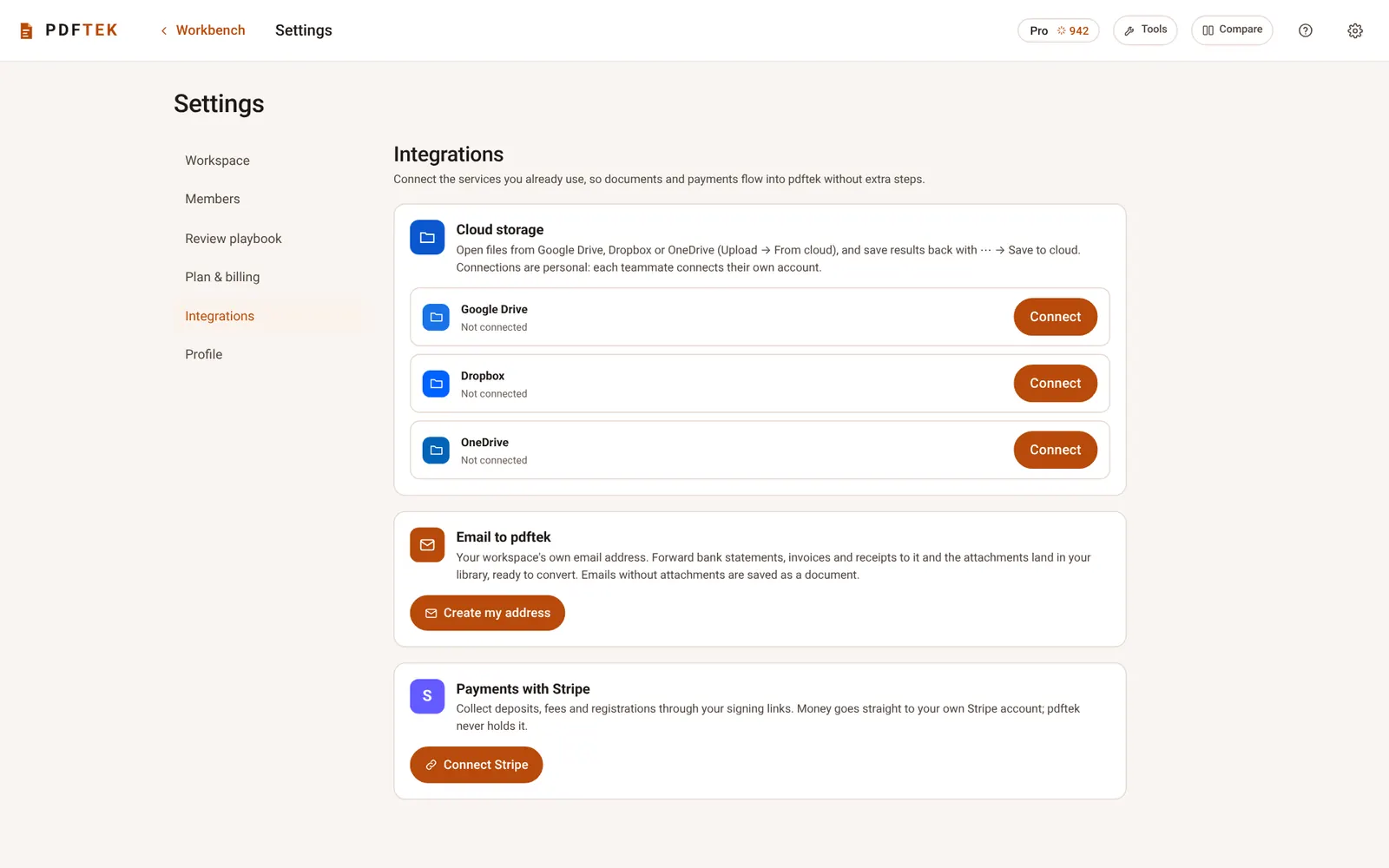
Get paid when they sign
Connect Stripe in Settings, Integrations, then add Collect a payment to a template or link. Signers pay as they sign.
Ready to try it?Open your workbench and follow along.
Start free