Upload and organize documents
Add files from your computer, your phone or the cloud, then rename, tag, filter and tidy them up.
- 1
Add files
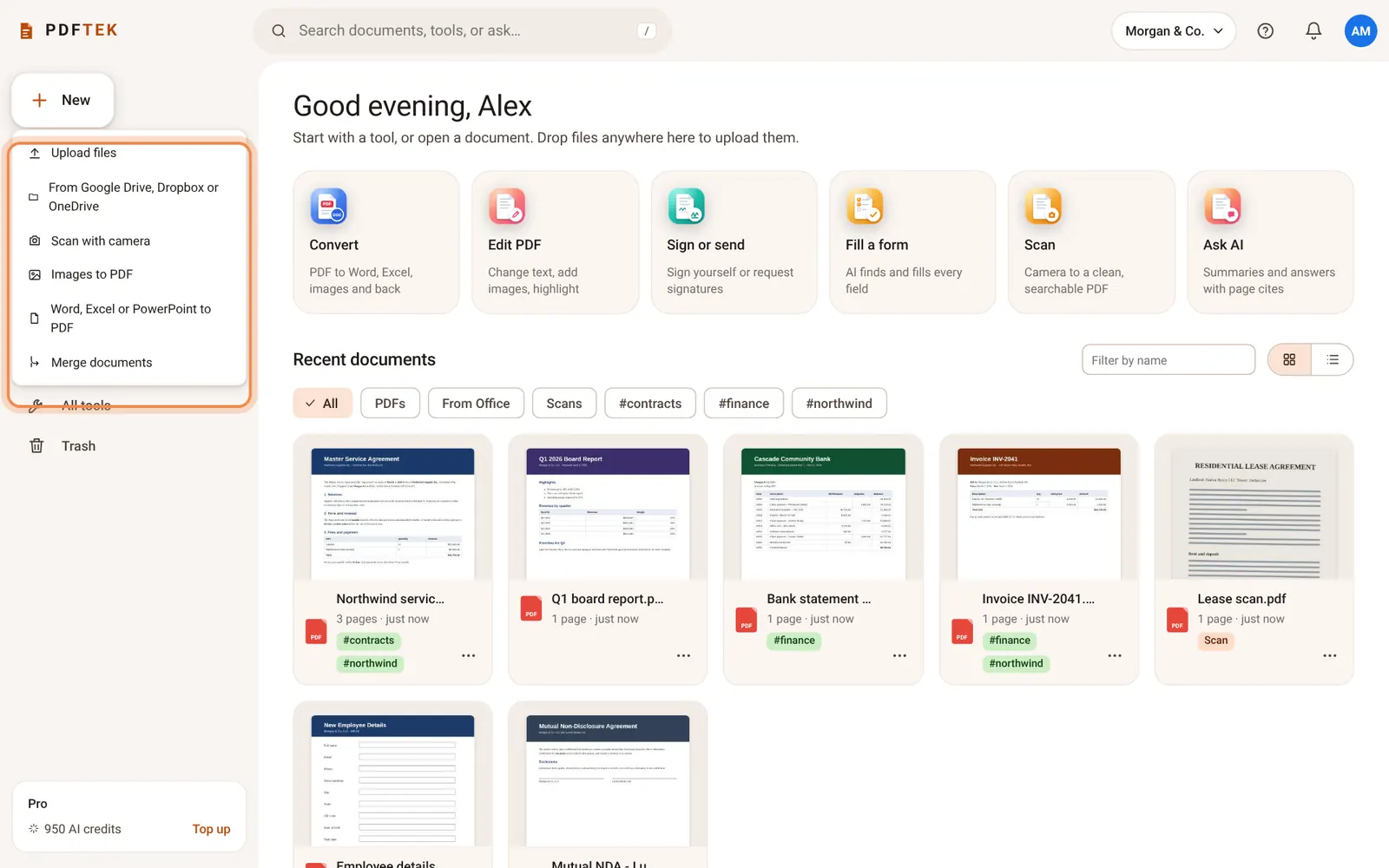
Click New, then Upload files, or drag files anywhere onto the Home screen. PDFs, Word, Excel, PowerPoint, images and TIFF all work; other formats become PDFs as they upload.
- 2
From the cloud
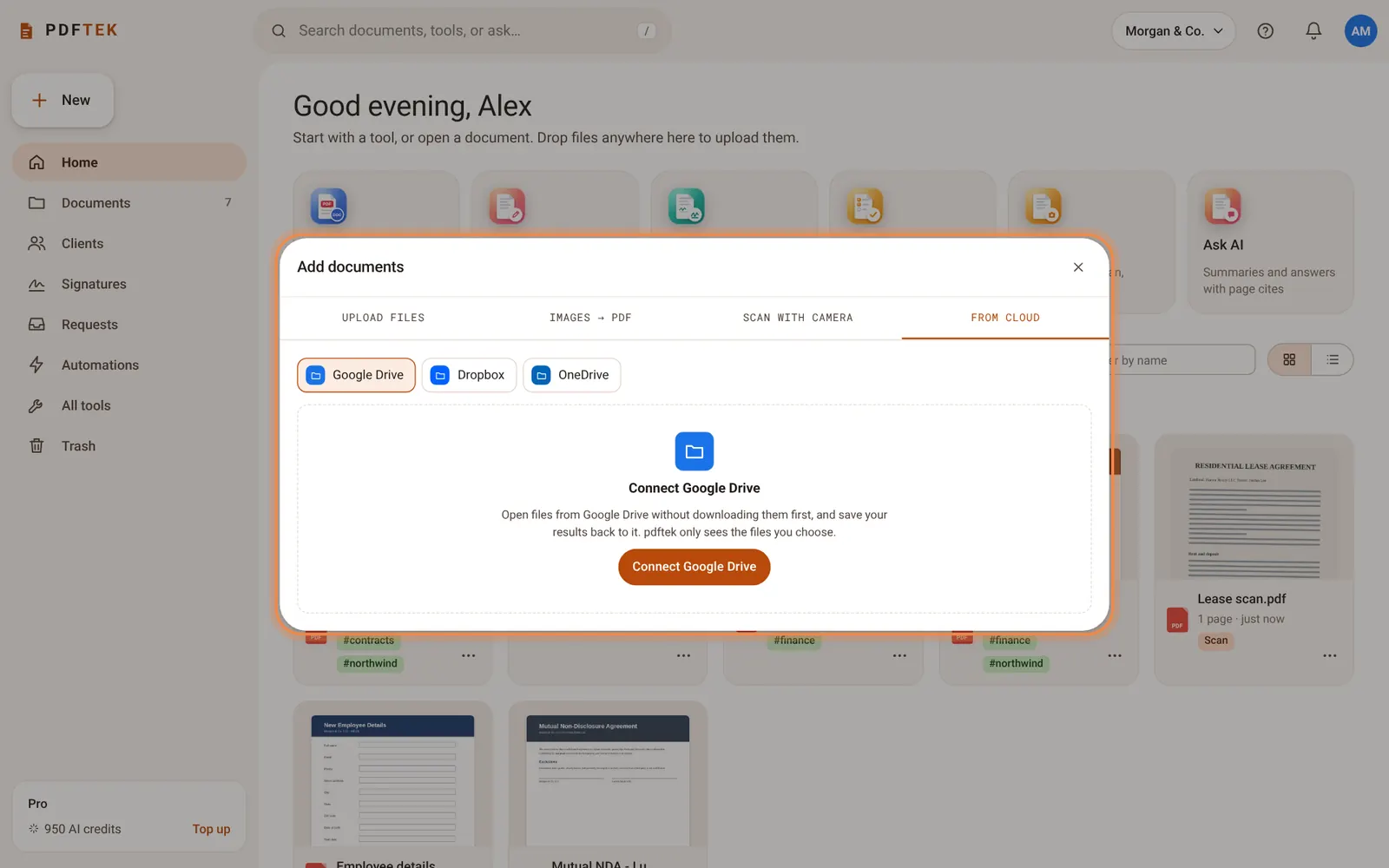
Choose From Google Drive, Dropbox or OneDrive in the New menu to open files straight from your cloud storage.
- 3
Filter and switch views
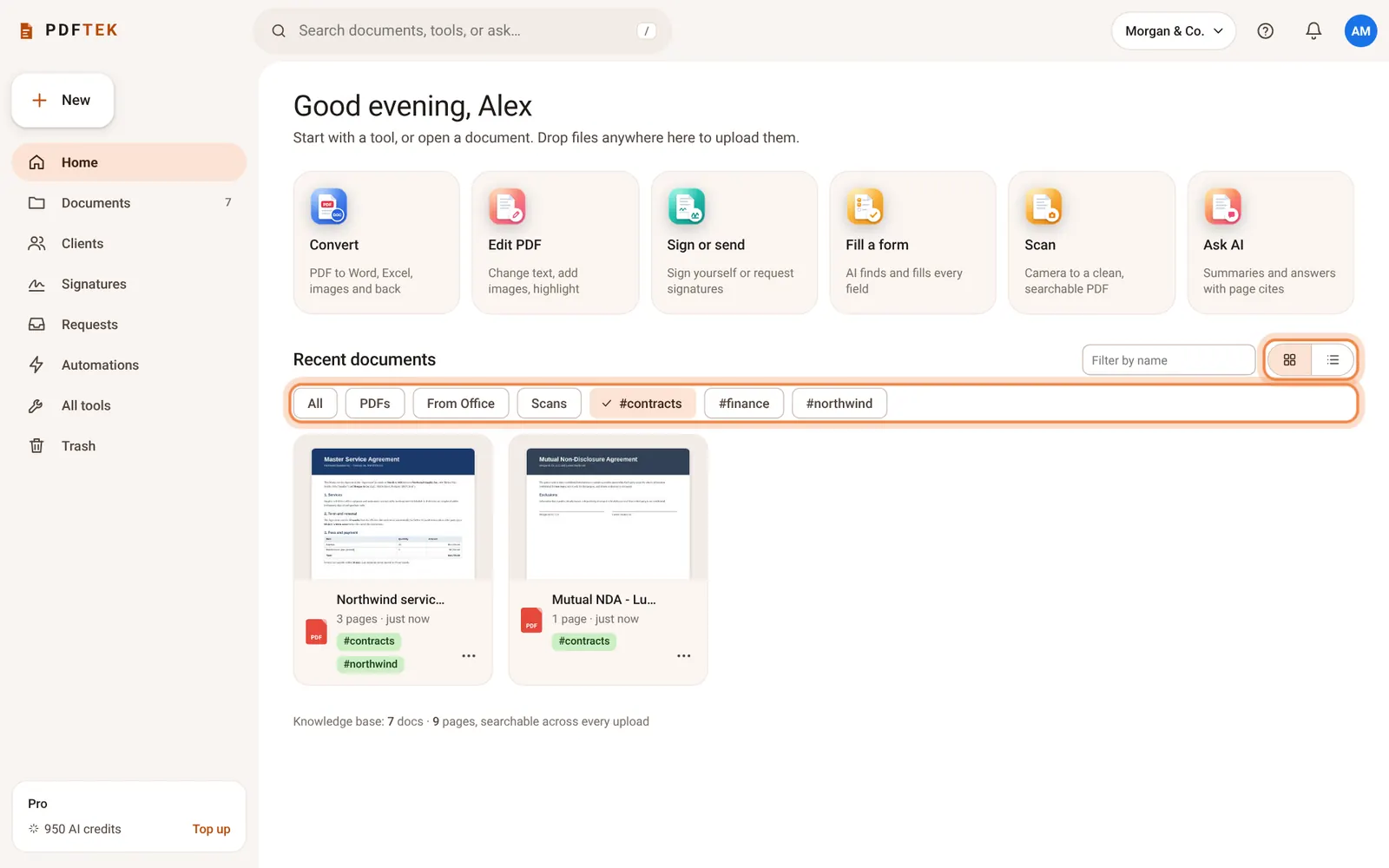
Use the chips to show only PDFs, files from Office, scans or a tag. Switch between the grid and the list with the buttons on the right.
- 4
Rename, tag or download
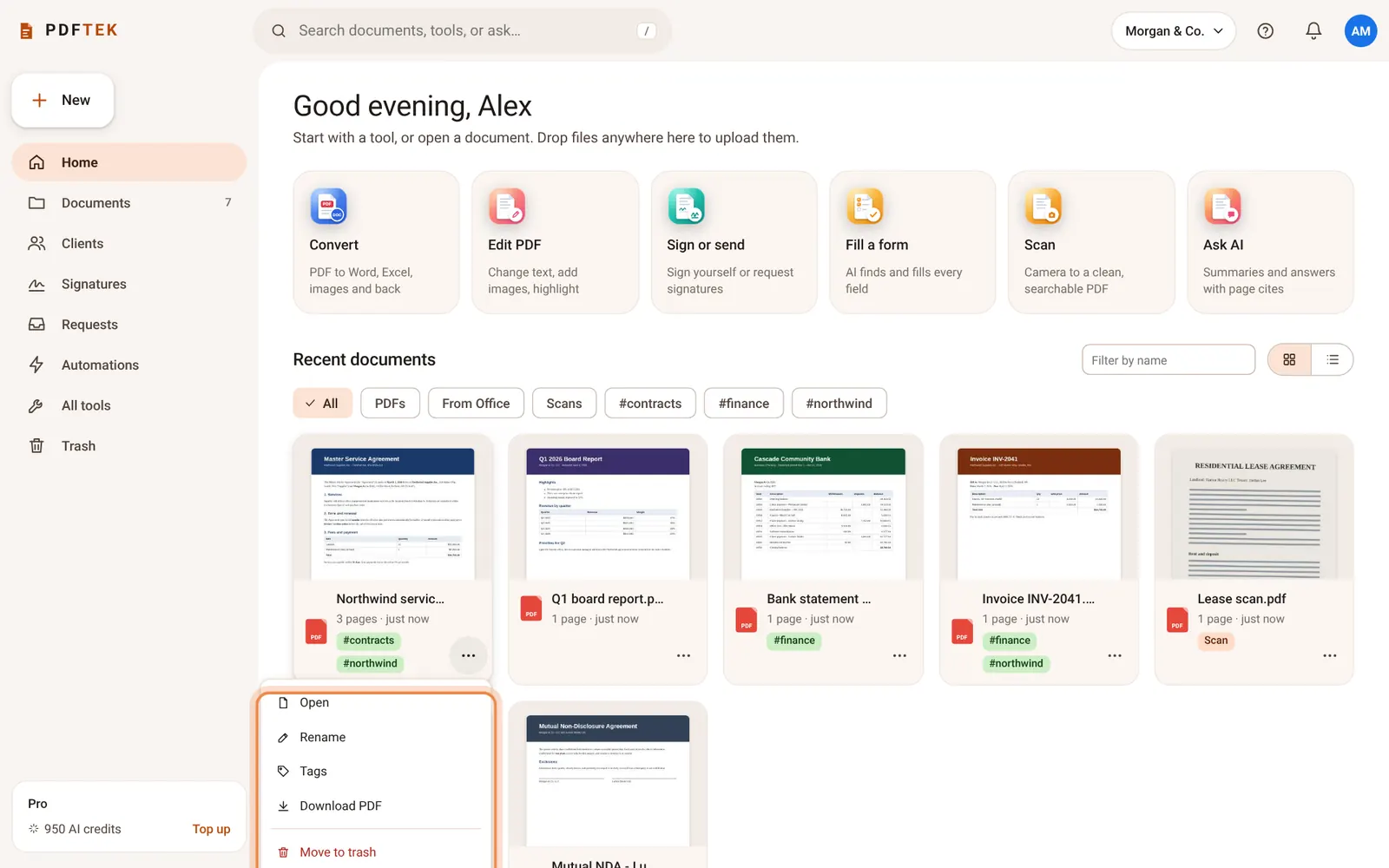
Click the three dots on a document for Rename, Tags, Download PDF or Move to trash. Tags appear as filter chips so you can group documents.
- 5
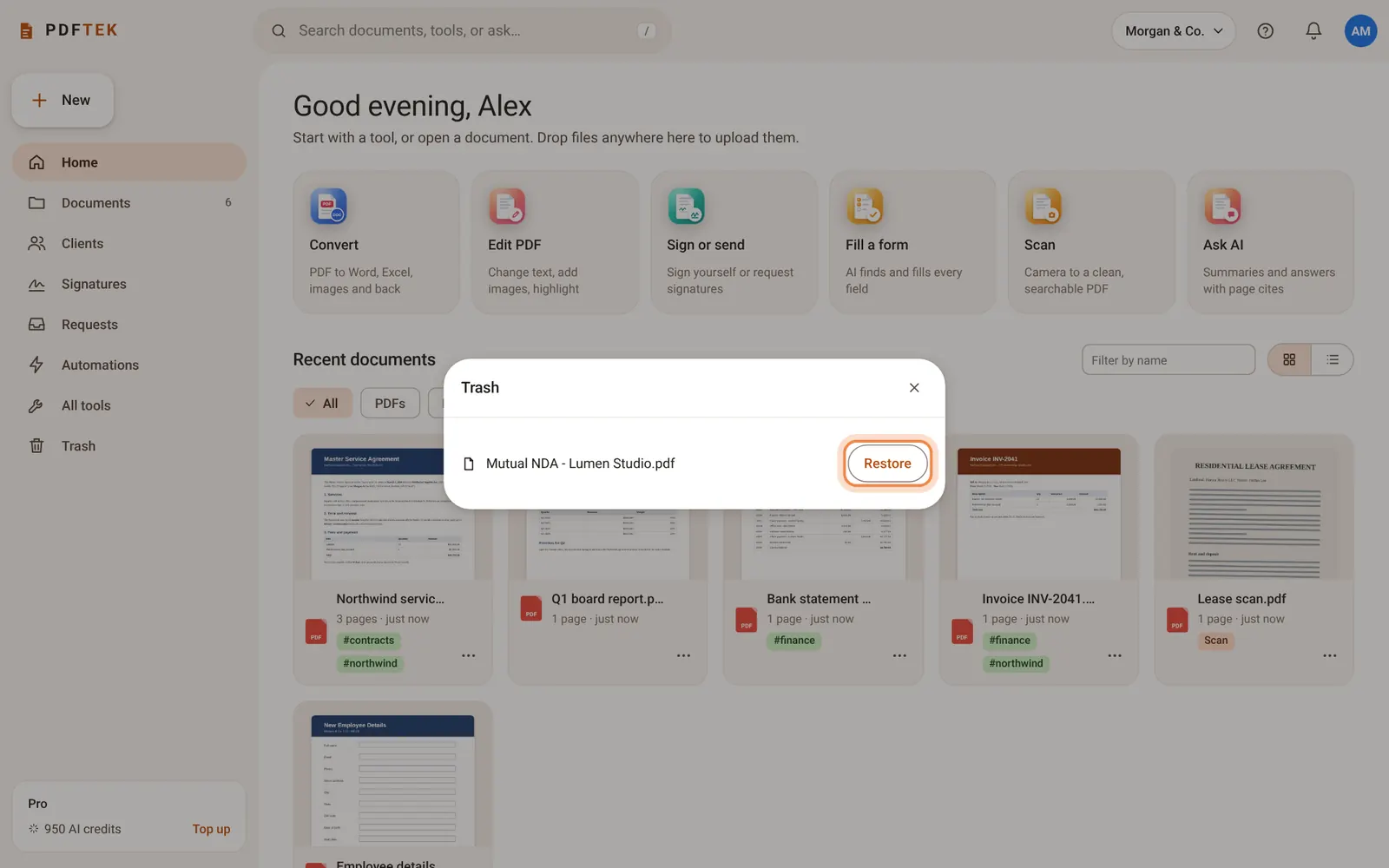
Restore from Trash
Deleted something by mistake? Click Trash in the left menu and choose Restore.
Ready to try it?Open your workbench and follow along.
Start free