Watermarks, page numbers and properties
Stamp DRAFT or CONFIDENTIAL, number your pages or set the title and author.
- 1
Watermark
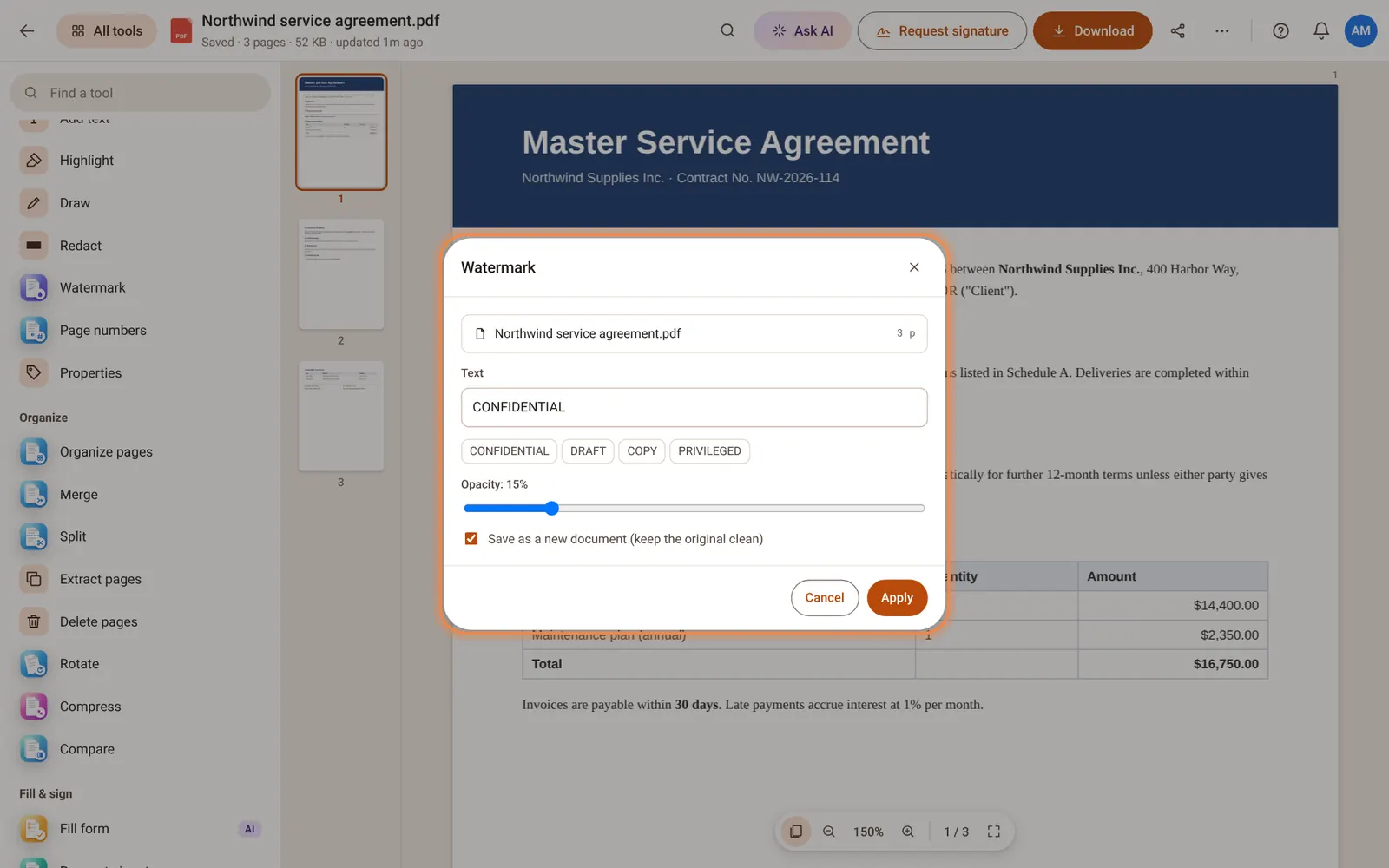
Click Watermark under Edit in All tools, type the text, then choose its size, angle and opacity.
- 2
Page numbers
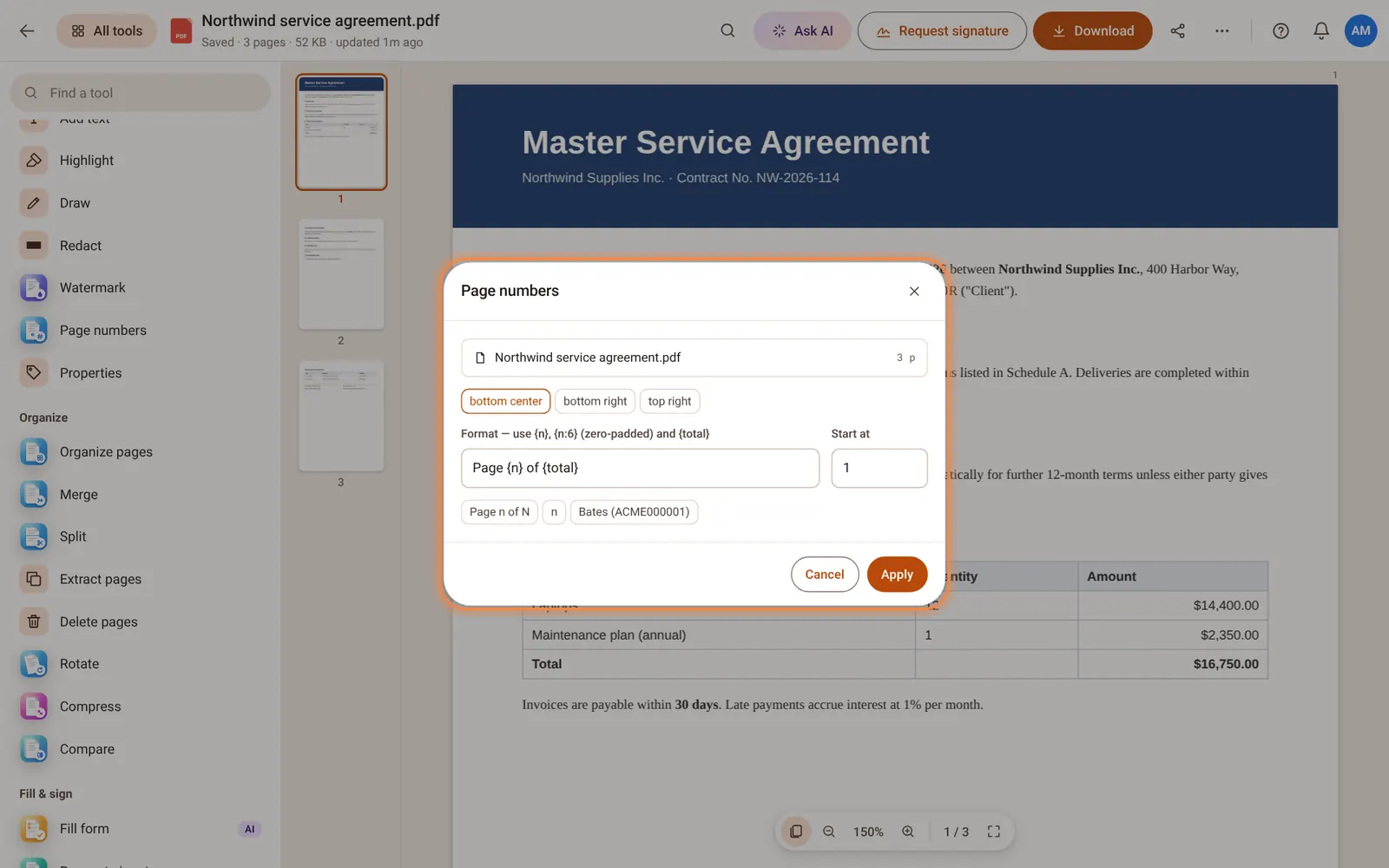
Click Page numbers to add Page 1 of 10, plain numbers or Bates numbers in the corner you choose.
- 3
Properties
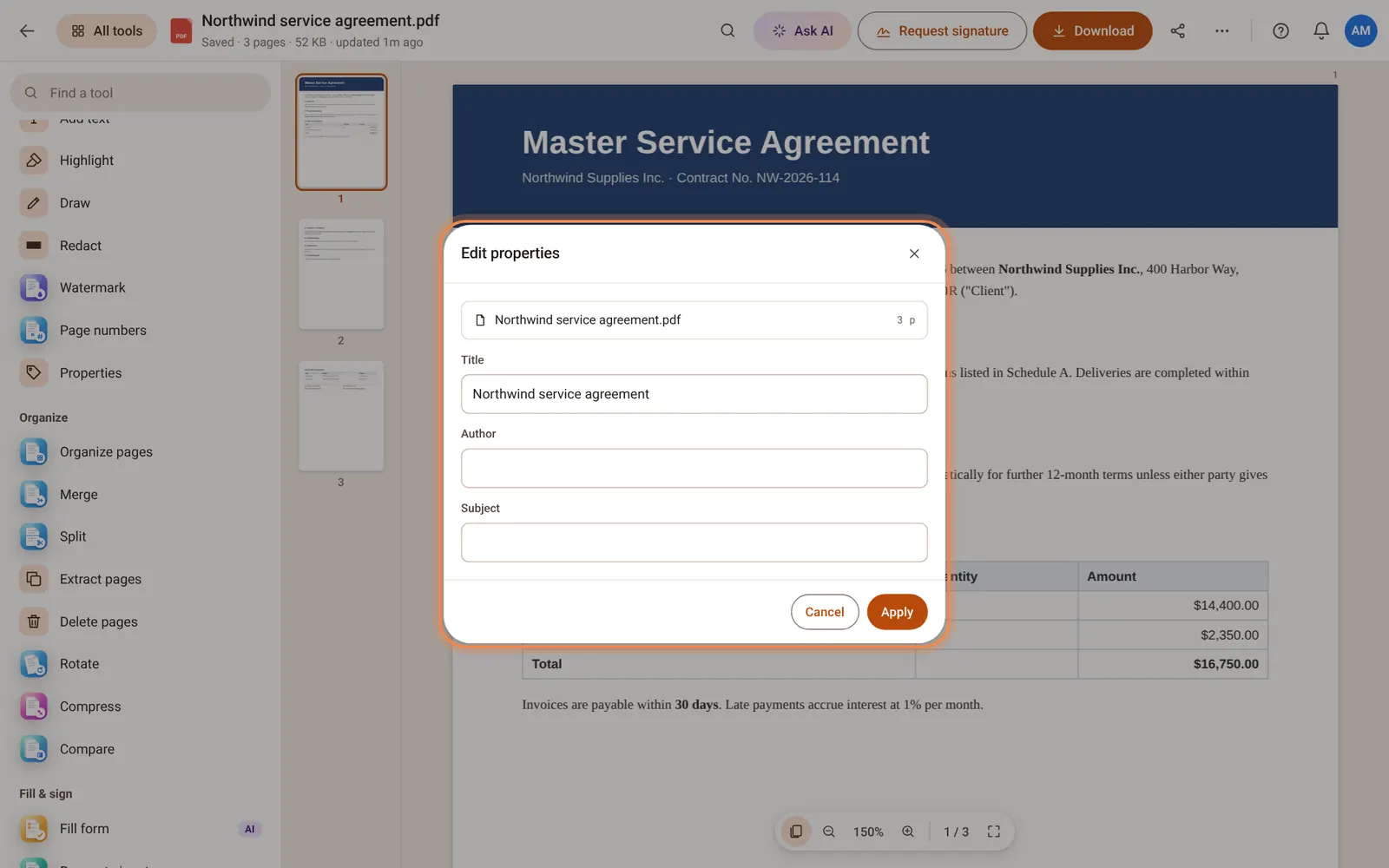
Click Properties to set the document's title, author and subject.
Ready to try it?Open your workbench and follow along.
Start free