Get started with pdftek
A quick tour of your workbench: the Home screen, your documents and where every tool lives.
- 1
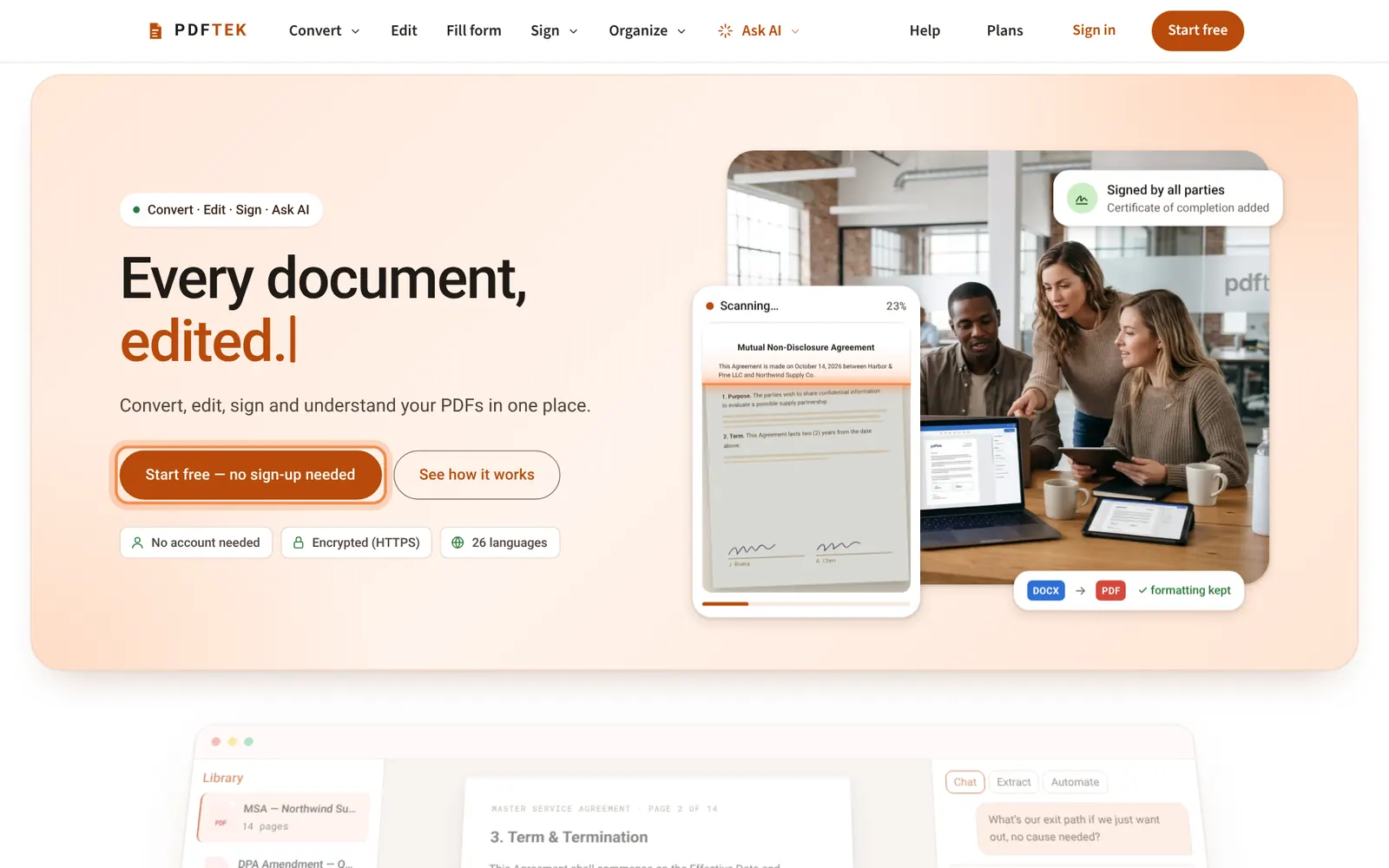
Start free
Click Start free on pdftek.com. You get a private workspace straight away, no sign-up needed. Create a free account to keep your files and get more tasks a day.
- 2
Your Home screen
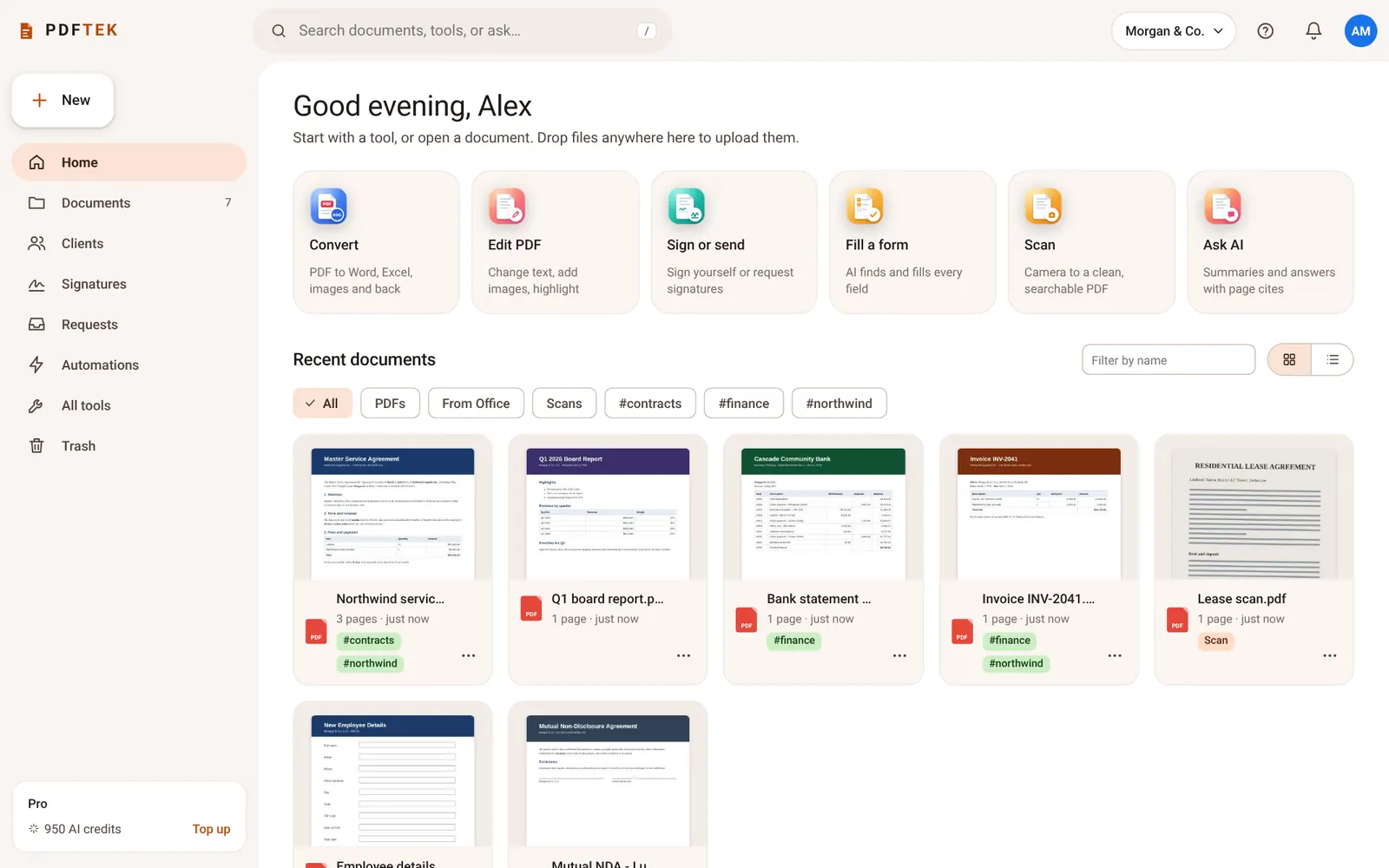
Home shows a greeting, six quick starts (Convert, Edit PDF, Sign or send, Fill a form, Scan and Ask AI) and your recent documents.
- 3
The left menu
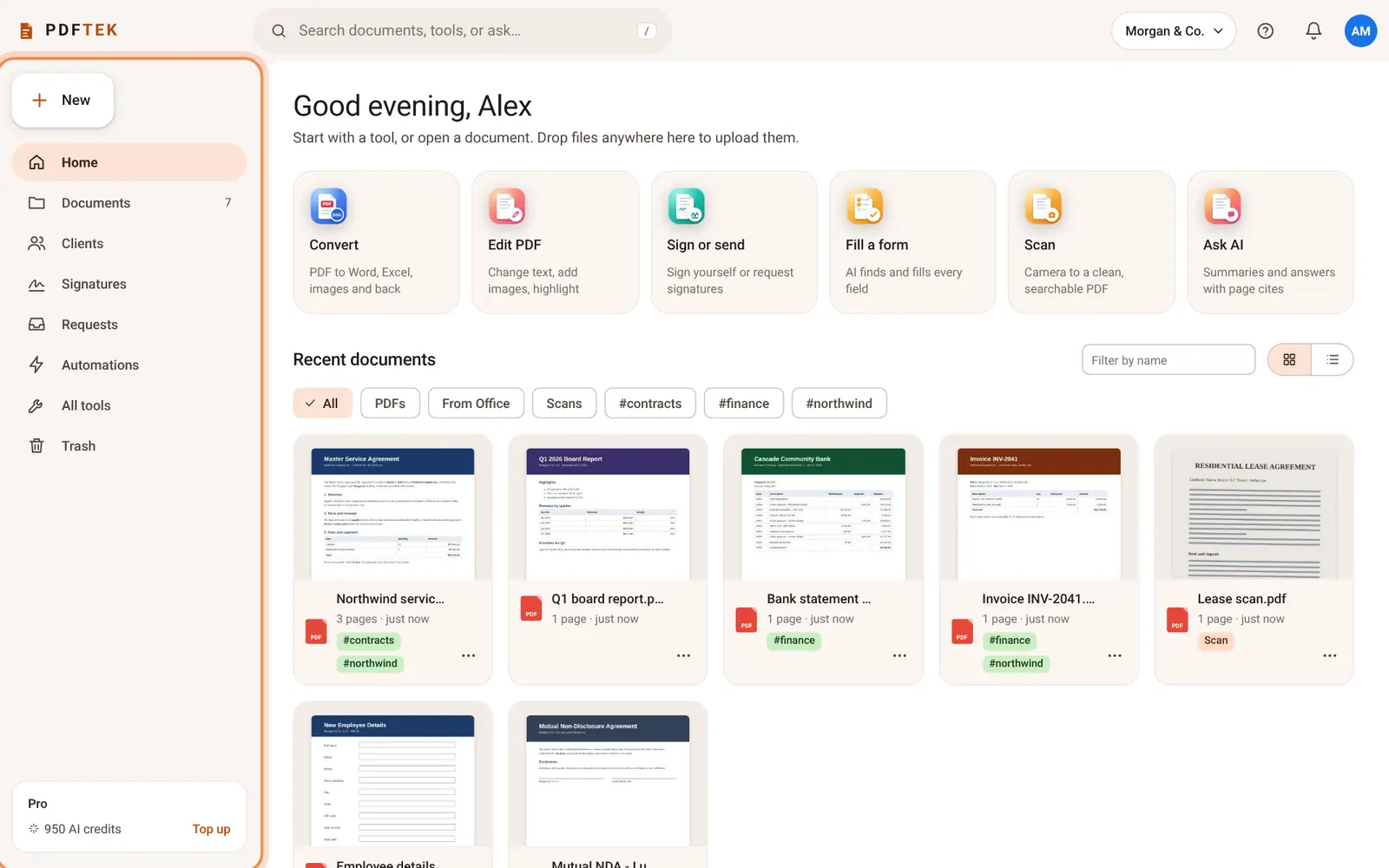
Use the menu on the left for Documents, Clients, Signatures, Requests, Automations, All tools and Trash. Your plan and AI credits are at the bottom.
- 4
Open a document
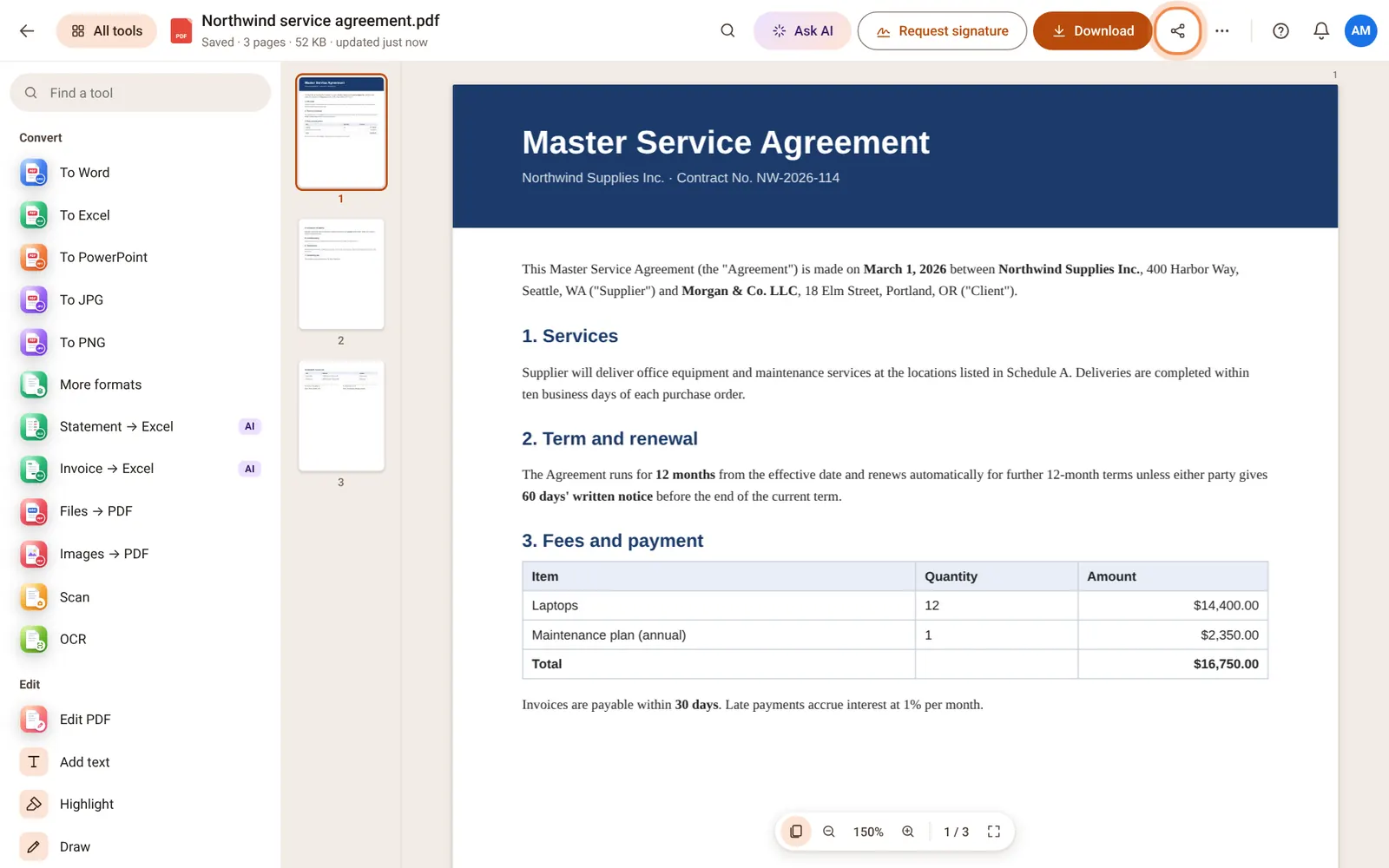
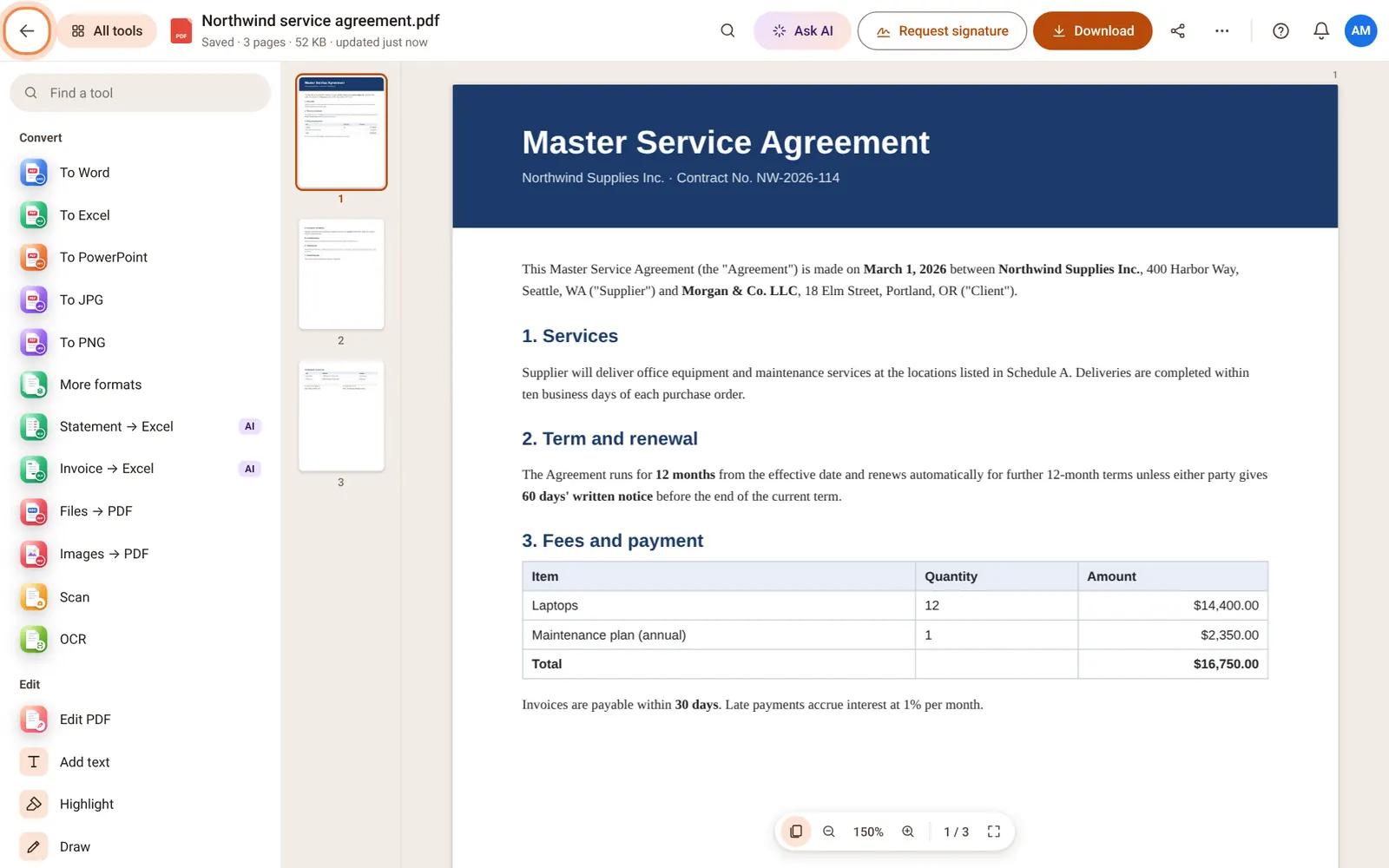
Click any document to open it. The page sits in the middle, every tool is listed on the left and Ask AI opens on the right.
- 5
Go back Home
Click the arrow at the top left of a document to return to Home at any time.
Ready to try it?Open your workbench and follow along.
Start free