Redact sensitive information
Permanently remove names, numbers or anything else before you share a document.
- 1
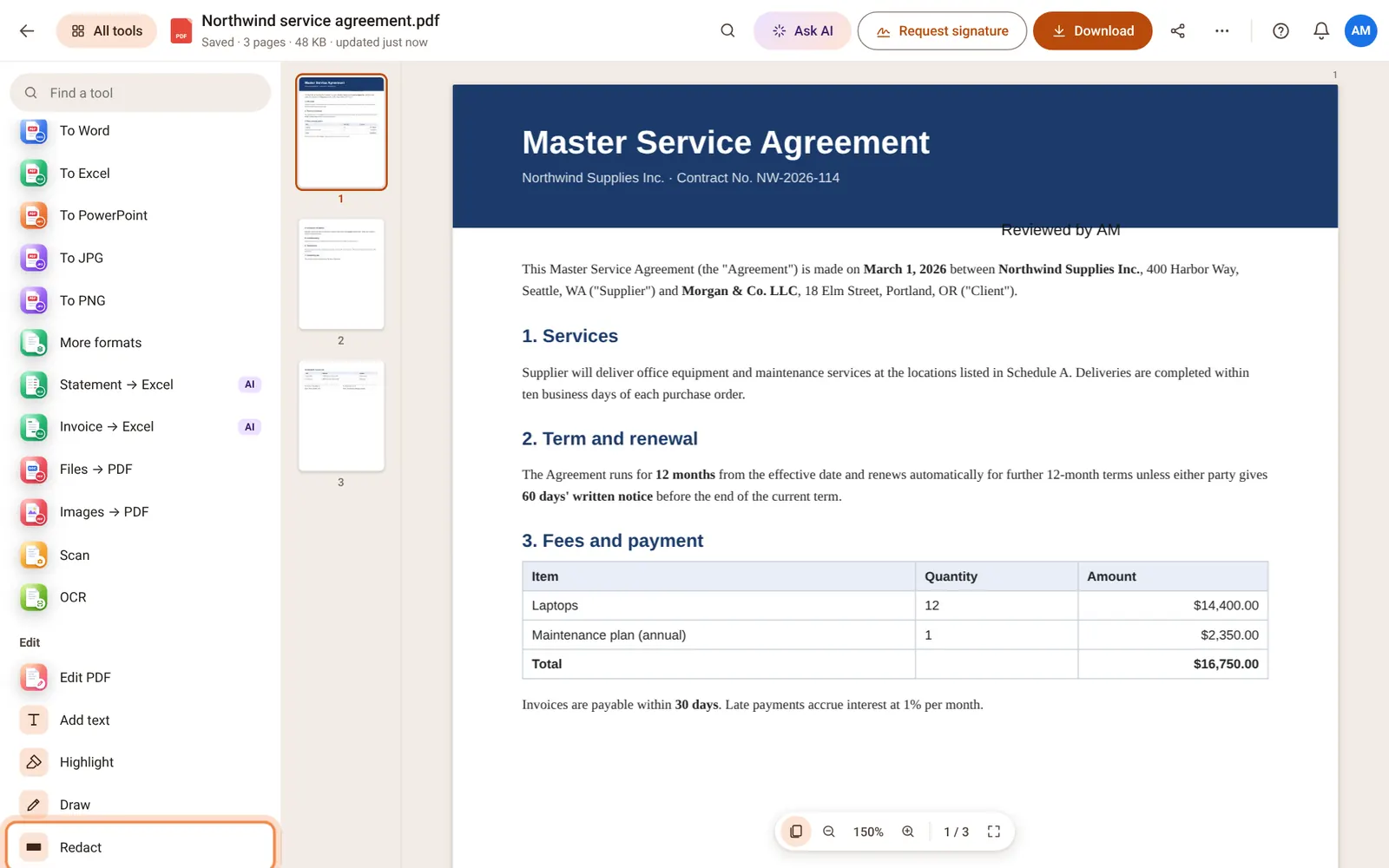
Open Redact
Click Redact under Edit or Protect in All tools.
- 2
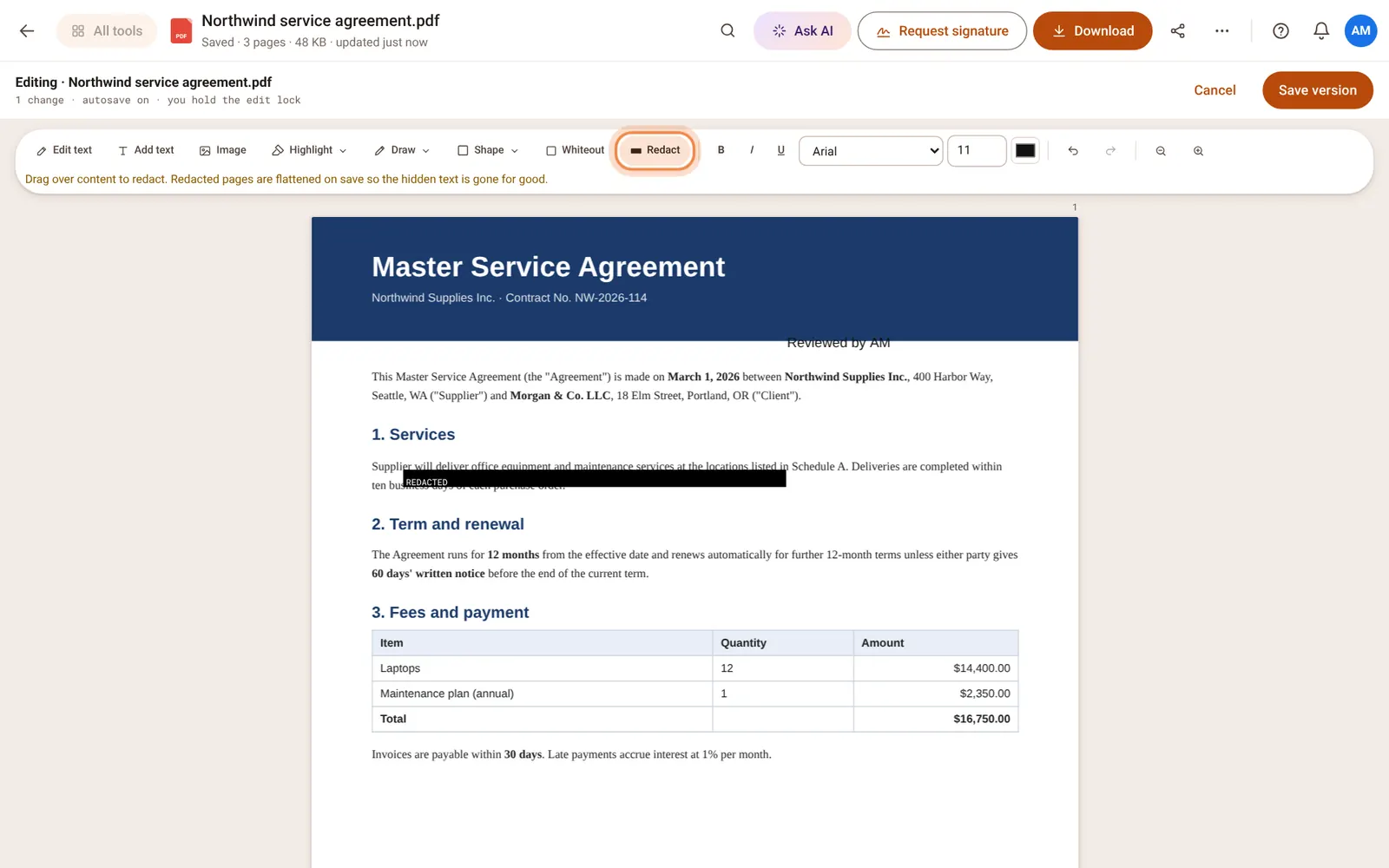
Mark what to remove
Drag over text or areas to black them out. Each mark can be moved or deleted until you save.
- 3
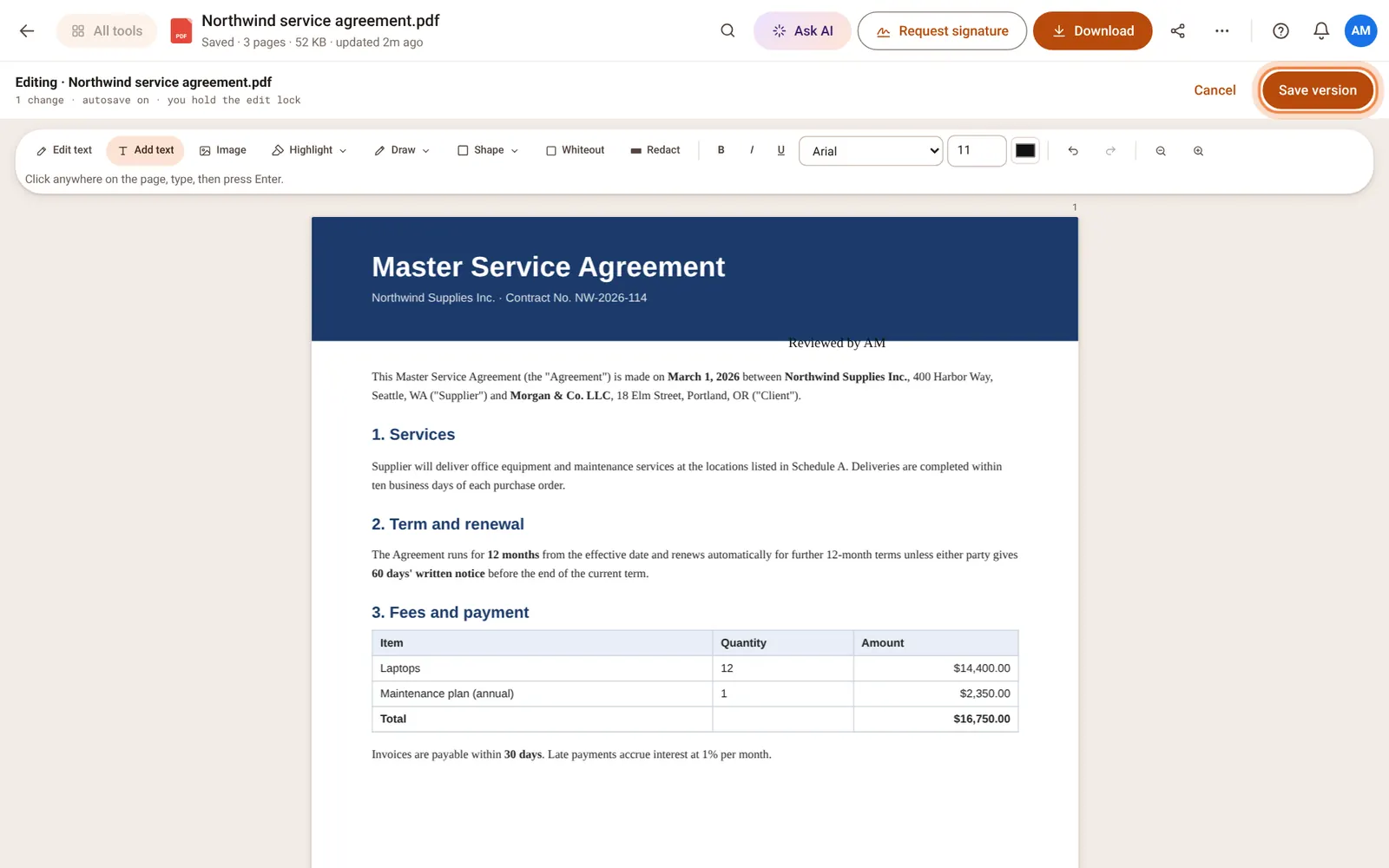
Save
Click Save version. Redacted content is removed from the file for good, not just hidden.
Ready to try it?Open your workbench and follow along.
Start free